Electronics / Gaming Peripherals
User Guide for Logitech G Flight Rudder Pedals
Quick setup guide for Logitech G Flight Rudder Pedals. Learn how to install drivers, connect via USB, and adjust pedal tension and length for your flight simulator.
Table of contents
Manual images
Click an image to enlargeQuick guide from the manual
To set up your Logitech G Flight Rudder Pedals, follow these essential steps:
- Download the latest drivers from logitech.com/support/rudder-pedals.
- Keep the device disconnected from your PC during the initial driver setup.
- Connect the USB cable only when the installer prompts you to do so.
- Test the controller using the Logitech Controller screen after installation.
Introduction
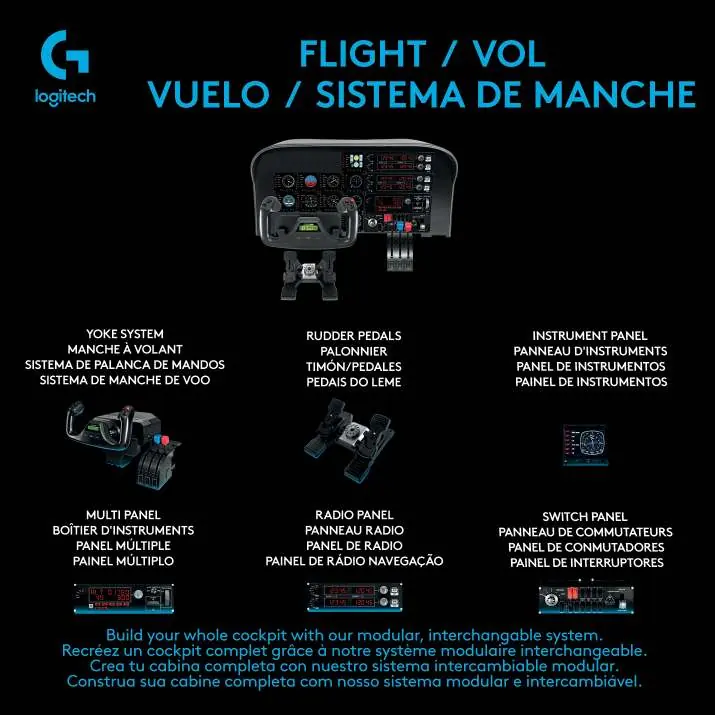
The Logitech G Flight Rudder Pedals are 3-axis rudder pedals designed to enhance realism in flight simulation PC games. They provide foot control for rudder and brake functions and are compatible with other Logitech G Flight products.
Getting Started
The pedals feature physical adjustments to suit your preferences:
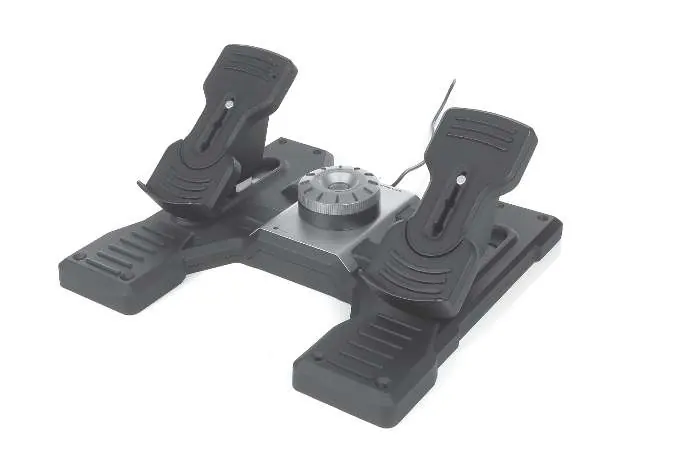
- Adjustable Pedals: 3-stage pedal length adjustment.
- Adjustable Tension: Modify the resistance to suit the aircraft type.
- Removable Foot Rests: Can be removed as needed.
Installation
Follow these steps for Windows 10, 8.1, and 7:
- Visit the official support website to download drivers and software.
- Run the installer with the device disconnected.
- Insert the USB cable into a free USB port on your computer only when prompted by the setup screen.
- Click Next to proceed with the installation.
- Test the controls in the Logitech Controller screen to verify operation.
Software Installation
During software setup, you may be asked to trust software from Logitech; click Yes to proceed. After installation, you have the option to run the Profile Editor to access the programming environment. If you wish to skip this, uncheck the box before clicking Finish.
Technical Support
For further assistance, visit the online support portal at support.logitech.com.
Official resources from the manual
Manufacturer information
Logitech
Practical help
Common problems
Device not detected or installation fails
Ensure the device is disconnected during the initial driver installation phase and only plug it in when the setup screen explicitly prompts you.
Before use
- Download latest drivers from logitech.com/support/rudder-pedals
- Ensure the device is disconnected from the PC before starting installation
- Have a free USB port available
Specs in practice
- Adjustable Tension
- Allows you to customize the resistance of the pedals to match different aircraft types.
- 3-stage pedal length
- Allows physical adjustment of the pedal size for comfort.
Images and diagrams
- The pedals feature a central tension adjustment knob.
- The foot rests are removable.
- The pedal length can be adjusted in 3 stages.
Model compatibility
- Compatible with Windows 10, 8.1, and 7.
- Works with any Logitech G Flight products.

Manual page author
Michael Turner
Technical manual editor
Reviews PDF manuals for structure, safety notes, and practical product details so readers can find the right information quickly.