Lighting / Portable Lighting
NEBO DAVINCI 1800L Flashlight
Quick guide for the NEBO DAVINCI 1800L flashlight. Learn how to operate light modes, use the power bank feature, charge the battery, and understand indicator lights.
Table of contents
Manual images
Click an image to enlargeQuick Start and Setup
Before using or charging the flashlight for the first time, you must open the battery compartment and remove the round battery spacer disc. The unit is powered by a rechargeable Li-Ion battery.
Operation and Light Modes
Use the power button to control the light. Press and release the button to cycle through the modes in the following order:
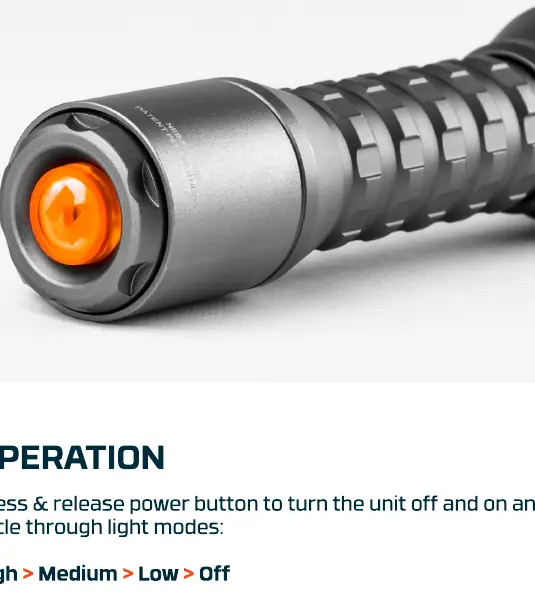
- High
- Medium
- Low
- Off
Additional Operation Features:
- Turn Off: If the light has been ON for 8 seconds or longer, the next button press will turn the unit off.
- Strobe: Double-tap the power button.
- Direct-to-Low: From the OFF position, press and hold the power button.
- Smart Power Control (SPC): This feature allows for seamless transitions between light modes.
Charging and Battery Indicators
Use the included charging cable to recharge the unit. The power button acts as an indicator for battery status:
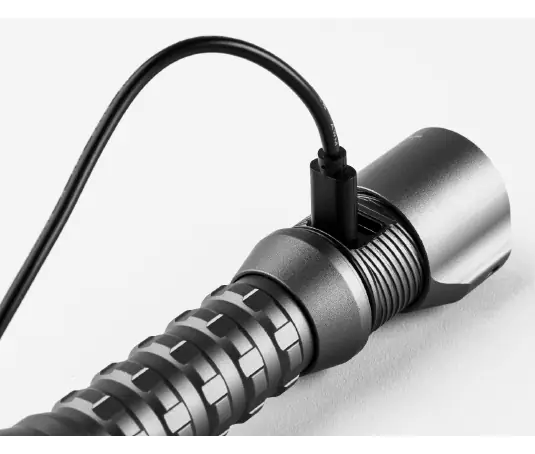
- Power Indicator (while in use):
- Steady Orange: Battery level is above 25%.
- Flashing Orange: Battery level is below 25%.
- Charging Indicator (while plugged in):
- Pulsing Green: The unit is currently charging.
- Steady Green: The unit is fully charged.
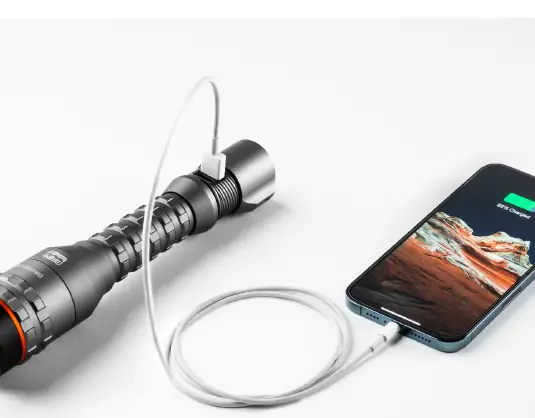
Power Bank Function
The flashlight can be used to charge external devices. Simply plug your phone or other USB device into the USB port on the flashlight.
Zoom and Temperature Control
3X Zoom: Twist the head of the flashlight to narrow or widen the light beam.
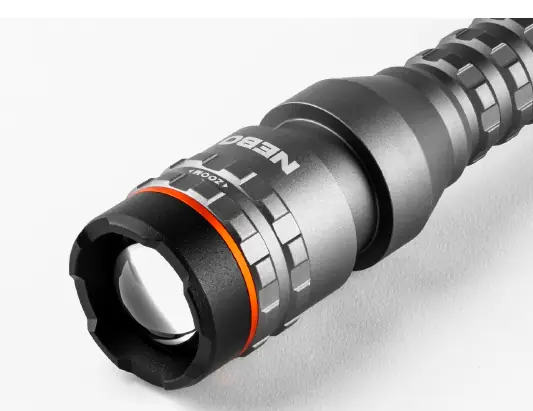
Temperature Warning: The unit can become hot while in use. Keep the crown away from surfaces until the unit cools. The device features Smart Temperature Control, which uses advanced circuitry to actively regulate light output and monitor temperature to preserve battery life and ensure safe operation.
Manufacturer information
NEBO
Practical help
Common problems
Light does not turn on
Ensure you have opened the battery compartment and removed the round battery spacer disc.
Unit is hot to the touch
This is normal during operation. Keep the crown away from surfaces until the unit cools down.
Battery level is low
If the power button is flashing orange, the battery is below 25%. Recharge the unit using the included cable.
Before use
- Open the battery compartment.
- Remove the round battery spacer disc.
- Charge the unit fully using the included charging cable.
Specs in practice
- Steady Orange Indicator
- Battery level is above 25%.
- Flashing Orange Indicator
- Battery level is below 25%.
- Pulsing Green Indicator
- The unit is currently charging.
- Steady Green Indicator
- The unit is fully charged.
Images and diagrams
- The power button serves as both the control interface and the battery status indicator.
- The USB port is located on the unit for charging external devices.
- The head of the flashlight twists to adjust the zoom level.
Model compatibility
- The unit is powered by an internal Li-Ion battery.
- Compatible with USB devices for power bank functionality.

Manual page author
Emily Carter
User documentation editor
Prepares concise manual descriptions and highlights the most useful setup, operation, and maintenance information for readers.