Lighting / Ceiling Fans
User Manual for Noaton CALLISTO 11055 Ceiling Fan
Quick guide for the Noaton CALLISTO 11055 ceiling fan. Includes installation steps, remote control functions, maintenance tips, and troubleshooting.
Table of contents
Manual images
Click an image to enlargeQuick guide from the manual
This document provides essential information for the installation and operation of the Noaton CALLISTO 11055 ceiling fan. Always use common sense and caution during installation and operation.
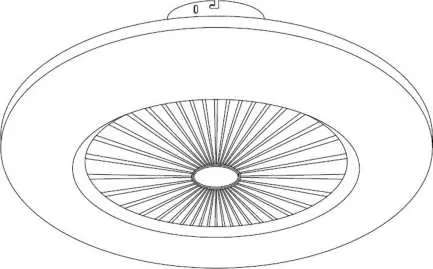
Safety instructions
- Installation must be performed by a qualified electrician in compliance with local regulations.
- The fan must be installed at least 230 cm above the ground and at least 30 cm from the nearest obstacle or wall.
- The mounting surface must support a load of at least 30 kg.
- Do not connect the fan to dimmers, potentiometers, or wall switches, as this may damage the motor.
- Use only the supplied remote control to operate the fan.
- Do not insert objects into the blade rotation area.
Installation
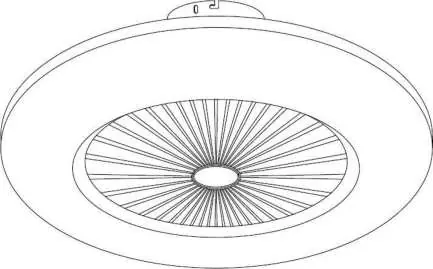
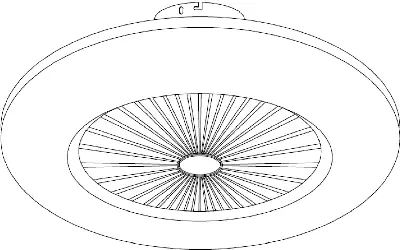
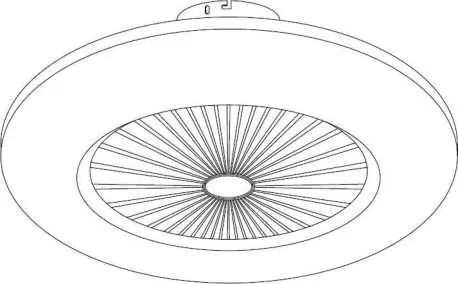
- Mount the supplied bracket to a suitable place on the ceiling or wall using the provided dowels and screws.
- Disconnect the household power supply to prevent electric shock.
- Connect the conductors from the home circuit to the corresponding conductors coming from the fan.
- Fix the fan body to the mounted bracket with the screws, ensuring no wires are pinched.
- Check that all screws are properly tightened.
- Restore the power supply.
Remote control
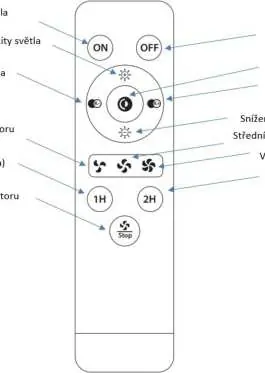
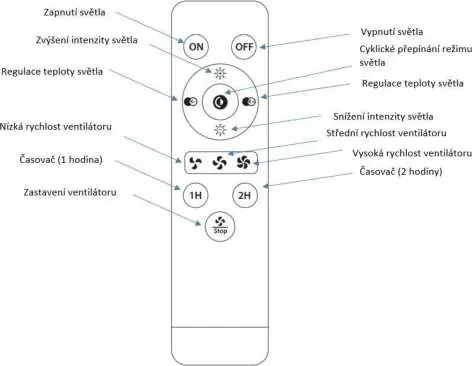
The remote control uses infrared (IR) technology and does not require pairing. Ensure there are no obstacles between the remote and the fan, and point the upper end of the remote directly at the fan. The ideal operating range is up to 4 meters.
Maintenance
- Check the tightness of all screws at least twice a year.
- Clean the fan regularly with a soft, damp cloth.
- Do not use water, chemicals, detergents, alcohol, thinners, or abrasives for cleaning.
- Prevent water from entering the device, especially on electronic components.
Troubleshooting
If the fan does not rotate, check the fuses, household electrical circuit, and remote control batteries. If the fan is noisy, ensure all screws and the mounting bracket are tightened. If the airflow is insufficient, ensure there are no nearby objects restricting airflow and that the fan diameter is appropriate for the room size.
Manufacturer information
Noaton
Practical help
Common problems
Fan does not rotate
Check fuses and household circuit. Ensure wiring is correct (requires a qualified electrician). Check remote control batteries and polarity. Verify power supply.
Noisy operation
Tighten all screws and the mounting bracket. Ensure you are using the original remote control supplied by the manufacturer.
Insufficient airflow
Remove objects in close proximity to the fan that may restrict airflow. Ensure the fan diameter is suitable for the room size.
Before use
- Ensure power is disconnected before installation.
- Verify the mounting surface can support at least 30 kg.
- Check that blades are at least 230 cm from the ground.
- Ensure no obstacles are within 30 cm of blade tips.
- Check that the remote control has fresh batteries.
Specs in practice
- Max. engine input power
- 35 W
- Lighting input power
- 2x24 W
- Protection class
- Class I
- Remote control
- Infrared (IR)
Images and diagrams
- The remote control diagram shows buttons for light intensity, color temperature, fan speed, and timer.
Model compatibility
- Not compatible with wall dimmers or potentiometers.
- Intended for indoor domestic use only.

Manual page author
Michael Turner
Technical manual editor
Reviews PDF manuals for structure, safety notes, and practical product details so readers can find the right information quickly.