Power / Batteries & Chargers
User Manual for Powerology 16000mAh Solar Multi-Cable Power Bank (PPBCHA70)
Quick guide for the Powerology 16000mAh Solar Multi-Cable Power Bank (PPBCHA70). Learn how to charge the device via solar or cable, use built-in cables, operate the LED flashlight, and troubleshoot common issues.
Table of contents
Manual images
Click an image to enlargeQuick guide from the manual
This power bank is designed for portable charging using both solar energy and wired connections. Before first use, perform a full charge and discharge cycle to extend battery life. Always monitor the device while charging and avoid leaving it in high-temperature environments like parked cars, as this can cause the battery to swell or explode.
Product Overview
The device features a rugged design with integrated charging cables. Key components include:
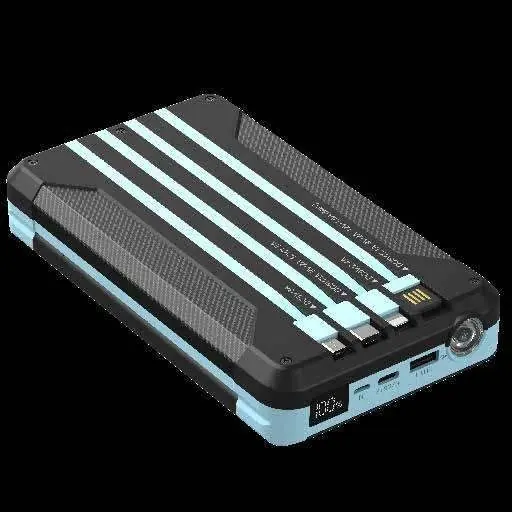
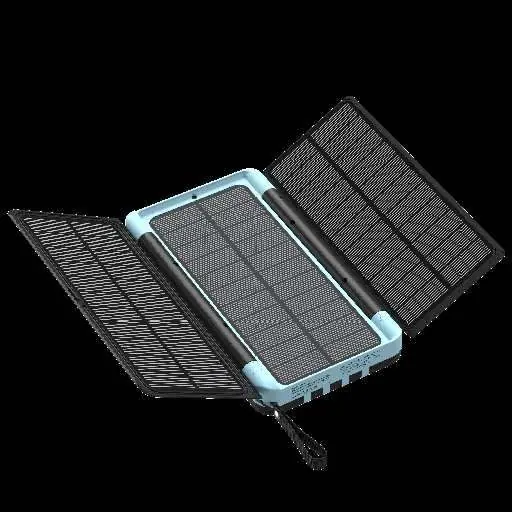
- Solar Panels: Unfold for solar charging.
- Built-in Cables: Lightning, USB-C, and Micro USB output cables.
- Ports: Micro USB input, USB-C input/output, and USB-A output.
- LED Display: Shows current battery level.
- Power Button: Used to activate the device and control the flashlight.
Specifications
- Battery Type: Lithium Polymer
- Capacity: 16000mAh / 3.7V / 59.2Wh
- Input Ports: Micro USB (up to 18W), Type-C (up to 18W)
- Output Ports/Cables: Supports various outputs including 5V/3A, 9V/2A, 12V/1.5A (18W-20W depending on port)
- Solar Charging: 3x panels, 4.8W total
Charging the Device
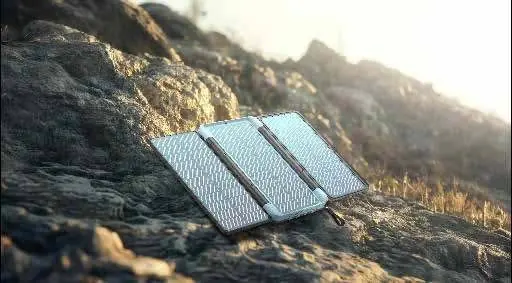
Solar Charging: Unfold the solar panels and place them in direct sunlight. Optimal efficiency is achieved when sunlight intensity exceeds 25000 LUX. Do not place the device on hot surfaces like cement or inside a car.
Power Charging: Use the built-in USB-A cable or connect a charging cable to the top USB-C or Micro USB port. Connect the other end to a USB wall charger. The LED display will indicate 100% when fully charged.
Charging Other Devices
Using Built-in Cables: Press the power button to turn on the unit. Select the appropriate built-in cable (Lightning, USB-C, or Micro USB) from its storage position and plug it into your device.
Using External Cables: Connect your charging cable to the top USB-A or Type-C port on the power bank and connect the other end to your device.
LED Flashlight
- Press and hold the power button for 3 seconds to turn on the flashlight.
- A quick short press switches between SOS mode and flash mode.
- Another short press turns off the flashlight.
Product Maintenance
- Keep the product away from moisture and corrosive substances.
- Avoid using chemicals to clean the product.
- If not in use for an extended period, recharge the device every six months.
Troubleshooting
- Display shows '00': The battery is depleted; recharge immediately.
- Unable to charge device: Try a different charger and charging cable.
- Unable to charge phone: Reconnect the cable to both the phone and the power bank.
- Slow charging: Use the provided cable and a charger that supports 5V/2.1A or higher.
Manufacturer information
Powerology
Practical help
Common problems
Display shows '00'
The battery is almost depleted. Recharge the device immediately.
Unable to charge the power bank
Try using a different wall charger and charging cable.
Unable to charge phone or digital device
Reconnect the charging cable to both the phone and the power bank.
Device takes a long time to charge
Use the provided cable and a charger that supports an output of 5V/2.1A or higher. Avoid using the Lightning port for input if possible.
Before use
- Perform a full charge and discharge cycle before first use.
- Ensure your device is compatible with the power bank's specifications.
- Check that the power bank is not damaged.
- Use a branded, certified power adapter for charging.
- Keep the device away from children and pets.
Specs in practice
- Solar Charging
- Requires direct sunlight; optimal efficiency is achieved above 25000 LUX.
- Built-in Cables
- Integrated Lightning, USB-C, and Micro USB cables for convenient charging without extra accessories.
Images and diagrams
- The power bank features built-in cables for Lightning, USB-C, and Micro USB devices.
- The solar panel array unfolds for charging.
- The LED display shows the current battery level.
Model compatibility
- Compatible with devices requiring 5V/3A, 9V/2A, or 12V/1.5A inputs.
- Charging through the Lightning port may be slower than other ports due to lower current.

Manual page author
Michael Turner
Technical manual editor
Reviews PDF manuals for structure, safety notes, and practical product details so readers can find the right information quickly.