Sports / Fitness
User Manual for Scosche BTFREQ PRO Wireless Hands-Free Car Kit
Quick start guide and user manual for the Scosche BTFREQ PRO wireless hands-free car kit. Learn how to pair via Bluetooth, connect to your car stereo via FM transmitter, stream music, handle calls, and use the dual USB charging ports.
Table of contents
Manual images
Click an image to enlargeQuick Guide for Scosche BTFREQ PRO
The Scosche BTFREQ PRO is a wireless hands-free car kit that allows you to stream music and take calls through your car's stereo system using an FM transmitter. It also features dual USB charging ports (USB-A and USB-C).
Device Overview
The device consists of the following key components:
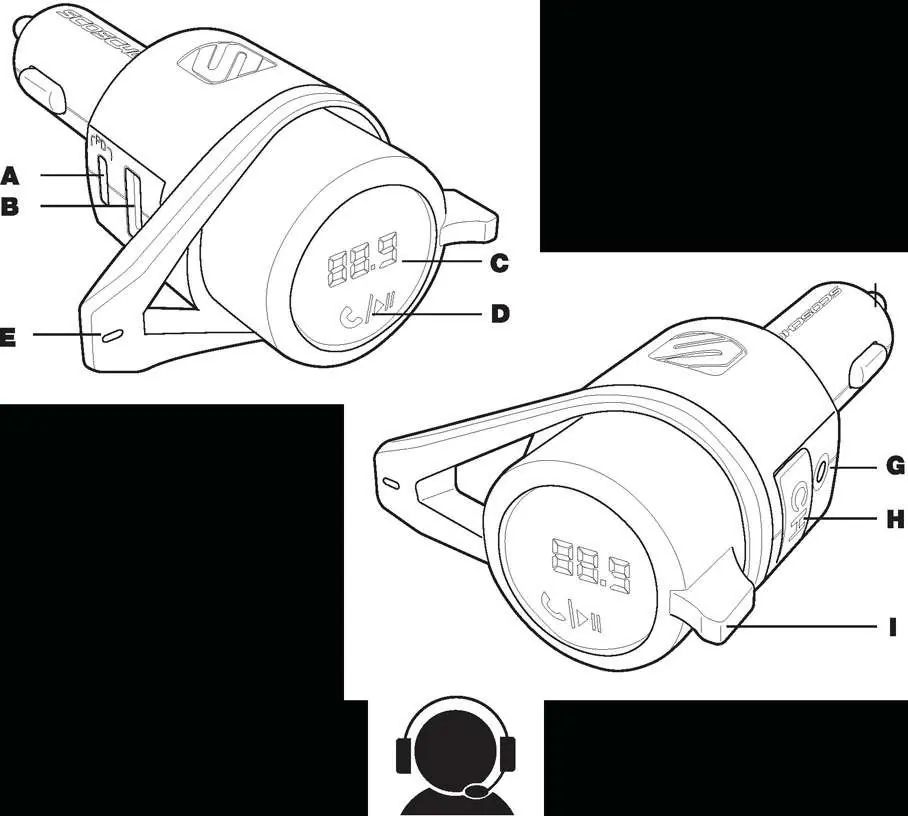
- A: USB-C Power Delivery Port
- B: USB-A Charging Port
- C: FM Channel Display
- D: Multi-Function Button (MFB)
- E: Microphone
- F: 12V Plug
- G: 3.5mm AUX OUT
- H: Channel Button
- I: Tuning Lever
Power Up and Bluetooth Pairing
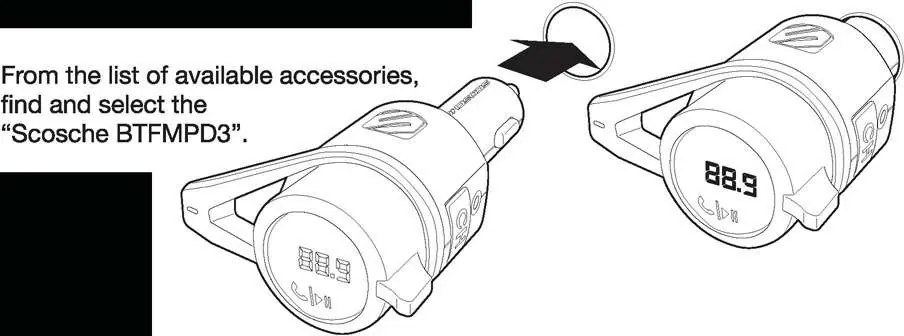
- Plug the BTFREQ PRO into your vehicle's 12V power socket.
- Open the Bluetooth settings on your mobile device and enable Bluetooth.
- Select Scosche BTFMPD3 from the list of available accessories.
- Your phone will confirm the connection. Ensure your device volume is set to maximum.
Connecting to Car Stereo
- Find a weak FM station on your car radio that has no active broadcast signal.
- Press the CH button on the device.
- Use the tuning lever (up or down) to match the frequency on the BTFREQ PRO display to the frequency of your car radio.
- If you experience interference, repeat these steps to find a different clear station.
Music Streaming and Call Controls
Once connected, you can control your audio and calls directly from the device:
- Play/Pause: Tap the MFB once.
- Track Forward: Turn the tuning lever down.
- Track Back: Turn the tuning lever up.
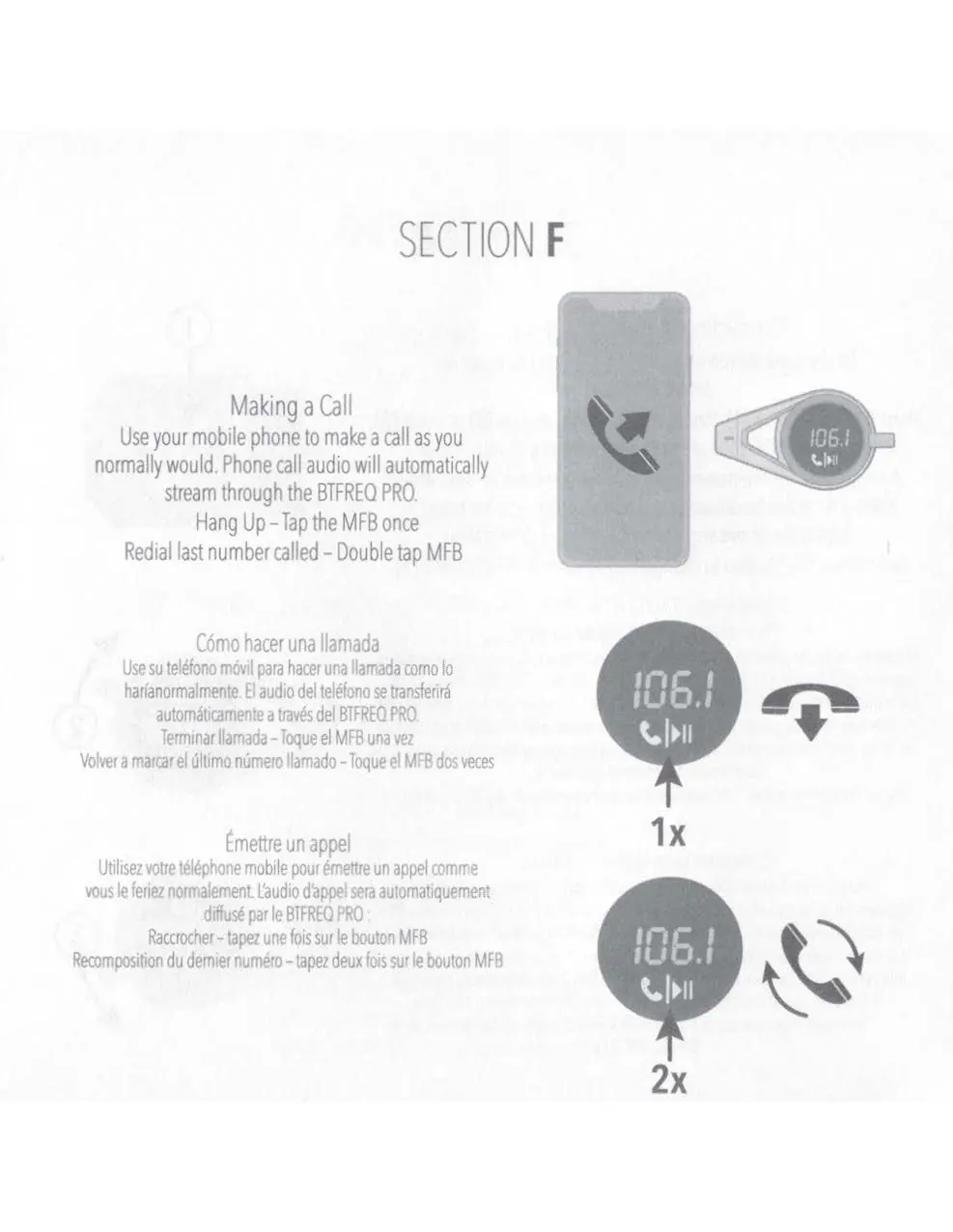
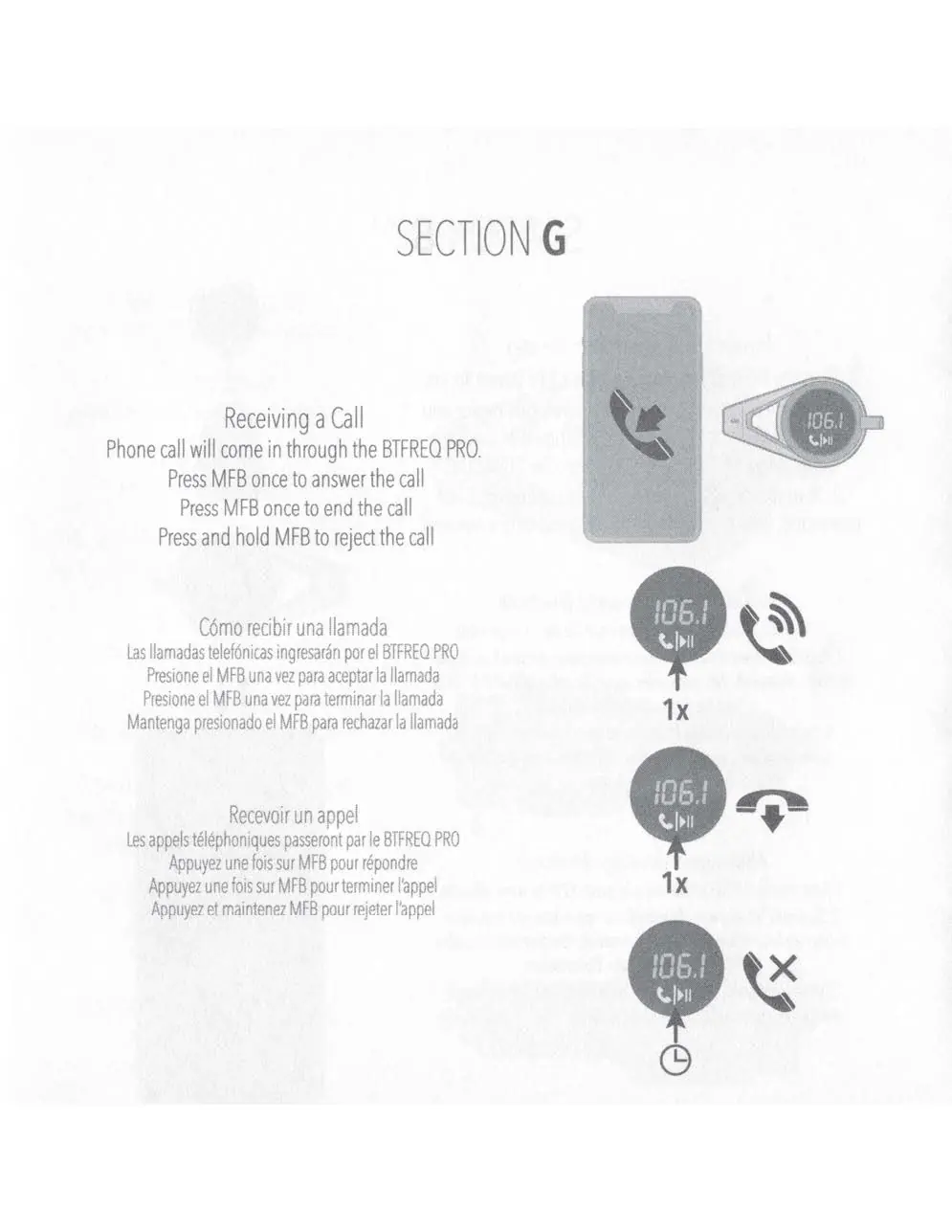
- Answer/End Call: Press the MFB once.
- Reject Call: Press and hold the MFB.
- Redial Last Number: Double tap the MFB.
Voice Assistant and USB Charging
Voice Assistant: Press and hold the Multi-Function button for 3 seconds to activate your smartphone's voice assistant.
USB Charging: The device includes one USB-C port and one USB-A port. Connect your device using a suitable cable (not included) to charge while driving.
Specifications
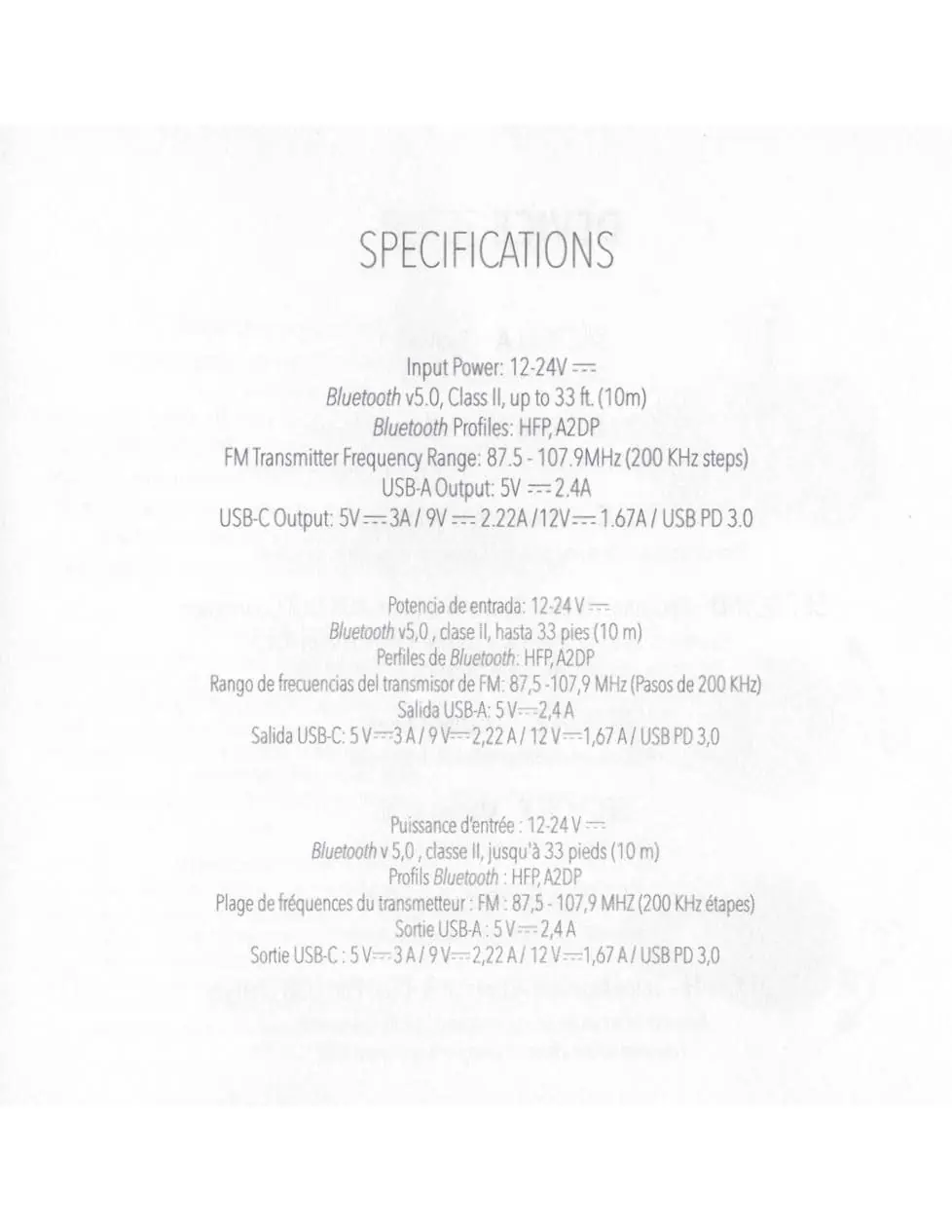
- Input Power: 12-24V
- Bluetooth: v5.0, Class II, up to 33 ft (10m)
- Bluetooth Profiles: HFP, A2DP
- FM Transmitter Range: 87.5 - 107.9 MHz (200 KHz steps)
- USB-A Output: 5V/2.4A
- USB-C Output: 5V/3A, 9V/2.22A, 12V/1.67A (USB PD 3.0)
Manufacturer information
Scosche Industries, Inc.
Practical help
Common problems
Audio interference or static
You may have entered an area with an active broadcast signal on the station you are tuned to. Repeat the tuning steps to find a different clear station.
Device does not automatically reconnect
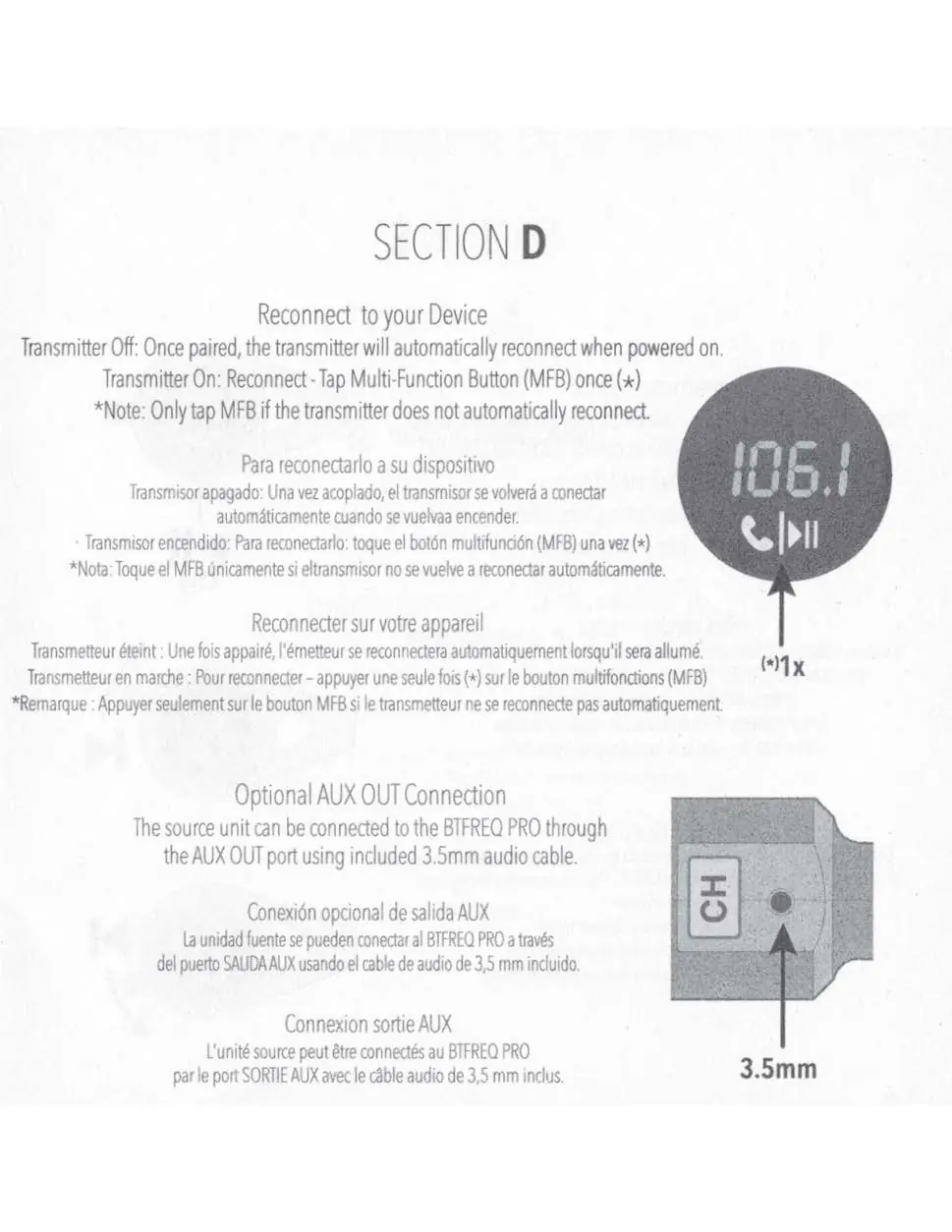
If the transmitter does not automatically reconnect after being powered on, tap the Multi-Function Button (MFB) once.
Before use
- Plug the device into the car's 12V power socket.
- Enable Bluetooth on your mobile device.
- Find a weak FM station on your car radio with no active signal.
- Ensure your phone volume is set to maximum after pairing.
Specs in practice
- FM Transmitter Frequency
- 87.5 - 107.9 MHz (200 KHz steps) for tuning to your car radio.
- Bluetooth Version
- v5.0, Class II, with a range of up to 33 ft (10m).
- USB-A Output
- 5V/2.4A for standard device charging.
- USB-C Output
- Supports USB PD 3.0 (5V/3A, 9V/2.22A, 12V/1.67A) for fast charging.
Images and diagrams
- A: USB-C Power Delivery Port
- B: USB-A Charging Port
- C: FM Channel Display
- D: Multi-Function Button (MFB)
- H: Channel Button
Model compatibility
- Compatible with mobile devices supporting Bluetooth HFP and A2DP profiles.
- Requires a 12V-24V vehicle power socket.

Manual page author
Michael Turner
Technical manual editor
Reviews PDF manuals for structure, safety notes, and practical product details so readers can find the right information quickly.