Power / Wireless Chargers
User Manual for Scosche Rhythm+ 2.0 Heart Rate Monitor
Quick start guide for the Scosche Rhythm+ 2.0 heart rate monitor. Learn how to power on/off, pair via Bluetooth or ANT+, and find the recommended armband placement.
Table of contents
Manual images
Click an image to enlargeQuick Start Guide
This guide provides essential instructions for operating the Scosche Rhythm+ 2.0 heart rate monitor. Ensure your device is charged and Bluetooth is enabled on your smartphone or fitness device before beginning the setup process.
Power Controls
The device is operated using the Multi-Function Button (MFB).
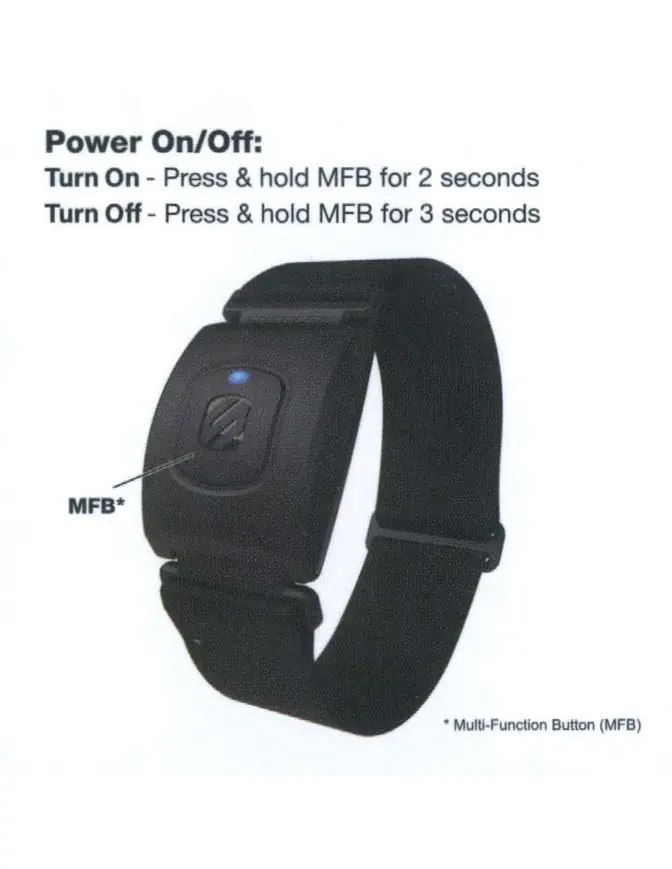
- Turn On: Press and hold the MFB for 2 seconds.
- Turn Off: Press and hold the MFB for 3 seconds.
LED Status Indicators
The LED indicator provides visual feedback on the device's connection status:
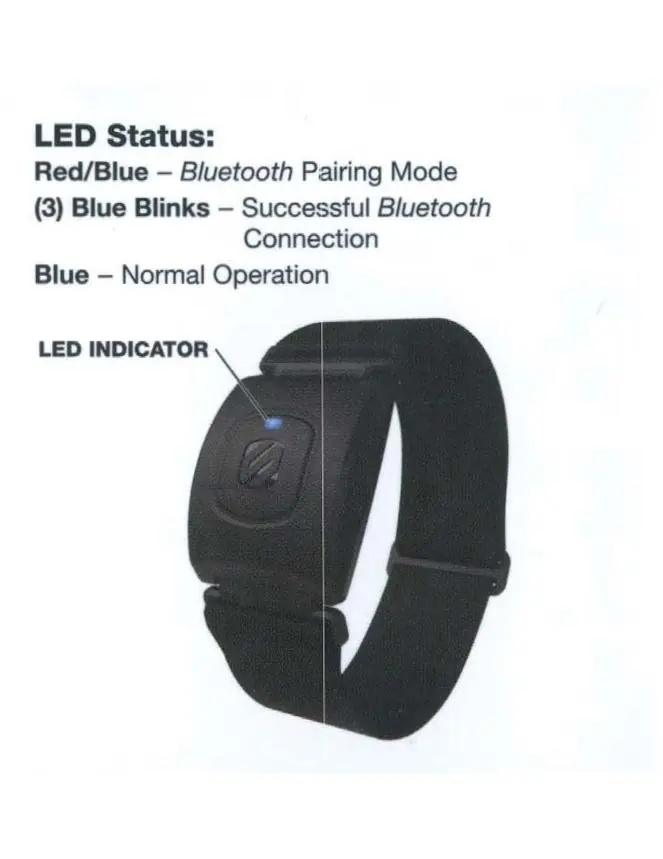
- Red/Blue: Bluetooth Pairing Mode.
- (3) Blue Blinks: Successful Bluetooth Connection.
- Blue: Normal Operation.
Initial Setup
For Bluetooth Smart Fitness Apps:

- Ensure Bluetooth is turned ON within your device.
- Open your Bluetooth Smart Fitness App and navigate to the Sensor Settings menu.
- Turn on your RHYTHM+ 2.0 and select it within the app to connect.
For Bluetooth & ANT+ Smart Devices (Sports Watches & Fitness Equipment):
- From the device settings menu, select "Add HR sensor".
- Turn on your RHYTHM+ 2.0 and select it to connect.
Armband Placement
For optimal performance, the device can be worn on the Biceps, Triceps, or the Upper Forearm. The Upper Forearm is the recommended placement location.
Customer Support
If you have questions, you can contact Scosche Customer Service at (800) 363-4490 x1 or (805) 486-4450 x1.
Manufacturer information
Scosche Industries, Inc.
Practical help
Common problems
Device not connecting to app or device
Ensure Bluetooth is enabled on your phone/device. Verify the sensor is in pairing mode (LED flashing Red/Blue). Select 'Add HR sensor' in your app or device settings.
Device will not turn on or off
Ensure you are holding the MFB button for the correct duration: 2 seconds to turn on, 3 seconds to turn off.
Before use
- Ensure the device is charged.
- Enable Bluetooth on your smartphone or fitness device.
- Locate the Multi-Function Button (MFB) on the sensor.
- Choose the preferred placement (Upper Forearm is recommended).
Images and diagrams
- MFB button location for power control.
- LED indicator location for status monitoring.
- Armband placement zones on the arm.
Model compatibility
- Compatible with Bluetooth Smart Fitness Apps.
- Compatible with ANT+ enabled sports watches and fitness equipment.

Manual page author
Michael Turner
Technical manual editor
Reviews PDF manuals for structure, safety notes, and practical product details so readers can find the right information quickly.