Electronics / Camera Lenses
User Manual for Sigma 150-600mm F5-6.3 DG OS HSM Contemporary Lens
Quick guide and user manual for the Sigma 150-600mm F5-6.3 DG OS HSM Contemporary lens. Includes instructions on focusing, zoom locking, optical stabilizer (OS) settings, tripod collar usage, and maintenance.
Table of contents
Quick guide from the manual
This lens is designed for high-performance photography. Key features include an Optical Stabilizer (OS) for hand-held shooting, a focus limiter to speed up autofocus, and a customizable mode switch. Always ensure the lens mount is clean before attachment. For Nikon users, AF functionality depends on the camera body's support for ultrasonic motors.
Description of the lens
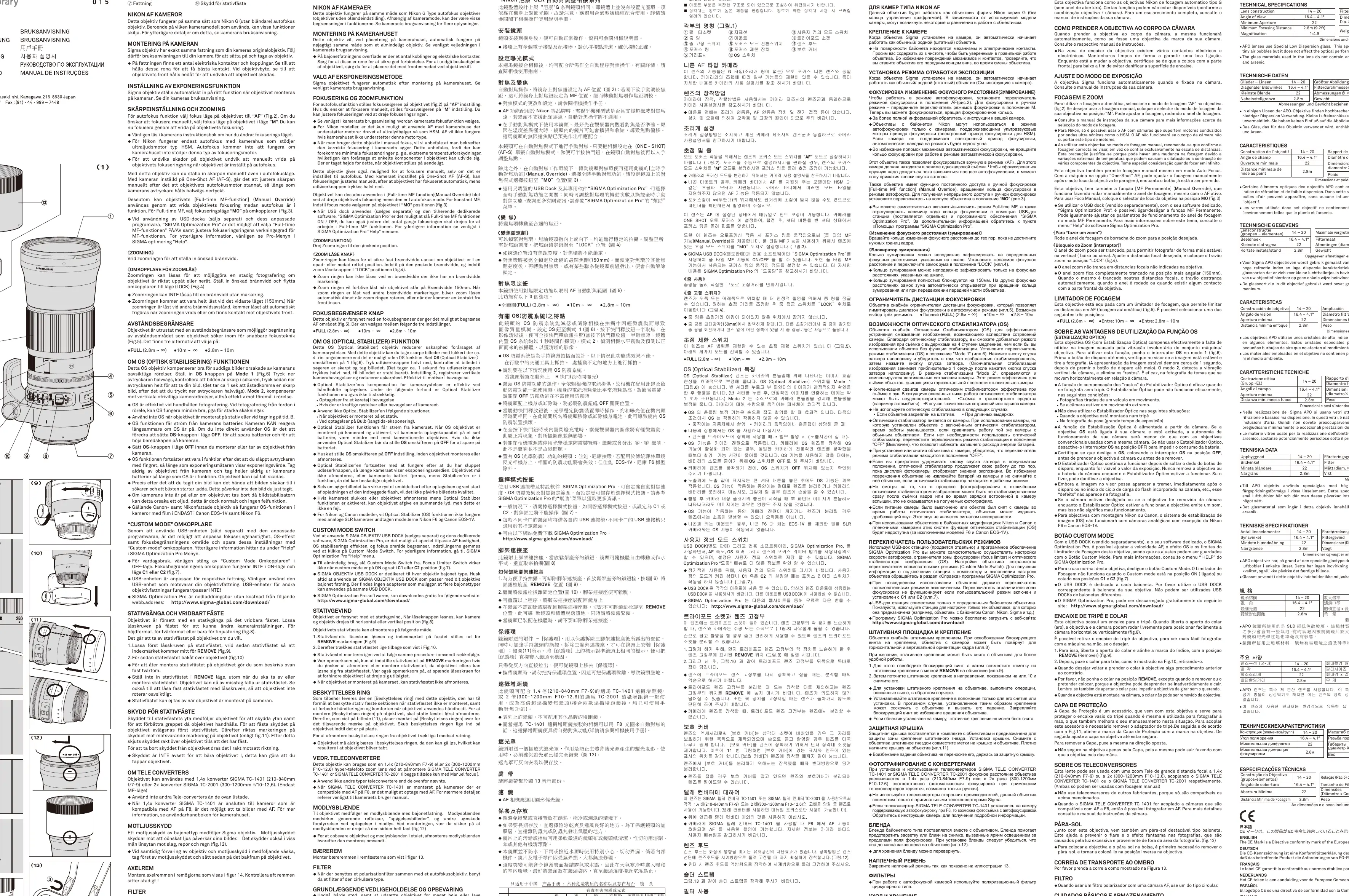
The lens features a zoom ring, focus ring, and distance scale. Key switches include the Focus Mode (AF/M), Focus Limiter, OS (Optical Stabilizer), and Custom Mode switch. The lens also includes a removable tripod socket and a protective cover for when the socket is removed.
Focusing and Zooming
To use autofocus, set the focus mode switch to AF. For manual focus, set it to M and rotate the focus ring. This lens supports Full-time MF (Manual Override) by rotating the focus ring while in AF mode; set the switch to MO to enable this. The zoom ring can be locked at specific focal lengths using the Zoom Lock Switch to prevent unwanted movement.
Optical Stabilizer (OS)
The OS system compensates for camera shake. Set the OS switch to Mode 1 for general hand-held shooting. Use Mode 2 for panning shots, as it detects vertical camera shake. Note: Turn off OS when using a tripod or during long exposures (Bulb) to save battery.
Custom Mode Switch
Using the optional USB DOCK and SIGMA Optimization Pro software, you can customize AF speed, OS effect, and focus limiter range. These settings are saved to the Custom Mode switch (C1/C2). For regular use, keep this switch in the OFF position.
Tripod Socket and Protective Cover
The tripod socket allows for easy rotation of the camera. To remove the socket: loosen the locking knob, align the index mark with REMOVE, and pull the socket straight back. The included Protective Cover can be attached to the lens body after removing the tripod socket to improve handling.
Tele Converters
This lens is compatible with Sigma TC-1401 (1.4x) and TC-2001 (2x) teleconverters. Note that these can only be used in manual focus mode. AF may be possible with the TC-1401 on cameras compatible with AF at F8.
Care and Maintenance
Avoid extreme temperatures, humidity, and shocks. Clean the lens with a soft, moistened lens cloth or tissue. Do not use organic solvents like thinner or benzine. This lens is not waterproof; avoid getting it wet. If moving from a cold to a warm environment, keep the lens in its case until it reaches room temperature to prevent condensation.
Practical help
Common problems
Autofocus not working
Check if the focus mode switch is set to AF. For Nikon, ensure the camera body supports ultrasonic motor lenses.
Image blurring
Ensure OS is set to Mode 1 for general shooting or Mode 2 for panning. Turn off OS when using a tripod.
Zoom ring locked
Ensure the zoom lock switch is not in the LOCK position. Note that the ring locks automatically at 150mm.
Before use
- Ensure the lens mount is clean.
- Set the focus mode switch to AF for autofocus.
- Check the OS switch setting based on shooting conditions.
- Ensure the tripod collar is tightened if using a tripod.
Specs in practice
- Focus Limiter
- Limits the AF search range to speed up focusing.
Images and diagrams
- Figure 1 shows the location of the zoom ring, focus ring, OS switch, and tripod socket.
- Figure 8-10 illustrates the removal and attachment of the tripod collar.
- Figure 11 shows the installation of the protective cover.
Model compatibility
- Compatible with Sigma TC-1401 and TC-2001 teleconverters (manual focus only).
- Nikon AF functionality depends on camera body support for ultrasonic motors.

Manual page author
Emily Carter
User documentation editor
Prepares concise manual descriptions and highlights the most useful setup, operation, and maintenance information for readers.