Electronics / Camera Lenses
Sigma Pure 1 and Pure 1 ATS Cycling Computer
Quick guide for the Sigma Pure 1 and Pure 1 ATS cycling computer. Learn how to install the sensor, set wheel size, configure units, and troubleshoot speed display issues.
Table of contents
Manual images
Click an image to enlargeQuick guide from the manual
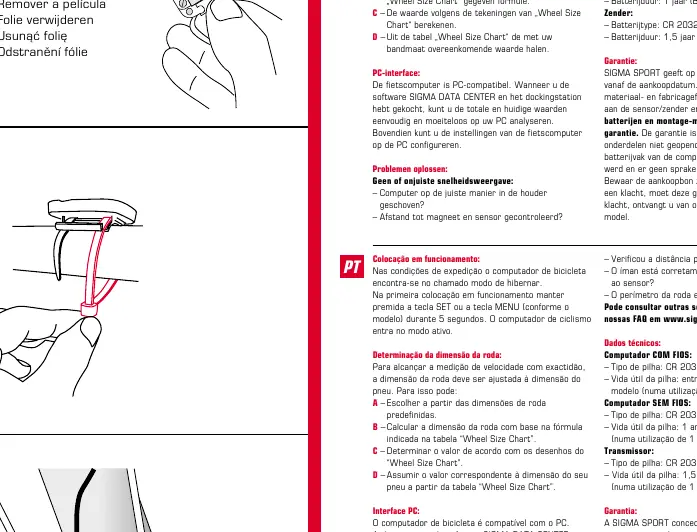
The Sigma Pure 1 and Pure 1 ATS cycling computers are delivered in a deep sleep mode. To activate the device for the first time, press and hold the SET or MENU button (depending on the model) for 5 seconds. The computer will then switch to active mode.
Installation
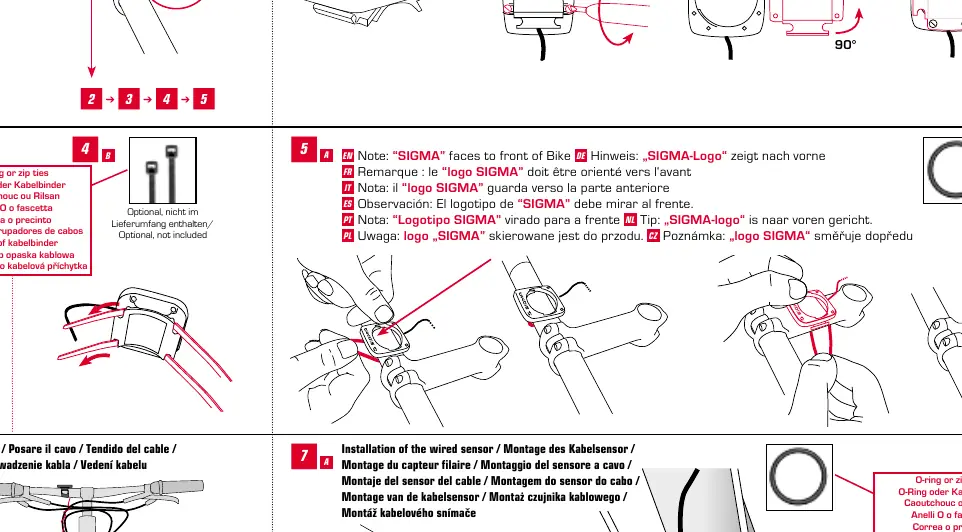
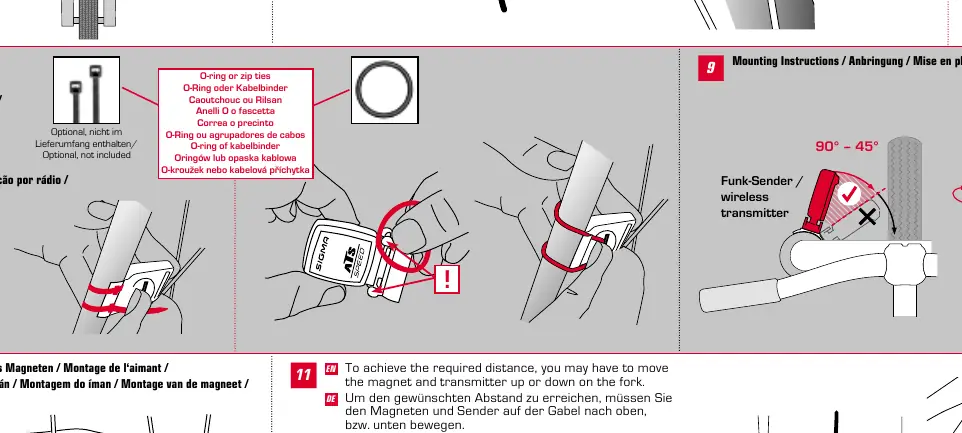
The computer can be mounted on either the stem or the handlebar. Ensure the bracket is securely fastened. For the sensor installation, ensure the magnet is correctly positioned relative to the sensor on the fork. If you are using the wired version, route the cable carefully along the frame. For the wireless version, ensure the transmitter is mounted within the required distance from the magnet.
Setup and Configuration
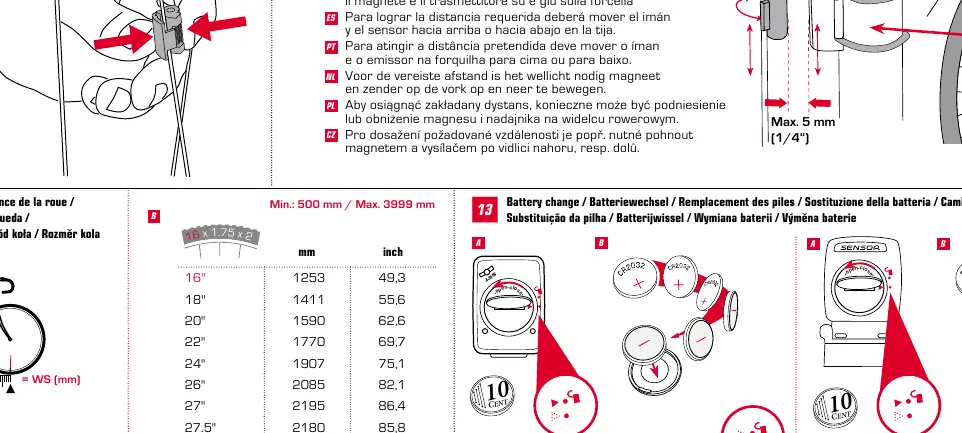
To ensure accurate speed measurement, you must set the wheel size according to your tire size. You can do this by selecting a predefined wheel size, calculating the size using the formula provided in the wheel size chart, or determining the value from the drawings in the chart. You can also set the unit of measurement (KMH or MPH) in the settings menu.
Troubleshooting
If you experience no speed display or incorrect speed, check the following:
- Ensure the computer is correctly fastened into the bracket.
- Check the distance between the magnet and the sensor.
- Verify that the magnet is correctly positioned in relation to the sensor.
- Confirm that the wheel circumference is correctly set.
For further assistance, visit www.sigmasport.com for FAQs.
Technical Data
The computer uses a CR 2032, 3V battery. Battery life varies by model and usage (typically 1 hour per day):
- Wired Computer: 3 to 4 years.
- Wireless Computer: 1 year.
- Transmitter: 1.5 years.
Warranty
Sigma Sport provides a 2-year warranty from the date of purchase covering material and workmanship defects on the computer, sensor/transmitter, and handlebar bracket. Cables, batteries, and assembly materials are excluded. Please keep your receipt as it is required for warranty claims. If a claim is justified, a comparable replacement device will be provided.
Official resources from the manual
Practical help
Common problems
No speed or incorrect speed displayed
Check if the computer is fastened into the bracket, verify the distance between the magnet and sensor, ensure the magnet is correctly positioned, and confirm the wheel circumference is set correctly.
Before use
- Wake the computer from deep sleep mode by holding SET or MENU for 5 seconds.
- Ensure the CR 2032, 3V battery is installed.
- Measure your tire size to determine the correct wheel circumference.
- Mount the bracket on the stem or handlebar.
- Install the sensor/transmitter and magnet on the fork.
Specs in practice
- Battery Type
- CR 2032, 3V
- Battery Life (Wired)
- 3 to 4 years (based on 1 hour/day usage)
- Battery Life (Wireless)
- 1 year (based on 1 hour/day usage)
- Battery Life (Transmitter)
- 1.5 years (based on 1 hour/day usage)
Images and diagrams
- The manual provides diagrams for mounting the bracket on the stem or handlebar.
- Wiring diagrams are included for the wired sensor installation.
- The wheel size chart provides formulas and drawings to determine the correct circumference.
Model compatibility
- Compatible with PC via SIGMA DATA CENTER software and docking station.

Manual page author
David Miller
Documentation analyst
Organizes user manual content into clear summaries, with attention to model details, product context, and everyday usability.