Smart Home / Smart Switches
Sonoff iFan04 Wi-Fi Smart Ceiling Fan with Light Controller
Quick guide for the Sonoff iFan04 Wi-Fi Smart Ceiling Fan with Light Controller. Learn how to wire, install, pair with the eWeLink app, and operate your smart fan controller.
Table of contents
Quick guide from the manual
The Sonoff iFan04 is a Wi-Fi smart controller designed for ceiling fans with lights. This guide covers the essential steps for installation, wiring, and app configuration. Always ensure the main power supply is turned off before beginning any installation work.
Wiring and Installation
Proper wiring is critical for the safe operation of the device. Follow these steps:
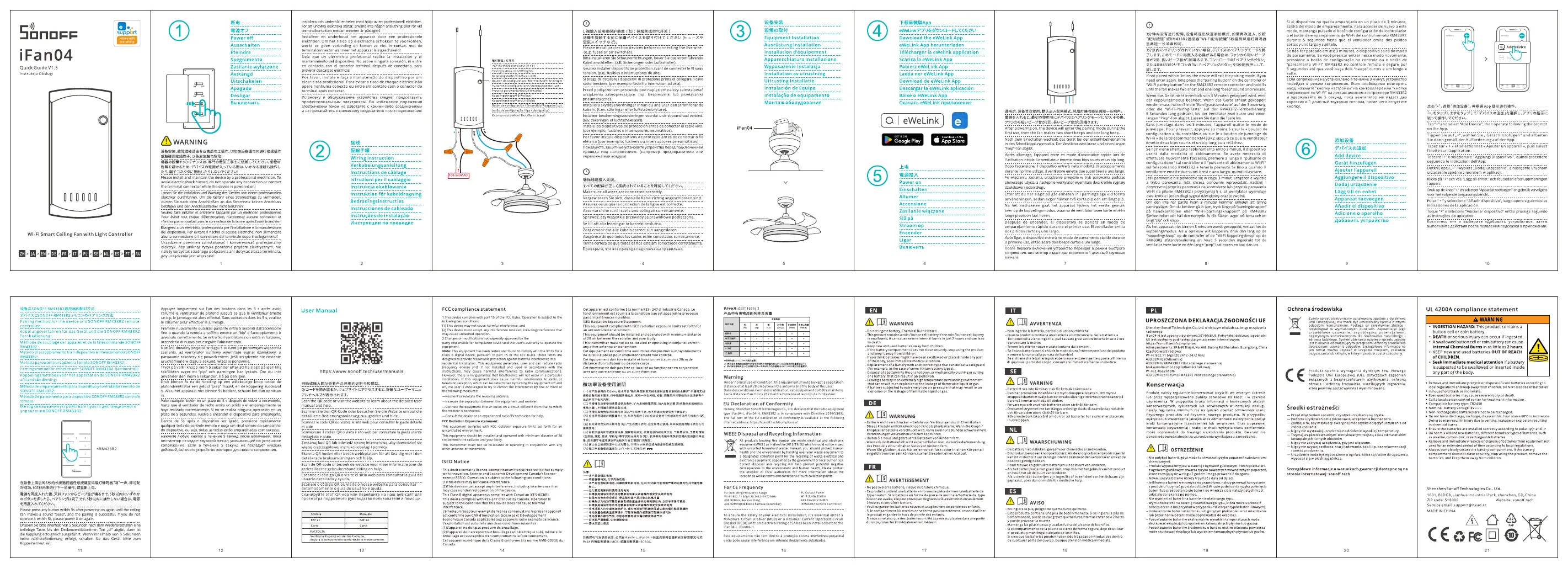
- Power Off: Turn off the main power supply at the circuit breaker.
- Wiring: Connect the wires according to the diagram provided in the manual. Ensure the Live (L), Neutral (N), Fan, and Light wires are connected to the corresponding terminals on the iFan04 controller.
- Installation: Secure the controller inside the ceiling fan canopy or a suitable electrical box. Ensure all connections are tight and insulated.
App Pairing
To control your fan and light via smartphone, follow these steps:
- Download App: Install the eWeLink app from the App Store or Google Play.
- Power On: Restore power to the device.
- Pairing Mode: The device will enter pairing mode automatically on the first use (LED indicator blinks). If not, press and hold the pairing button for 5 seconds until the LED flashes.
- Add Device: Open the eWeLink app, tap the '+' icon, and select the appropriate pairing method to add the iFan04 to your account.
Technical Specifications
Ensure your electrical system meets the following requirements:
- Input: AC 100-240V 50/60Hz
- Max Load (Fan): 100W
- Max Load (Light): 100W
- Wi-Fi: IEEE 802.11 b/g/n 2.4GHz
Practical help
Common problems
Device is offline in the app
Check if the Wi-Fi router is working and the device is within range. Ensure the power supply is active.
Cannot pair the device
Ensure the device is in pairing mode (LED indicator blinking). Check that your phone is connected to a 2.4GHz Wi-Fi network.
Before use
- Turn off the main power supply.
- Verify you have a neutral wire available in the ceiling box.
- Download and register the eWeLink app.
- Ensure your Wi-Fi network is 2.4GHz (5GHz is not supported).
Specs in practice
- Input Voltage
- AC 100-240V, compatible with standard household power.
- Wi-Fi Frequency
- Requires 2.4GHz Wi-Fi; 5GHz networks will not work.
Images and diagrams
- The wiring diagram illustrates the connection points for the Live (L) and Neutral (N) power lines, as well as the output lines for the Fan and Light components.
Model compatibility
- Requires a 2.4GHz Wi-Fi connection.
- Not compatible with 5GHz Wi-Fi networks.
- Requires a neutral wire for installation.

Manual page author
Michael Turner
Technical manual editor
Reviews PDF manuals for structure, safety notes, and practical product details so readers can find the right information quickly.