Electronics / Televisions
User Manual for TCL 115QM7K TV
Quick guide for the TCL 115QM7K TV. Learn how to set up your TV, mount it on a wall, connect to the internet, adjust picture and sound settings, and troubleshoot common issues.
Table of contents
Manual images
Click an image to enlargeQuick guide from the manual
This guide provides essential information for setting up and operating your TCL 115QM7K TV. Key procedures include wall mounting, stand installation, network configuration, and basic TV operations. Always ensure the TV is placed on a firm, flat surface or mounted securely by a professional.
Safety and Installation
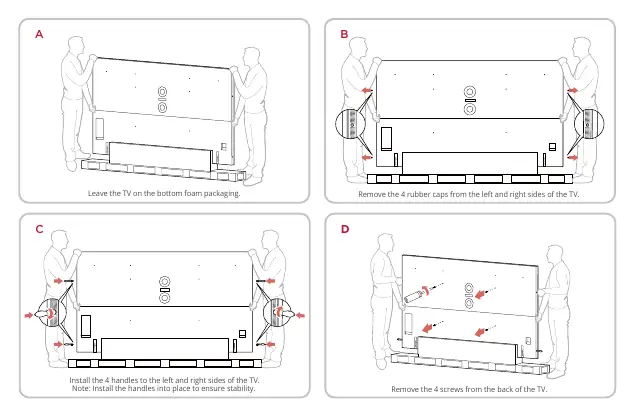
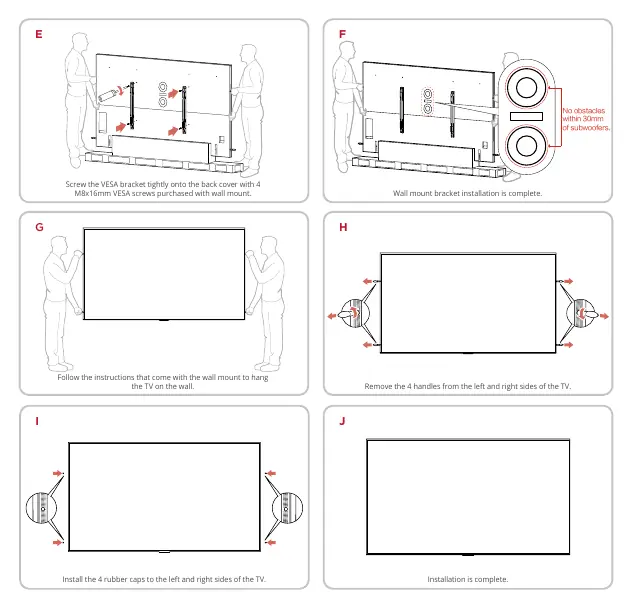
For safe operation, maintain at least 1 inch of ventilation space from the top and sides of the TV, and 2 inches from the rear. Do not block ventilation openings. If mounting on a wall, use a VESA 1000x600 mount with M8x16mm screws. The wall mount must support at least five times the TV's net weight. Professional installation is strongly recommended.
Connections and Setup
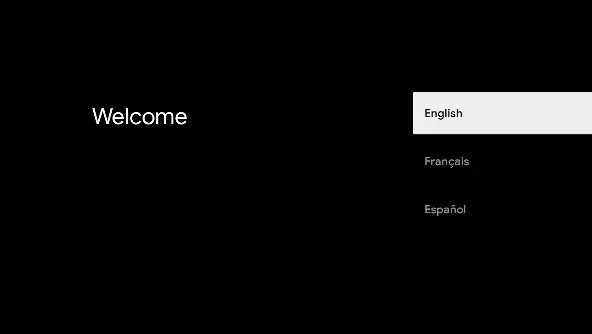
Before initial setup, connect all components before plugging in the power cord. To connect to the internet, navigate to the Settings menu, select Network & Internet, and follow the on-screen guidance for wired or wireless connections.
Basic TV Operations
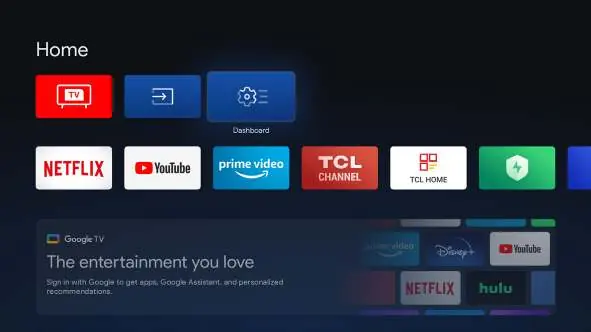
You can control the TV using the remote or the physical power button. Pressing the power button while the TV is on displays a multi-function menu for volume, channel, and input selection. Use the remote to access the TV homepage, channels, and settings.
Settings and Adjustments
The TV features extensive settings for customization:
- Channels & Inputs: Scan for channels, edit channel lists, and configure HDMI CEC settings.
- Display & Sound: Adjust picture modes (Intelligent, Vivid, Standard, Sports, Filmmaker, Movie), brightness, contrast, and sound modes.
- System: Manage accessibility, date & time, language, storage, power & energy, and parental controls.
Troubleshooting
If you encounter issues, check the following:
- No picture or sound: Ensure the power cord is connected, the source is correct, the antenna is connected, and the volume is not muted.
- Picture not clear: Check antenna connections and ensure no electrical interference (e.g., hair dryers, neon lights) is nearby.
- Remote not working: Check batteries and ensure the remote sensor on the TV is not obstructed or under strong fluorescent lighting.
Manufacturer information
TCL
Practical help
Common problems
No picture or sound
Ensure the power cord is plugged in, the correct input source is selected, the antenna is properly connected, and the volume is not set to minimum or muted.
Picture is not clear
Check antenna cable connections, ensure the signal is strong, and remove sources of electrical interference like hair dryers or neon lights.
Remote control does not work
Replace batteries, clean the remote sensor window on the TV, and ensure the sensor is not exposed to strong fluorescent lighting.
Before use
- Unbox the TV with at least two people due to its weight.
- Remove the energy guide label from the front panel.
- Ensure proper ventilation (1 inch top/side, 2 inches rear).
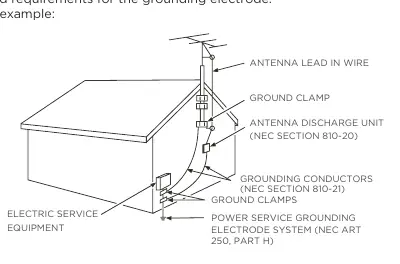
- Ground the antenna or cable system to protect against surges.
- Connect all external components before plugging the TV into a power outlet.
Specs in practice
- VESA 1000x600
- The required mounting hole pattern (1000mm horizontal by 600mm vertical) for wall mounting.
- M8x16mm screws
- The specific size of screws required to attach the VESA wall mount bracket to the TV.
Images and diagrams
- Wall mounting: Remove rubber caps, install handles, remove back screws, and attach the VESA bracket.
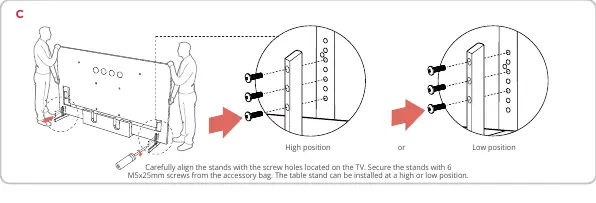
- Stand installation: Align stands with screw holes, secure with M5x25mm screws, and route cables through covers.
Model compatibility
- Wall mount must be able to bear a minimum of five times the TV's net weight.
- Professional installer recommended for wall mounting.
- Do not install on the ceiling or with the screen facing down.

Manual page author
David Miller
Documentation analyst
Organizes user manual content into clear summaries, with attention to model details, product context, and everyday usability.