Home Appliances / Small Kitchen Appliances
User Manual for Drain Cleaning Cable
A comprehensive user guide for the Drain Cleaning Cable. Includes safety instructions, specifications, cutting tool selection, operation procedures, and troubleshooting for common motor issues.
Table of contents
Manual images
Click an image to enlargeQuick Guide
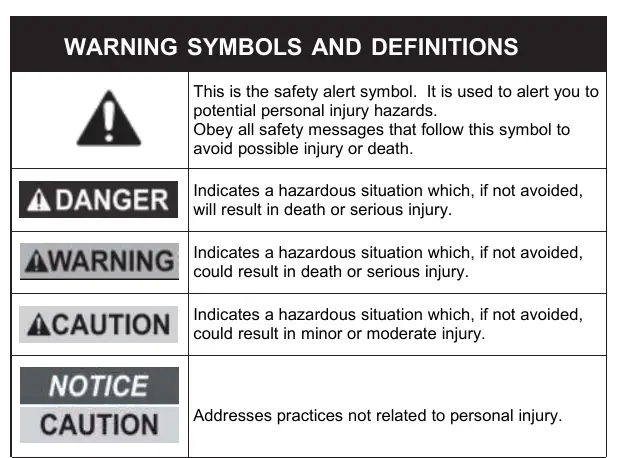
This manual provides essential safety, assembly, and operating procedures for the Drain Cleaning Cable. Always read the full manual before use. Keep the manual and receipt in a safe, dry place. Ensure you wear appropriate personal protective equipment (PPE) including eye, ear, and breathing protection during operation.
Specifications
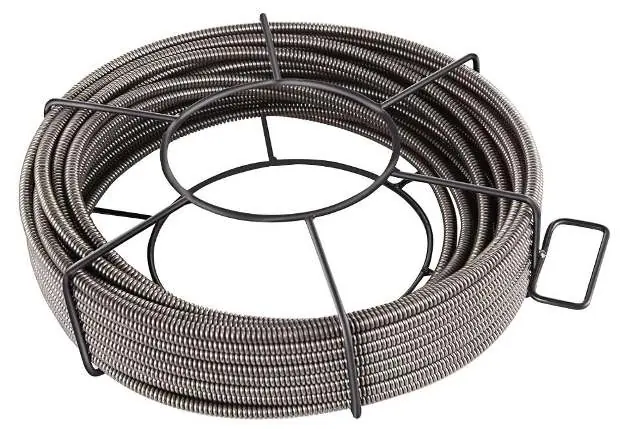
- Cable Lengths: 50ft, 75ft, 100ft
- Outside Diameters: 3/8 inch, 1/2 inch
- Pipe Size Compatibility: 2 - 4 inches
Personal Safety
Stay alert and use common sense. Do not operate the tool if tired or under the influence of drugs, alcohol, or medication. Always wear eye protection. Use protective equipment such as dust masks, non-skid safety shoes, hard hats, or hearing protection as required. Ensure the switch is in the OFF position before connecting to a power source.
Cutting Tool Accessories
Four cutting tools are included with each drain cleaner. Select the appropriate tool based on the job:
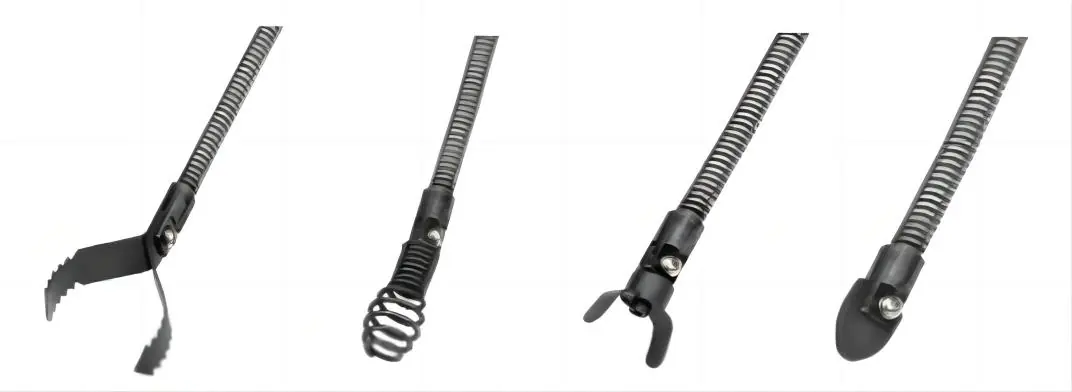
- Arrow Cutter (2 pieces): Starting tool; ideal for cutting and scraping.
- Boring Bulb Cutter: Starting tool; ideal for removing loose objects.
- C-Cutter: Finishing tool; ideal for grease stoppages and cleaning pipe walls.
- Spade Cutter: Finishing tool; used for scraping the inside edges of pipes.
Notice: If the cause of the obstruction is unknown, use the Boring Bulb Cutter to explore and retrieve a piece for inspection. The largest tool used should be no bigger than the drain's inside diameter minus an inch.
Operation
- Place the drain cleaner so the drum opening is within 2 feet of the drain access. If this is not possible, use appropriate pipes and fittings to extend the access.
- Install the selected cutting tool to the end of the cable by sliding the base into the slot and fastening with a screwdriver.
- Position the foot switch for easy accessibility.
- Ensure the handle is locked in the upright position for transport.
Corrective Action in Case of Failure
If the tool fails to operate, check the following:
- Motor not working: Check for loose wires in the mains plug or socket. Have the switch checked or replaced.
- Unusual noises/slow motor: Check for jammed components or switch failure. Reduce thrust if the motor is dragging.
- Motor gets hot: Remove foreign substances from the motor. Apply or replace lubricating grease. Reduce thrust.
- Frequent sparks: Check for short circuits in the armature, worn or jammed carbon brushes, or rough commutator surface.
For repairs, contact a specialist workshop or the manufacturer.
Manufacturer information
The Home Depot
Practical help
Common problems
Motor not working
Check mains plug and socket for loose wires; have the switch checked or replaced.
Unusual noises or slow motor
Check for jammed components or switch failure; reduce thrust during the task.
Motor overheating
Remove foreign substances; apply or replace lubricating grease; reduce thrust.
Frequent or strong sparks
Check armature for short circuits; check carbon brushes; clean or grind the commutator surface.
Before use
- Wear eye, ear, and breathing protection.
- Ensure the switch is in the OFF position before connecting to power.
- Inspect the drain quality if possible.
- Select the appropriate cutting tool for the obstruction.
- Position the drum opening within 2 feet of the drain access.
- Set up barriers to keep bystanders away.
Specs in practice
- Cable Length
- Available in 50ft, 75ft, and 100ft lengths.
- Outside Diameter
- Available in 3/8 inch and 1/2 inch sizes.
Images and diagrams
- Arrow Cutter: Starting tool for cutting and scraping.
- Boring Bulb Cutter: Starting tool for removing loose objects.
- C-Cutter: Finishing tool for grease and pipe walls.
- Spade Cutter: Finishing tool for scraping pipe edges.
Model compatibility
- Largest tool used should be no bigger than the drain's inside diameter minus an inch.
- If the drain is in poor condition, cleaning may cause damage.

Manual page author
Emily Carter
User documentation editor
Prepares concise manual descriptions and highlights the most useful setup, operation, and maintenance information for readers.