Electronics / Audio
User Guide for Walrus Audio Canvas Volume Pedal
A comprehensive guide for the Walrus Audio Canvas Volume pedal. Includes instructions for signal routing, parameter adjustments (Taper, Gain, Lag), utility menu functions, and physical drag calibration.
Table of contents
Manual images
Jump to the sectionQuick guide from the manual
The Canvas Volume is an optical volume pedal, meaning it contains no strings, pots, or gears to wear out or get scratchy. The user interface is located under the heel of the pedal. It features four parameters: Taper, Minimum On, Gain, and Lag. All settings are managed via two buttons and LED indicators.
Connections
The pedal features multiple input and output options to suit different signal chains:
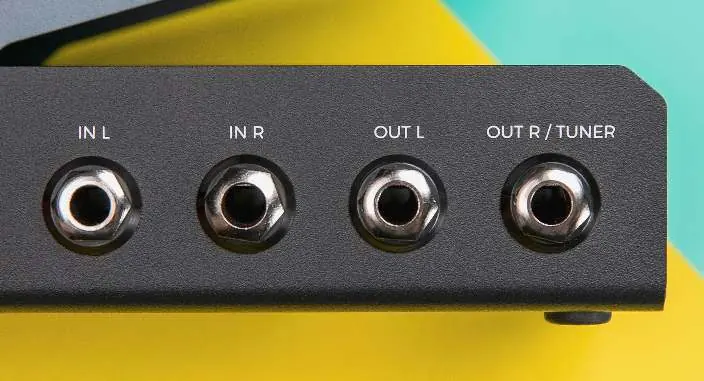
- IN L: Main input for mono or stereo setups.
- IN R: Right input for stereo setups.
- OUT L: Main output.
- OUT R / TUNER: Configurable output for tuner or dual-mono setups.
Controls
The interface is tucked under the heel of the pedal. It consists of two buttons (left and right) and four parameter LEDs. To edit a parameter:
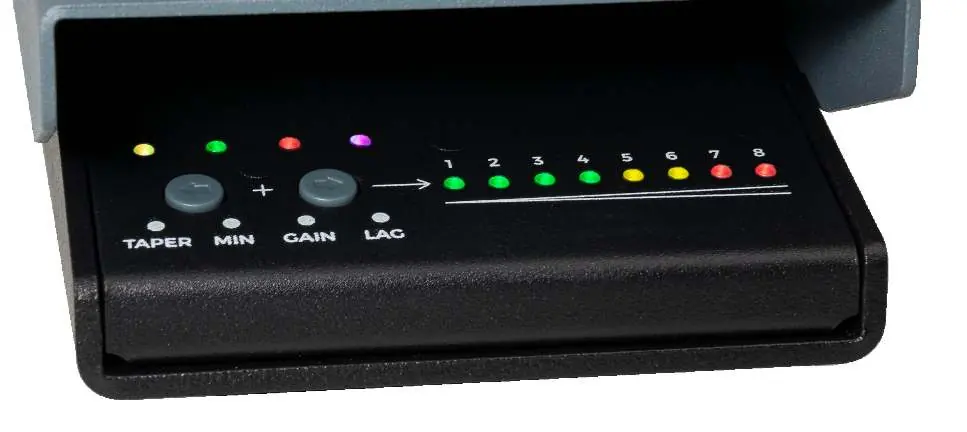
- Press the left or right buttons to select the desired parameter (Taper, Min, Gain, Lag).
- To increase the value: Press and hold the left button while clicking the right button.
- To decrease the value: Press and hold the right button while clicking the left button.
Parameters
- Taper: Determines the curve of the volume sweep. Taper 1 is custom-designed for guitarists; Tapers 2-6 are modeled after popular volume pedals; Tapers 7-8 are linear, favored by pedal steel players.
- Minimum On: Sets the volume level at the heel-down position. Higher settings reduce attenuation, allowing more signal to pass through at heel-down.
- GAIN: Sets the volume at the toe-down position. Default is Position 5 (unity gain). Settings below 5 reduce volume; settings above 5 boost volume up to +9dB.
- LAG: Introduces a delay to the volume response. Position 1 is fastest; Position 8 adds a 2000ms delay for smooth swells or envelope effects.
Signal Routing
- Mono In, Mono Out, Tuner Out: Connect instrument to IN L, amp to OUT L, and tuner to Tuner jack.
- Stereo In, Stereo Out: Connect left and right signals to IN L and IN R. Connect stereo device inputs to OUT L and OUT R.
- Mono In, Dual Mono Out: Splits the signal from IN L to both OUT L and OUT R. Configure this mode in the Utility Menu.
Utility Menu
To enter the Utility Menu, press and hold both buttons while powering up the unit. Release when all 8 value LEDs light up a single color.
- Factory Reset (Purple): Resets all settings to defaults. Requires recalibration after.
- Sensor Calibration (Red): Calibrates the pedal position sensor. Sweep the pedal between full heel-down and full toe-down two to three times.
- Mono Mode (Yellow): Toggles the right output between Tuner Out and Dual Mono Out.
- DFU (Blue): Used for firmware updates via Walrus Audio support instructions.
Drag Adjustment
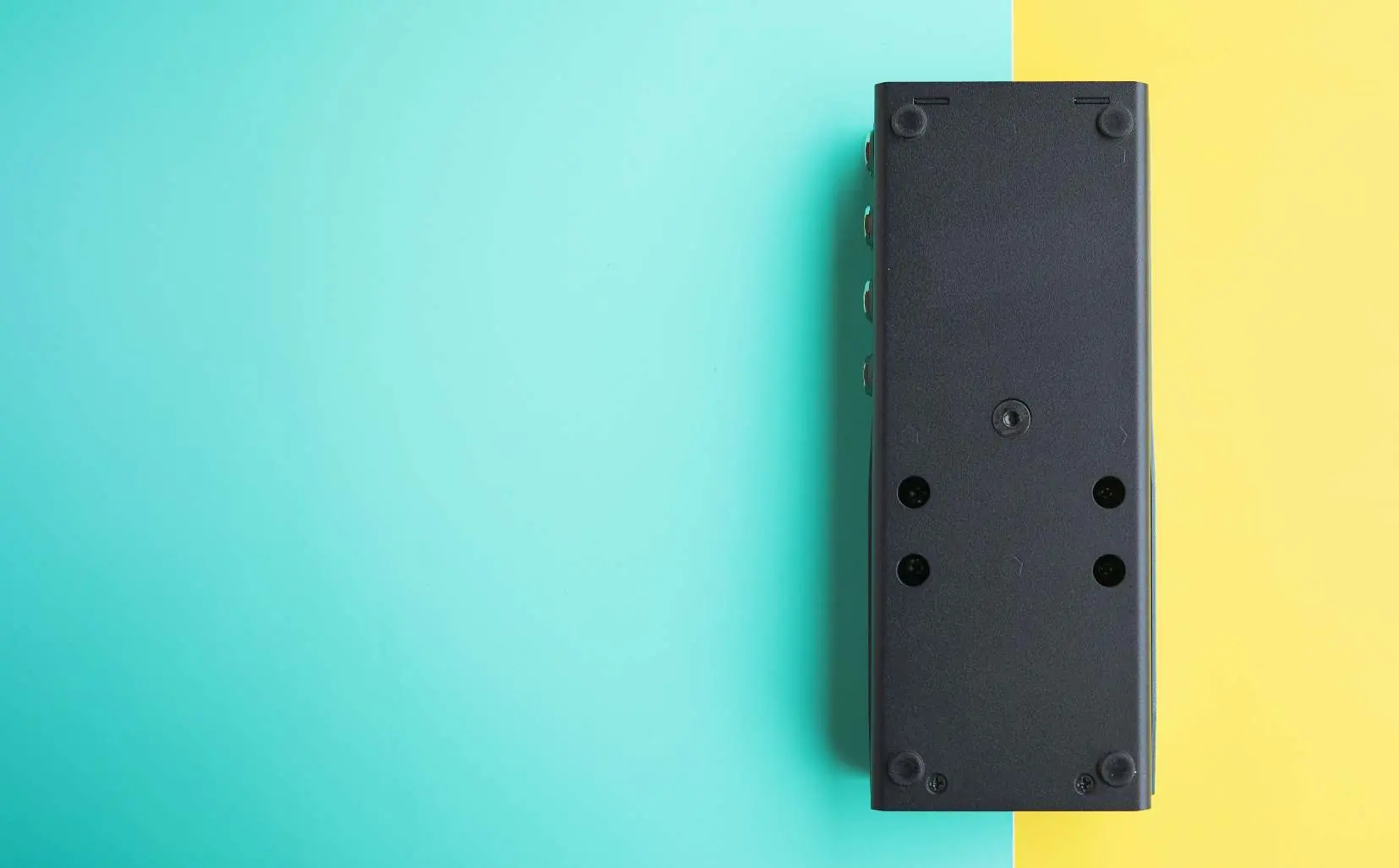
You can adjust the physical tension (friction) of the treadle. Locate the 4mm hex screw on the bottom of the pedal. Turn clockwise to increase drag and counterclockwise to decrease drag. Adjust in half-turn increments.
Specifications
- Input Impedance: 1M Ohm
- Output Impedance: 330 Ohm
- Frequency Response: 20Hz to 20kHz
- Power Requirement: Isolated 9VDC, center-negative, 300mA minimum
- Dimensions: 1.9" x 3.6" x 8.9" (48mm x 91mm x 225mm)
Practical help
Common problems
Signal is distorted or too loud
Decrease the Gain parameter in the settings.
Signal is too quiet at toe-down position
Increase the Gain parameter.
Pedal feels too loose or too stiff
Adjust the drag using the 4mm hex screw on the bottom of the pedal.
Right output is not behaving as expected in mono
Check the Mono Mode setting in the Utility Menu to ensure it is set to the desired output type (Tuner vs. Dual Mono).
Before use
- Ensure you have an isolated 9VDC, center-negative power supply (300mA minimum).
- Use 1/4 inch unbalanced TS cables for connections.
- Have a 4mm Allen wrench available for drag adjustment.
- Connect to a computer via USB-C if firmware updates are required.
Specs in practice
- Input Impedance: 1M Ohm
- Standard high impedance suitable for guitar pickups.
- Output Impedance: 330 Ohm
- Low impedance output capable of driving long cable runs.
- Power Requirement: 9VDC
- Must use an isolated power supply to prevent noise.
Images and diagrams
- The pedal features four LEDs above the buttons to indicate the selected parameter (Taper, Min, Gain, Lag).
- Eight value LEDs to the right indicate the current setting level for the selected parameter.
Model compatibility
- Compatible with standard 1/4 inch unbalanced TS cables.
- Firmware updates require a Chrome-based web browser.

Manual page author
Emily Carter
User documentation editor
Prepares concise manual descriptions and highlights the most useful setup, operation, and maintenance information for readers.