Electronics / Audio
User Guide for Walrus Audio Lüm Texture Engine Delay and Reverb Pedal
Learn how to operate the Walrus Audio Lüm Texture Engine. This guide covers controls, modes, preset management, power requirements, and technical specifications.
Table of contents
Manual images
Jump to the sectionQuick guide from the manual
The Walrus Audio Lüm is a limited edition texture engine combining granular and reverb effects. To ensure proper operation, use only a 9V DC, center-negative power supply rated at 100mA or more. The use of an isolated power supply is highly recommended; daisy chain power supplies are not recommended as they may introduce noise.
Controls
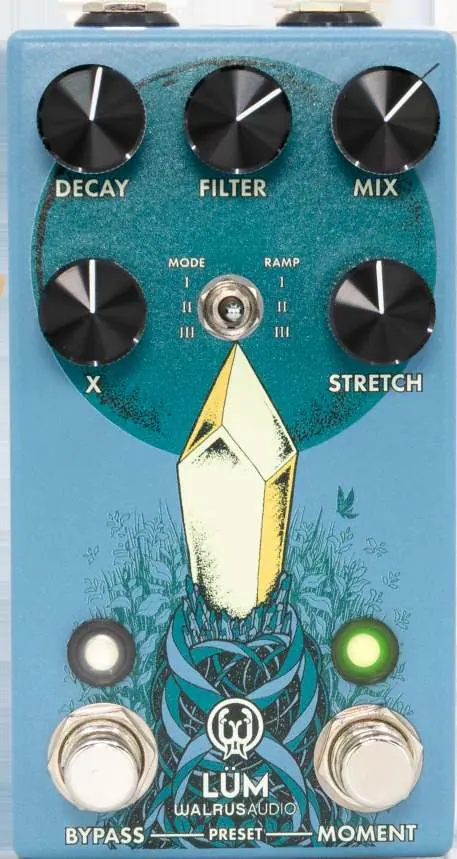
The pedal features five main knobs to shape your sound:
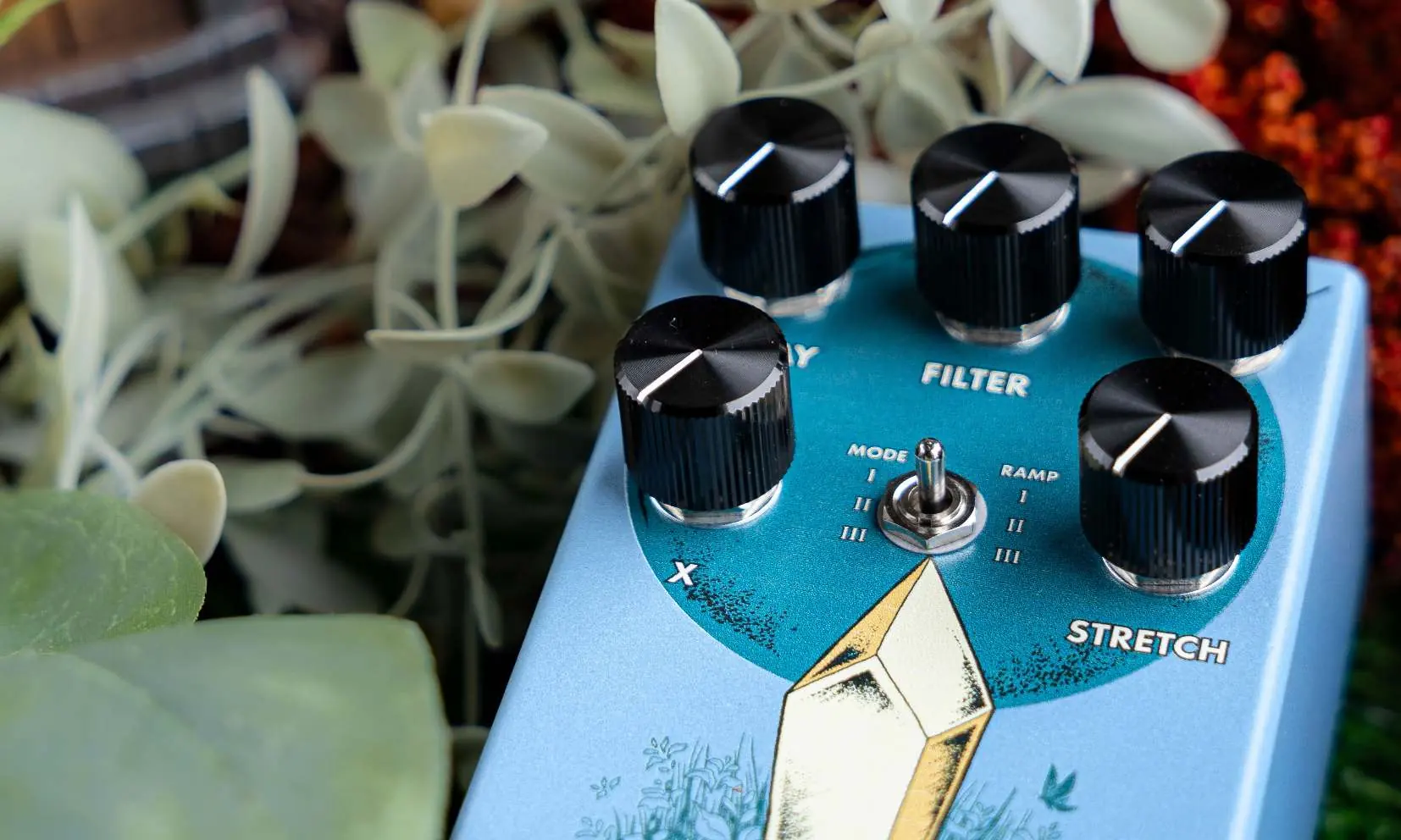
- Decay: Controls decay on time-related parameters. Functionality changes based on the selected mode: feedback of the sampled delay line (Mode I), decay of the sampled reverb tank (Mode II), or decay of the forward algorithm reverb tank (Mode III).
- Filter: Adjusts the cutoff of a global synth-style low-pass filter.
- Mix: Controls the balance between wet and dry signals. Counterclockwise is more dry, clockwise is more wet.
- X: Controls grain size in Modes I and II, and reverse reverb feedback in Mode III.
- Stretch: Adjusts the global sample rate from 0.5x to 2x speed, affecting all time-based parameters.
Modes
Use the Mode toggle switch to select between three distinct programs:
- Mode I: A grain cloud with dual granular taps reading from a feedback delay line.
- Mode II: A grain verb with dual granular taps reading from the delay memory of a reverb algorithm tank.
- Mode III: A forward reverb algorithm running into a reverse reverb algorithm, creating rhythmic interactions.
Operation
The pedal utilizes two stomp switches:
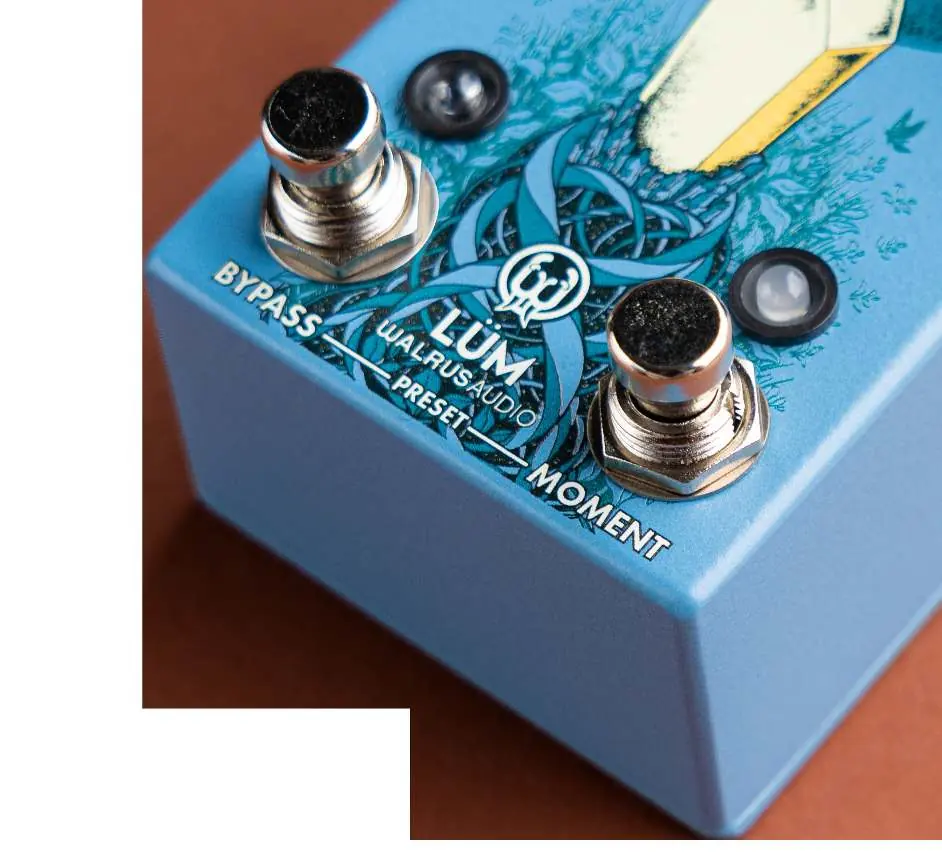
- Bypass: Press once to activate or bypass the effect. Hold while the pedal is active to edit the moment effect target.
- Moment: Hold to activate an automation glide effect on one of the five knobs, moving from its current setting to a defined target.
To assign which knob is controlled by the Moment switch, hold Bypass while the pedal is active (the Bypass LED will blink), then turn the desired knob to set the target. Adjusting the Mode toggle while Bypass is held down changes the automation glide time between 10ms, 1000ms, and 5000ms.
Presets
The Lüm features three onboard presets (Red, Green, and Blue). Scroll through presets by pressing both stomp switches simultaneously.
To save a preset:
- Scroll to the preset color you wish to save.
- Adjust knobs and switches to dial in the desired sound. The preset LED will turn purple, indicating modification.
- Hold down both Bypass and Moment stomp switches until the preset LED blinks. The preset is now saved.
Factory Reset: Hold down both foot switches while plugging in power to the pedal. Continue holding until the Preset LED starts to flash, then release both switches. The pedal will reset to Trails mode with default presets.
Specifications
- Bypass: Buffered Bypass
- Input/Output: 1 x 1/4 inch TS
- Input Impedance: 1M Ohms
- Output Impedance: 100 Ohms
- Power Requirement: 9V DC, center-negative, 100mA minimum
Practical help
Common problems
Pedal is noisy or not functioning correctly
Ensure you are using an isolated 9V DC, center-negative power supply rated at 100mA or more. Daisy chain power supplies are not recommended.
Preset changes are not saving
Ensure you hold down both Bypass and Moment stomp switches until the preset LED blinks to confirm the save.
Before use
- Verify power supply is 9V DC, center-negative, and at least 100mA.
- Use an isolated power supply to prevent noise.
- Connect 1/4 inch TS cables to the Input and Output jacks.
- Ensure the pedal is not daisy-chained with other power-hungry devices.
Specs in practice
- Input Impedance: 1M Ohms
- Standard impedance for guitar instruments to maintain signal integrity.
- Output Impedance: 100 Ohms
- Low output impedance ensures the signal can drive long cables without loss.
- Power Requirement: 100mA
- The minimum current required for the pedal to function; using less may cause instability.
Model compatibility
- Mode II is recommended to be placed before high-gain pedals for optimal sound.

Manual page author
David Miller
Documentation analyst
Organizes user manual content into clear summaries, with attention to model details, product context, and everyday usability.