Electronics / Audio
User Guide for Walrus Audio Qi Multi Effects Pedal
Quick guide for the Walrus Audio Qi multi-effects pedal. Learn about series/parallel routing, preset management, MIDI control, and firmware updates.
Table of contents
Manual images
Jump to the sectionQuick guide from the manual
The Walrus Audio Qi is a multi-effects pedal combining Chorus, Delay, Granular effects, and Reverb. It features two routing modes (Series and Parallel), three onboard presets plus a live mode, and full MIDI control. For optimal performance, use an isolated 9V DC, center-negative power supply (300mA minimum). Daisy chain power supplies are not recommended.
Routing Methods
The Qi can operate in two routing modes, selectable via the Flow button. The LED indicates the current selection.
- Series: Effects feed into each other (Chorus > Delay > Grain > Reverb > Tone > Dry > Output). The Mix/Dry knob controls the balance between dry and wet signals.
- Parallel: Each effect processes the dry input separately, and outputs are summed. The Mix/Dry knob controls the dry level.
Controls and Programs
The pedal features several knobs to shape your sound:
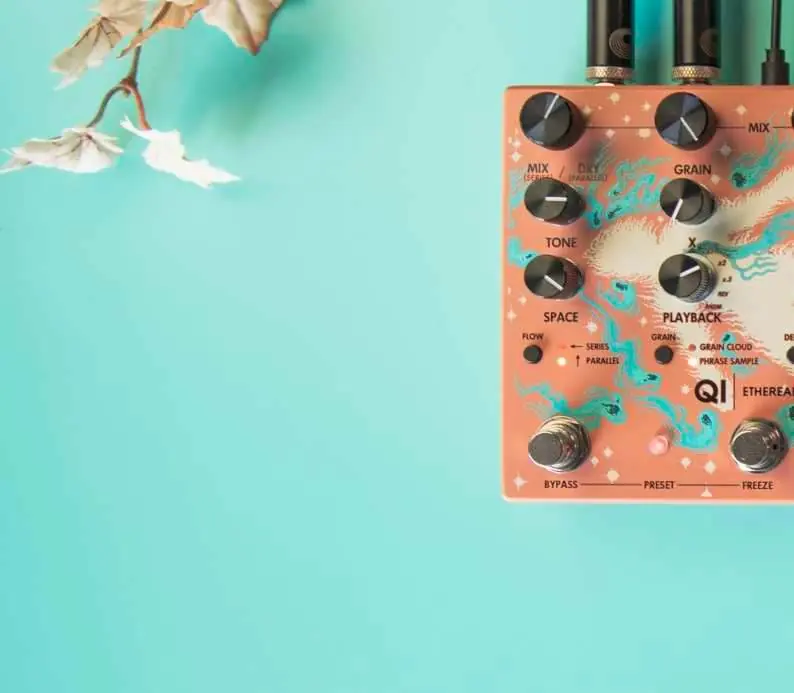
- Tone: Controls the cutoff of a resonant low-pass filter.
- Space: Applies a hall-style reverb to wet effects only.
- Chorus: Offers Tri (wide, rich) and Stereo (180-degree offset) modes. Rate and Depth control the LFO.
- Delay: Digital delay with up to two seconds of time. Toggle between quarter, dotted eighth, and eighth note divisions.
- Grain: Features Grain Cloud (randomized samples) and Phrase Sample (rhythmic samples) modes. The X knob controls grain length or tempo.
Stomp Features
- Tap/Osc: Tap to set delay time. Press and hold to maximize Delay Feedback for oscillation.
- Freeze: Press to freeze the Grain buffer. Long press to ramp Reverb to 100%.
- Bypass: Short press to engage/bypass. Long press to clear the Grain buffer.
Presets and Trails
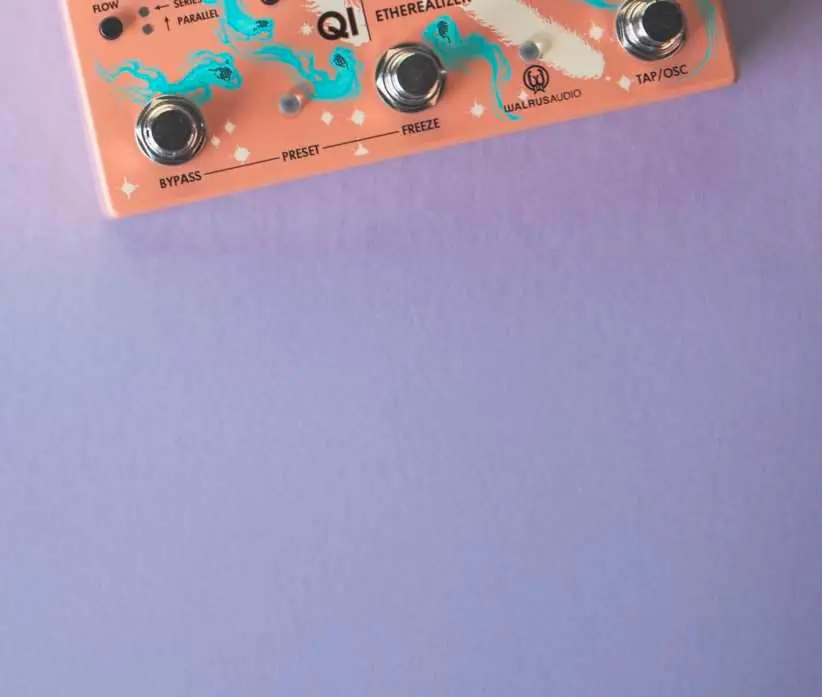
The Qi has three onboard presets (Red, Green, Blue) and a live mode (white). Scroll through presets by pressing both stomp switches simultaneously.
To save a preset:
- Scroll to the desired preset color.
- Adjust knobs and switches to dial in your sound. The LED will turn purple to indicate modification.
- Hold down the Bypass and Freeze switches until the preset LED blinks to save.
Trails Mode: Toggle between trails (natural decay) and no trails (abrupt cut) by holding the bypass switch for 1 second while applying power.
MIDI and Firmware
The Qi supports standard MIDI messages. Connect your controller to the MIDI IN port. The pedal defaults to MIDI channel 1. To assign a channel, hold the Freeze stomp during power-up, then send a PC message to the desired channel.


Firmware updates are performed via USB-C using a Chrome-based web browser at walrusaudio.io. For technical support or repairs, contact [email protected].
Official resources from the manual
Practical help
Common problems
Reverb is not affecting the dry signal.
This is normal behavior; the reverb only applies to the wet effects, not the dry signal.
Delay repeats are not in time with the song.
Ensure the correct tap division (quarter, dotted eighth, or eighth) is selected using the toggle button, or use the Tap/Osc switch to set the tempo.
Custom presets are lost.
Performing a factory reset will erase all custom stored presets and revert to factory defaults.
Before use
- Use an isolated 9V DC, center-negative power supply.
- Ensure the power supply provides at least 300mA.
- Avoid using daisy chain power supplies.
- Connect your MIDI controller to the MIDI IN port if using MIDI.
- Use a USB-C cable connected to a computer for firmware updates.
Specs in practice
- Input Impedance
- 1M Ohms, standard for guitar instruments.
- Output Impedance
- 220 Ohms.
- Frequency Response
- 20Hz to 20kHz, covering the full audible spectrum.
- Power Requirement
- Isolated 9VDC, center-negative, 300mA minimum.
Images and diagrams
- The manual provides signal flow diagrams for both Series and Parallel routing modes to visualize how the dry path and effect mix knobs interact.
- The MIDI implementation chart lists CC numbers for parameters like Flow, Mix/Dry, Tone, and Space.
Model compatibility
- Requires isolated power supply; daisy chains are not recommended.
- Firmware updates require a Chrome-based web browser.
- Inputs and outputs are 1/4 inch unbalanced TS.

Manual page author
David Miller
Documentation analyst
Organizes user manual content into clear summaries, with attention to model details, product context, and everyday usability.