Computers / Mobile Computers
Zebra Android 14 Release Notes 14-28-03.00-UG-U106-STD-ATH-04
Comprehensive release notes for Zebra Android 14 version 14-28-03.00-UG-U106-STD-ATH-04. Includes mandatory OS update requirements, new features, resolved issues, known constraints, and a full list of compatible devices.
Table of contents
Quick Guide to Zebra Android 14 Release
This document provides release notes for the Zebra Android 14 GMS release version 14-28-03.00-UG-U106-STD-ATH-04. This update includes security patches, new features, and resolved issues for a wide range of Zebra mobile devices. Users must verify their device compatibility and follow specific OS update paths to ensure a successful installation.
OS Update Requirements
Upgrading to Android 14 requires specific prerequisites depending on the current OS version:
- For devices upgrading from Android 11: Devices must have the A11 May 2023 LG BSP Image (11-21-27.00-RG-U00-STD) or a greater version installed before upgrading to the A14 BSP.
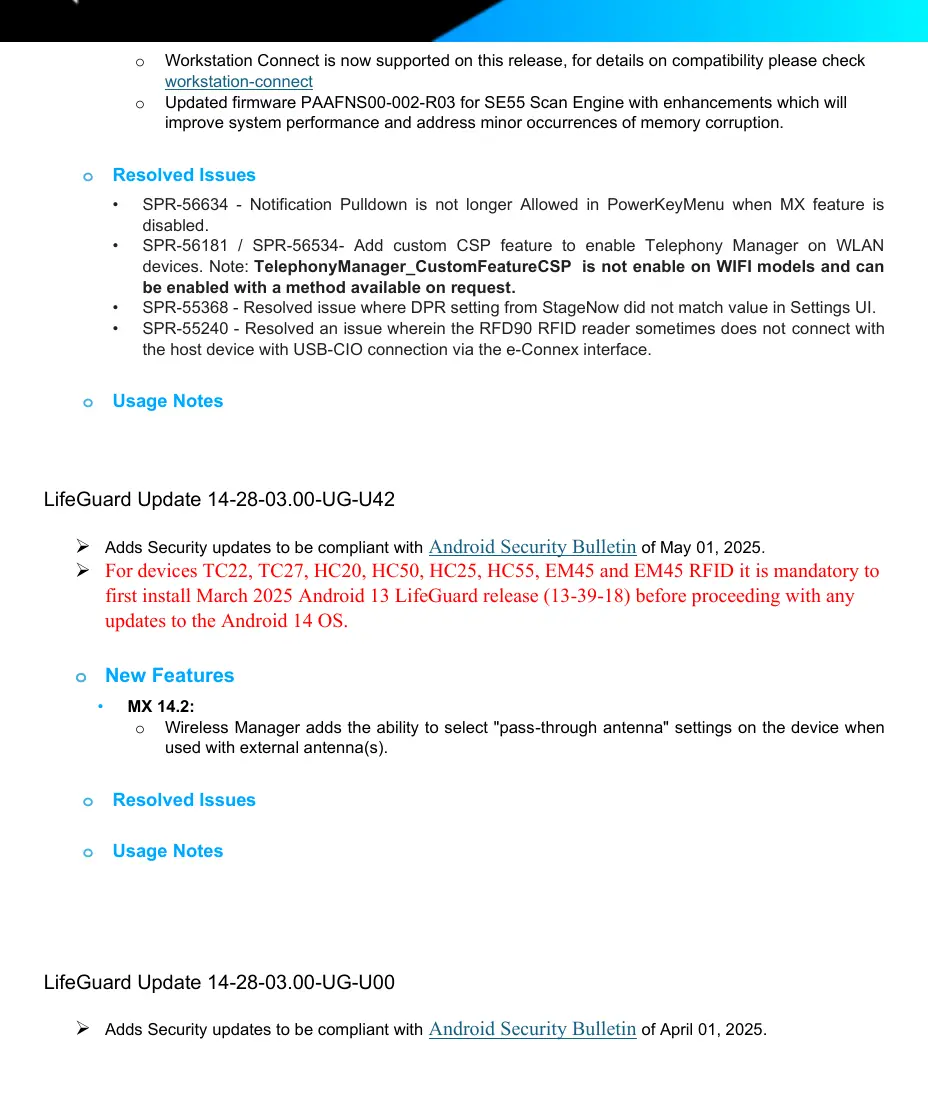
- For devices upgrading from Android 13: It is mandatory to first install the March 2025 Android 13 LifeGuard release (13-39-18) or higher. The Android 14 OS update will abort automatically if this requirement is not met.
New Features and Enhancements
This release introduces several improvements across the Zebra software ecosystem:
- MX 14.2: Wireless Manager now supports selecting pass-through antenna settings for devices using external antennas.
- DataWedge: Includes a new Point & Shoot feature for simultaneous barcode and OCR capture, improved decoder support, and enhanced Picklist + OCR workflows.
- Scanning: Updated SE55 firmware, improved camera scanning, and support for additional postal codes.
- Workstation Connect: Enhanced support and compatibility.
- Camera: Added support for the 16MP rear camera module on supported devices.
Resolved Issues
This build addresses numerous issues, including:
- Audio: Fixes for earpiece/speakerphone switching, microphone obstruction, and total audio loss.
- Display: Resolved issues with unexpected screen rotation, black/blank displays during idle periods, and incorrect DPI values.
- Connectivity: Fixes for NFC disabling on HC50 devices, USB-C power display issues, and RFD90 connection stability.
- System: Resolved memory consumption issues, phone dialer visibility on the lock screen, and various scanner framework bugs.
Known Constraints
- Battery Stats: Limitation in COPE mode.
- System Settings: Reduced settings with Accessibility allows users to access application permissions via Privacy Indicators.
- Display Issues: On Android 14, if an on-docking app is configured with five or more apps, a fully black or half-black screen may appear. Remedy: Reboot the device for a fully black screen, or clear apps from the recent apps list/reboot for a half-black screen.
Device Compatibility
This software release is approved for the following device families: TC53, TC58, TC73, TC73-5430, TC78, TC78-5430, TC22, HC20, HC50, TC27, HC25, HC55, EM45, EM45 RFID, ET60, ET65, and KC50.
Manufacturer information
Zebra Technologies
Practical help
Common problems
Fully black screen on primary device when docked
Reboot the device.
Half-black screen on primary device when docked
Clear apps from the recent apps list on the primary device or reboot.
USB device enumeration failure in suspend mode
Ensure the system is updated; kernel changes were implemented to handle debounce delay and suspend cases.
NFC frequently disabling itself on HC50
This issue has been resolved in this release.
Before use
- Verify your specific device model is listed in the compatibility section.
- Check your current Android version (A11 or A13).
- If on A13, ensure March 2025 Android 13 LifeGuard release (13-39-18) or higher is installed.
- If on A11, ensure May 2023 LG BSP Image (11-21-27.00-RG-U00-STD) or higher is installed.
- Review the 'OS Update Installation Requirements' section before proceeding.
Specs in practice
- Product Build Number
- 14-28-03.00-UG-U106-STD-ATH-04
- Android Version
- 14
- Security Patch Level
- July 05, 2025
Model compatibility
- Supported families: TC53, TC58, TC73, TC78, TC22, HC20, HC50, TC27, HC25, HC55, EM45, EM45 RFID, ET60, ET65, KC50.

Manual page author
Emily Carter
User documentation editor
Prepares concise manual descriptions and highlights the most useful setup, operation, and maintenance information for readers.