Computers / Mobile Computers
Zebra Android 14 Release Notes
Comprehensive release notes and update guide for Zebra Android 14, including migration instructions, data loss prevention, new features, and device compatibility.
Table of contents
Important Information for Android 14 Update
This document provides release notes for the Zebra Android 14 GMS release (14-38-04.00-UG-U00-STD-HEL-04). It covers critical update procedures, data migration, and new features for a wide range of Zebra mobile devices.
Update Procedures
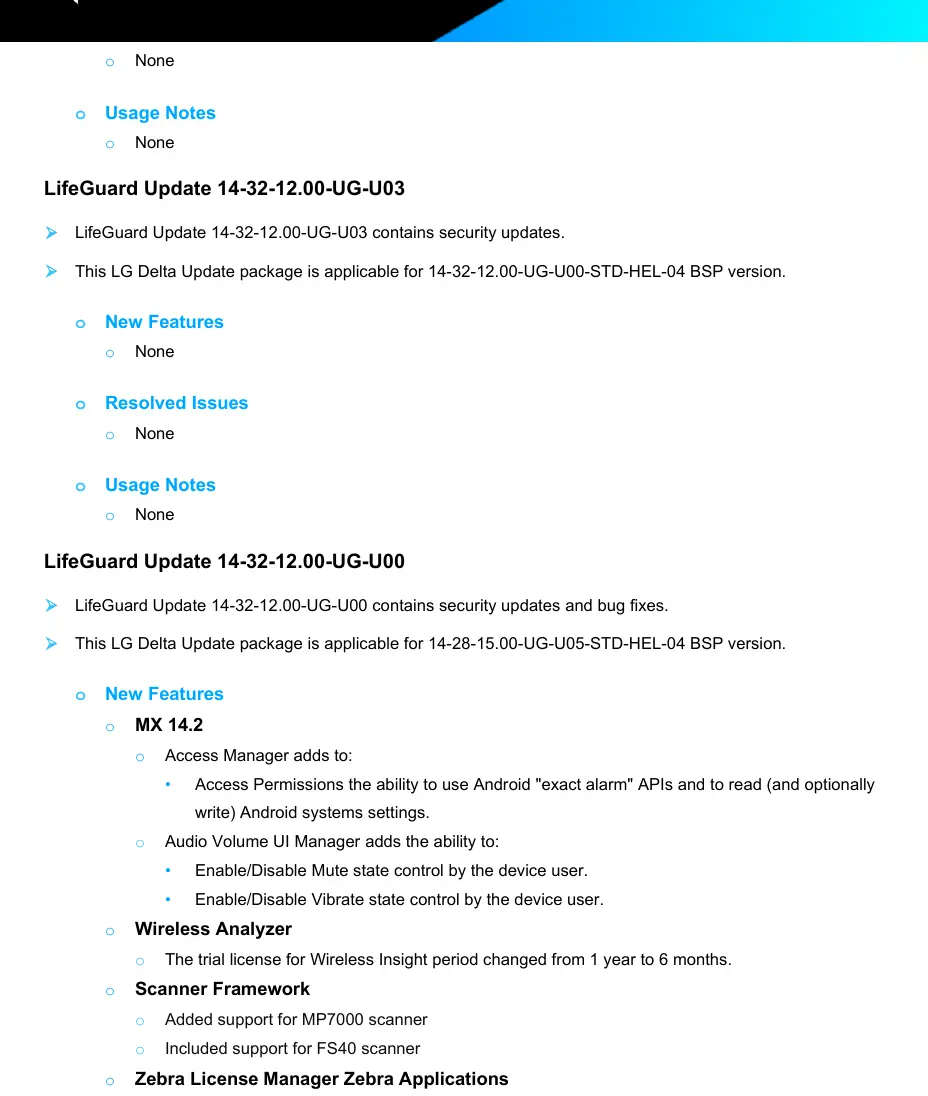
Starting at Android 11, Delta Updates must be installed in sequential order (ascending from oldest to newest). The Update Package List (UPL) method is no longer supported. Instead, a Full Update can be used to jump to any available LifeGuard Update.
Data Migration and Safety
Warning: Upgrading from lower OS versions to Android 14 may cause a data reset due to encryption changes from FDE (File-based Encryption) to FBE (File-based Encryption). To prevent data loss, use the Zebra Conversion Package (ZCP) for selective data persistence during the upgrade process.
- If configuring PIN, Pattern, or Password policies post-migration, the Admin must send a Password Reset (with a NULL or Empty password value) via the EMM console.
- Devices manufactured after November 25, 2024, with new Power Amplifier (PA) hardware (SKY77652) have specific downgrade restrictions.
New Features
- Scanner Framework: Added "Auto" illumination mode in DataWedge and Imager Frames Streaming workflow.
- WWAN: Added Smart(e)sim feature support.
- Event Injection Service: Now supports Android Direct Boot, allowing remote control sessions while the device lock screen is displayed.
- UI Manager: Added enhancements to block clipboard overlay and restrict access to AppInfo.
- Setup Wizard: Staging can be initiated from the Welcome screen by scanning a StageNow barcode or applying a staging file from USB/SD card.
Resolved Issues
This release addresses numerous issues, including:
- Fixes for APN updates and BT scanner connection/disconnection toast messages.
- Resolution for auto-rotate feature issues after downgrading.
- Fixes for scanner decoding stops in Presentation Mode.
- Resolution for device inability to connect to AT&T data after updating to A14.
- Fixes for navigation bar soft keys not working after an Enterprise reset.
Device Compatibility
This software release is approved for use on the following device families: MC20, RZ-H271, CC600, CC6000, EC30, EC50, ET51, L10A, MC2200, MC2700, MC9300, TC21, TC26, TC52, TC57, TC72, TC77, TC8300, MC3300ax, MC3300x, MC3300xR, VC8300, and WT6300.
Component Versions
Key component versions included in this release:
- Linux Kernel: 4.19.157-perf
- GMS: 14_202408
- Android SDK Level: 34
- DataWedge: 15.0.54
- Scanning Framework: 43.63.12.1
Manufacturer information
Zebra Technologies
Practical help
Common problems
Data loss during OS upgrade
Encryption change from FDE to FBE causes data reset. Use the FDE-FBE conversion package or EMM persistence to maintain data.
Setup Wizard Bypass not working
This feature is discontinued on Android 13 and later due to privacy requirements. The StageNow barcode will display 'Not supported'.
Device fails to switch to WLAN
This issue is resolved in this update. Ensure the device is updated to the latest version.
Navigation bar soft keys not working
This was a known issue after Enterprise reset, resolved in this release.
Before use
- Verify your specific device model and part number against the compatibility list.
- Check your current OS version to determine the correct update path.
- Read the data loss warnings regarding FDE to FBE encryption changes.
- Ensure you have the correct ZCP package if migrating from lower OS versions.
- Follow sequential order for Delta updates if not using a Full Update.
Specs in practice
- Delta Update
- An incremental update package that must be applied in sequential order from the previous version.
- ZCP (Zebra Conversion Package)
- A package used to perform selective data persistence during OS upgrades to prevent data loss.
Model compatibility
- Compatible with MC20, RZ-H271, CC600, CC6000, EC30, EC50, ET51, L10A, MC2200, MC2700, MC9300, TC21, TC26, TC52, TC57, TC72, TC77, TC8300, MC3300ax, MC3300x, MC3300xR, VC8300, WT6300.
- Devices with new Power Amplifier (SKY77652) manufactured after Nov 25, 2024, have specific downgrade restrictions.

Manual page author
Emily Carter
User documentation editor
Prepares concise manual descriptions and highlights the most useful setup, operation, and maintenance information for readers.