Electronics / Monitors
Instruction Manual for AcuRite 06006M Color Display
Quick guide for the AcuRite 06006M Color Display. Includes setup instructions, A-B-C switch synchronization, time/date configuration, PC Connect software installation, and troubleshooting for sensor reception and data accuracy.
Table of contents
Manual images
Jump to the sectionQuick guide from the manual
This document provides setup and operational instructions for the AcuRite 06006M Color Display. Note that this display requires a compatible AcuRite 5-in-1 Weather Sensor (sold separately) to function. Ensure the device is registered online at www.AcuRite.com to receive warranty service.
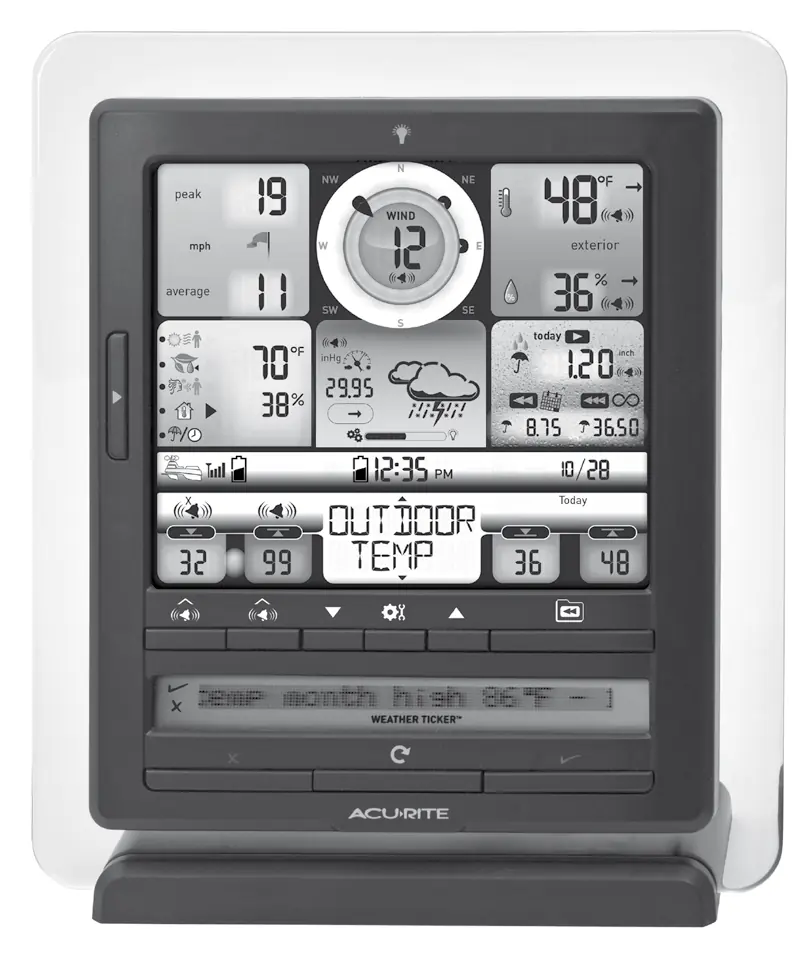
Display Setup
To begin, ensure the A-B-C switch inside the battery compartment matches the setting on your 5-in-1 sensor to allow synchronization. Plug the power adapter into an electrical outlet; batteries are optional and serve only as a backup power source during outages. Write down the 12-digit Device ID located on the back of the unit, as it is required for online connectivity features.
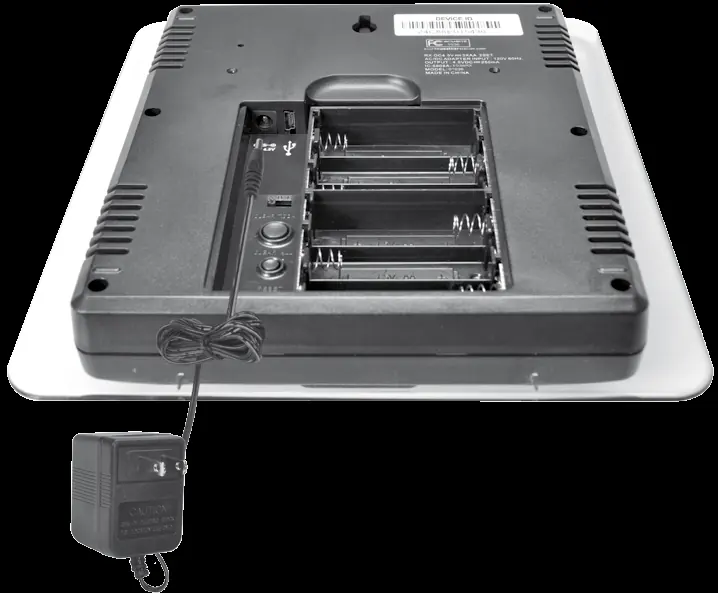
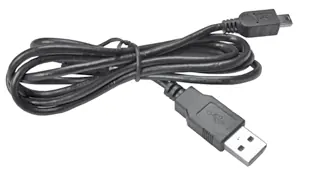
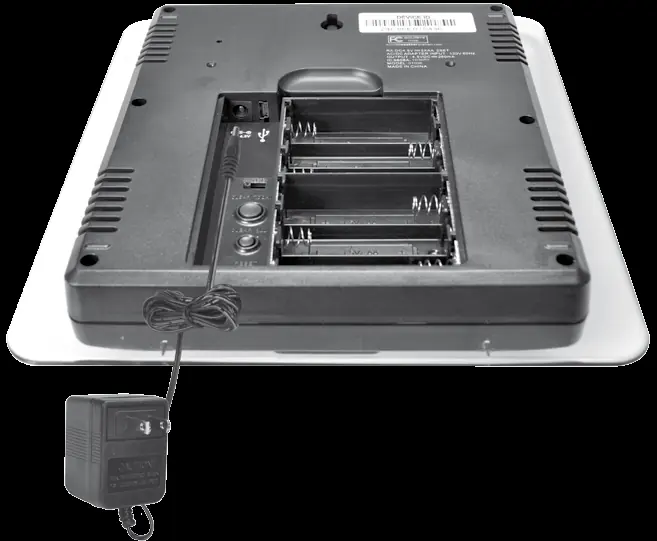
Setting Time, Date, and Units
Use the arrow buttons to navigate to the desired setting on the display. Press the gear icon button to enter setup mode. Follow the on-screen prompts to adjust the clock, calendar, and measurement units (standard or metric). The display also allows for language selection between English and French.
PC Connect
The display can stream data to a PC via the included USB cable. To enable this, set the display to USB mode 3. Download the PC Connect software from www.AcuRite.com/support/downloads. Once installed, connect the display to your computer when prompted by the software to begin logging data or streaming to Weather Underground.
Operation and Weather Ticker
The device features a self-calibrating learning mode that analyzes pressure over 14 days to determine altitude and improve forecast accuracy. The Weather Ticker at the bottom of the screen scrolls through real-time information. You can customize which messages appear by using the manual review mode and the checkmark/X buttons.
Programmable Weather Alarms
You can set alarms for various weather categories. To program an alarm, navigate to the category, press and hold the alarm button until the indicator flashes, adjust the value using the arrows, and confirm. Press the alarm button again to activate the alert.
Care and Maintenance
Clean the display with a soft, damp cloth; avoid abrasive cleaners. If readings are inaccurate, you can calibrate temperature and humidity by holding the arrow and gear buttons simultaneously for 10-15 seconds until the calibration icon appears.
Official resources from the manual
Manufacturer information
AcuRite
Practical help
Common problems
No outdoor sensor reception (no bars)
Relocate units within 330 ft (100 m), ensure they are 3 ft away from electronics, and re-synchronize by removing power/batteries from both units and restarting the process.
Inaccurate forecast
The unit requires 14 days for Learning Mode to calibrate and up to 33 days for full accuracy. Do not reset or remove batteries during this period.
USB connectivity not working
Verify the display is set to USB mode 3, unplug the USB cable for 20 seconds, and ensure the display is powered on.
Inaccurate wind readings
Ensure the sensor is mounted at least 5 ft off the ground with no obstructions. If wind cups hesitate, lubricate them with graphite powder or spray lubricant.
Before use
- Ensure you have a compatible AcuRite 5-in-1 Weather Sensor.
- Match the A-B-C switch on the display to the sensor.
- Plug in the power adapter for full functionality.
- Write down the 12-digit Device ID for online features.
- Install 6 AA batteries if backup power is desired.
Specs in practice
- Wireless Range
- 330 ft (100 m) maximum, depending on home construction materials.
- Operating Frequency
- 433 MHz wireless transmission.
- Data Reporting
- Updates vary by category (e.g., wind speed every 18 seconds, indoor temp every 60 seconds).
- Display Memory
- 512 kilobytes, non-expandable.
Images and diagrams
- The display features a central wind speed/direction dial and various weather data categories.
- The back of the display contains the A-B-C switch, USB port, power adapter plug, and battery compartment.
- The Weather Ticker at the bottom uses checkmark and X buttons for message customization.
Model compatibility
- Requires AcuRite 5-in-1 Weather Sensor (sold separately).
- PC Connect requires Windows 7 or newer, 1 GHz processor, and 1 GB RAM.
- Compatible with Weather Underground for data streaming.

Manual page author
David Miller
Documentation analyst
Organizes user manual content into clear summaries, with attention to model details, product context, and everyday usability.