Electronics / Monitors
AcuRite 02067M Digital Thermometer with Wired Sensor User Guide
Quick start guide for the AcuRite 02067M digital thermometer. Includes setup instructions, battery installation, display modes, placement guidelines, and troubleshooting tips.
Table of contents
Manual images
Jump to the sectionQuick guide from the manual
This document provides essential instructions for setting up and operating the AcuRite 02067M digital thermometer. Key tasks include installing two AAA batteries, selecting temperature units, and correctly placing the wired sensor for accurate readings. Note that the wired sensor is not waterproof and should not be submerged in liquid for more than 30 seconds.
Setup
To install or replace batteries:
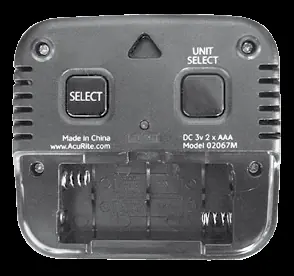
- Slide off the battery compartment cover on the back of the display.
- Insert 2 x AAA alkaline batteries, ensuring correct polarity (+/-) as indicated in the compartment.
- Replace the battery cover.
To select temperature units, press and release the °F/°C button located on the back of the display.
Operation
The device features two display modes:
- Manual Mode: The default mode. Press the SELECT button on the back to manually cycle through temperature and humidity readings.
- Auto-Cycle Mode: The display automatically toggles between temperature and humidity. To enter this mode, press and release the SELECT button until the auto-cycle icon appears on the screen. Press again to exit.
Placement Guidelines
For maximum accuracy, follow these guidelines:
- Place the display in a dry area free of dust. It can be used on a tabletop or wall-mounted using the integrated hang hole.
- Place the wired sensor outside to monitor outdoor temperatures. Use the adhesive pad or hang hole for secure mounting.
- Keep both the display and the wired sensor away from direct sunlight, heat sources, or vents.
Troubleshooting
- Inaccurate temperature: Ensure the display and wired sensor are placed away from direct sunlight, heat sources, or vents.
- Display screen not working: Check that batteries are installed correctly or replace them if necessary.
Specifications
- Temperature Range (Display): 32°F to 122°F (0°C to 50°C)
- Temperature Range (Wired Sensor): -58°F to 158°F (-50°C to 70°C)
- Humidity Range: 1% – 99% RH
- Power: 2 x AAA alkaline batteries
Manufacturer information
AcuRite
Practical help
Common problems
Inaccurate temperature readings
Ensure the display and wired sensor are placed away from direct sunlight, heat sources, or vents.
Display screen not working
Check that batteries are installed correctly or replace them with fresh alkaline batteries.
Before use
- Remove the protective film from the LCD screen.
- Install 2 x AAA alkaline batteries following the polarity diagram.
- Select preferred temperature units (°F or °C) using the button on the back.
- Choose a location for the wired sensor away from direct sunlight or heat sources.
- Register the product online at www.AcuRite.com for warranty service.
Specs in practice
- Temperature Range (Sensor)
- -58°F to 158°F (-50°C to 70°C)
- Humidity Range
- 1% to 99% relative humidity
- Power Requirements
- 2 x AAA alkaline batteries (heavy duty or rechargeable not recommended)
Images and diagrams
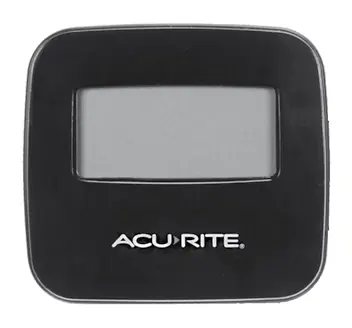
- The front of the display shows current sensor temperature, display temperature/humidity, and the auto-cycle icon.
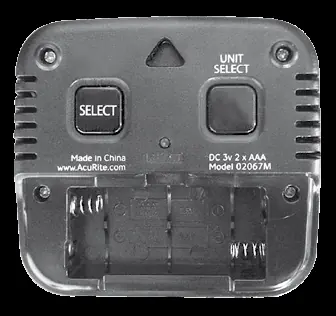
- The back of the display contains the battery compartment, SELECT button for modes, °F/°C unit selector, and a reset button.
- The wired sensor includes an adhesive pad for mounting.
Model compatibility
- The wired temperature sensor is not waterproof.
- Do not submerge the sensor in liquid for more than 30 seconds.

Manual page author
Emily Carter
User documentation editor
Prepares concise manual descriptions and highlights the most useful setup, operation, and maintenance information for readers.