Electronics / Monitors
Acurite 02020CA Lightning Detector Instruction Manual
Quick guide for the Acurite 02020CA Lightning Detector, covering battery installation, device operation, mode selection, and troubleshooting.
Table of contents
Manual images
Jump to the sectionQuick guide from the manual
This document provides essential instructions for the Acurite 02020CA Lightning Detector. Key operations include installing 2 AAA alkaline batteries, selecting distance units (miles/km) and language (English/French), and understanding the device's alert system. Important: This device is weather-resistant but not waterproof; do not expose it to direct rainfall. Always prioritize personal safety and seek shelter during storms regardless of device readings.
Device Overview
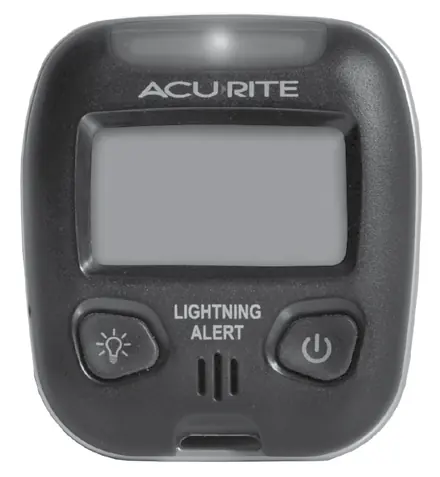
The front of the device features a strike counter, status display, backlight button, and power button. The back contains the battery compartment, belt clip, and buttons for selecting units and language.
Setup
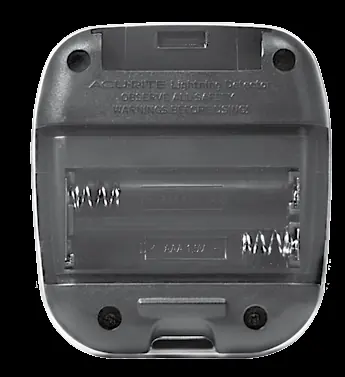
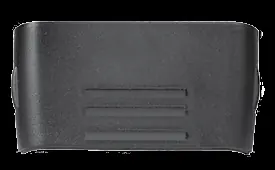
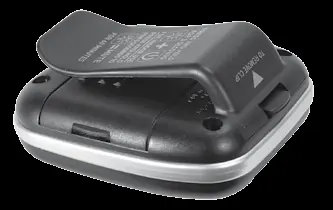
To install batteries: remove the belt clip, open the battery cover, and insert 2 AAA alkaline batteries according to the polarity diagram. Replace the cover and clip. Use the buttons inside the battery compartment to toggle between miles/kilometers and English/French.
Operation
Press the power button to turn the device on. It will calibrate and display LISTENING when ready. Press and hold the power button for 3 seconds to turn it off. The device defaults to Outdoor Mode; to switch to Indoor Mode (less sensitive to interference), press and hold the Light and Power buttons for 2 seconds until it beeps.
Silencing Audio Alerts
Audio alerts can be muted for 60 minutes by pressing and holding the Light button for 5 seconds. The device will display MUTED. To re-enable, repeat the same action.
Interference
If the device displays UNABLE TO DETECT...PLEASE RELOCATE, it is experiencing interference. Keep the detector at least 3 feet away from electronics such as electric motors, CRT monitors, fluorescent lights, microwaves, and mobile phones.
Care and Maintenance
Clean the device with a soft, damp cloth. Do not use caustic cleaners or abrasives. Remove batteries if the device will not be used for an extended period.
Manufacturer information
AcuRite
Practical help
Common problems
Display reads UNABLE TO DETECT...PLEASE RELOCATE
Relocate the device at least 3 feet away from electronics like motors, monitors, or microwaves.
Display screen not working
Check that batteries are installed correctly or replace them.
False lightning detection
Verify there is no actual lightning, then identify and relocate the source of interference.
Before use
- Remove the protective film from the LCD screen.
- Install 2 fresh AAA alkaline batteries.
- Select preferred distance units (miles/km) inside the battery compartment.
- Select preferred language (English/French) inside the battery compartment.
- Ensure the device is placed away from electronic interference sources.
Specs in practice
- Operating Temperature
- 32°F to 140°F (0°C to 60°C).
- Lightning Detection Range
- 1 to 25 miles (1.6 to 40 km).
- Battery Life Expectancy
- 8-10 months based on an average of 3 strikes detected per day.
Images and diagrams
- The front panel includes the Strike Counter, Status Display, Backlight button, and Power button.
- The back panel houses the battery compartment, unit selection buttons, and the belt clip.
Model compatibility
- Not intended for direct exposure to rainfall.
- Requires 2 AAA alkaline batteries (not included).
- Not compatible with rechargeable batteries.

Manual page author
Emily Carter
User documentation editor
Prepares concise manual descriptions and highlights the most useful setup, operation, and maintenance information for readers.