Power / Portable Power Stations
User Manual for Anker 760 Portable Power Station Expansion Battery
Quick guide for the Anker 760 Portable Power Station Expansion Battery (A1780). Learn how to connect, charge, and use your expansion battery safely with your Anker PowerHouse.
Table of contents
Quick guide from the manual
The Anker 760 Portable Power Station Expansion Battery (A1780) is designed to extend the capacity of compatible Anker PowerHouse units (specifically the Anker 767). This manual provides instructions on how to connect, charge, and maintain the expansion battery to ensure optimal performance and safety.
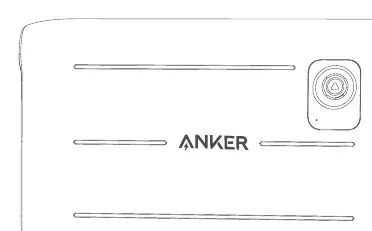
What's in the box
- Anker 760 Portable Power Station Expansion Battery
- Expansion Battery Cable
- User Manual
Connecting the expansion battery
To increase the total capacity of your power system, connect the expansion battery to your main PowerHouse unit:
- Ensure both the PowerHouse and the expansion battery are powered off.
- Connect the provided expansion battery cable to the expansion port on the PowerHouse.
- Connect the other end of the cable to the expansion port on the Anker 760.
- Power on the main unit. The expansion battery will be automatically detected and integrated into the system.
Charging
The expansion battery is charged through the main PowerHouse unit. When the PowerHouse is connected to a power source (AC wall outlet, solar panels, or car charger), it will charge both its internal battery and the connected expansion battery. The charging status and battery level will be displayed on the main unit's screen.
Safety instructions
- Do not disassemble the product.
- Do not expose the product to fire or extreme temperatures.
- Do not drop or subject the product to strong impacts.
- Keep the product away from water and moisture.
- Use only the provided cables and accessories.
- If the product is damaged, stop using it immediately and contact customer support.
Manufacturer information
Anker
Practical help
Common problems
Expansion battery not detected
Ensure the connection cable is securely plugged into both the PowerHouse and the expansion battery. Restart the PowerHouse unit.
Battery not charging
Verify that the main PowerHouse unit is receiving power from an AC outlet, solar panel, or car charger. Check that the expansion cable is properly connected.
Before use
- Ensure the main PowerHouse unit firmware is updated to the latest version.
- Verify that the expansion battery is placed on a stable, flat surface.
- Check that the connection cable is free from damage.
- Ensure the ambient temperature is within the operating range.
Specs in practice
- Compatibility
- Designed specifically for use with the Anker 767 Portable Power Station.
Images and diagrams
- The expansion port is located on the side of the unit, protected by a rubber cover.
- The connection cable is a specialized high-current cable; do not use third-party cables.
Model compatibility
- This unit is an expansion battery and cannot function as a standalone power station.
- Requires a compatible main unit (Anker 767) to operate.

Manual page author
David Miller
Documentation analyst
Organizes user manual content into clear summaries, with attention to model details, product context, and everyday usability.