Power / USB Chargers
User Manual for Anker 531 Solar Panel 200W
Quick guide for the Anker 531 Solar Panel (200W). Learn how to set up, adjust angles, connect to power stations, and maintain your solar panel for optimal charging.
Quick answers from the manual
Quick answer
- The Anker 531 is a 200W solar panel designed to charge portable power stations via an XT-60 port. It features an adjustable stand with 3 angles for optimal sun alignment. p. 2, 3
Key actions
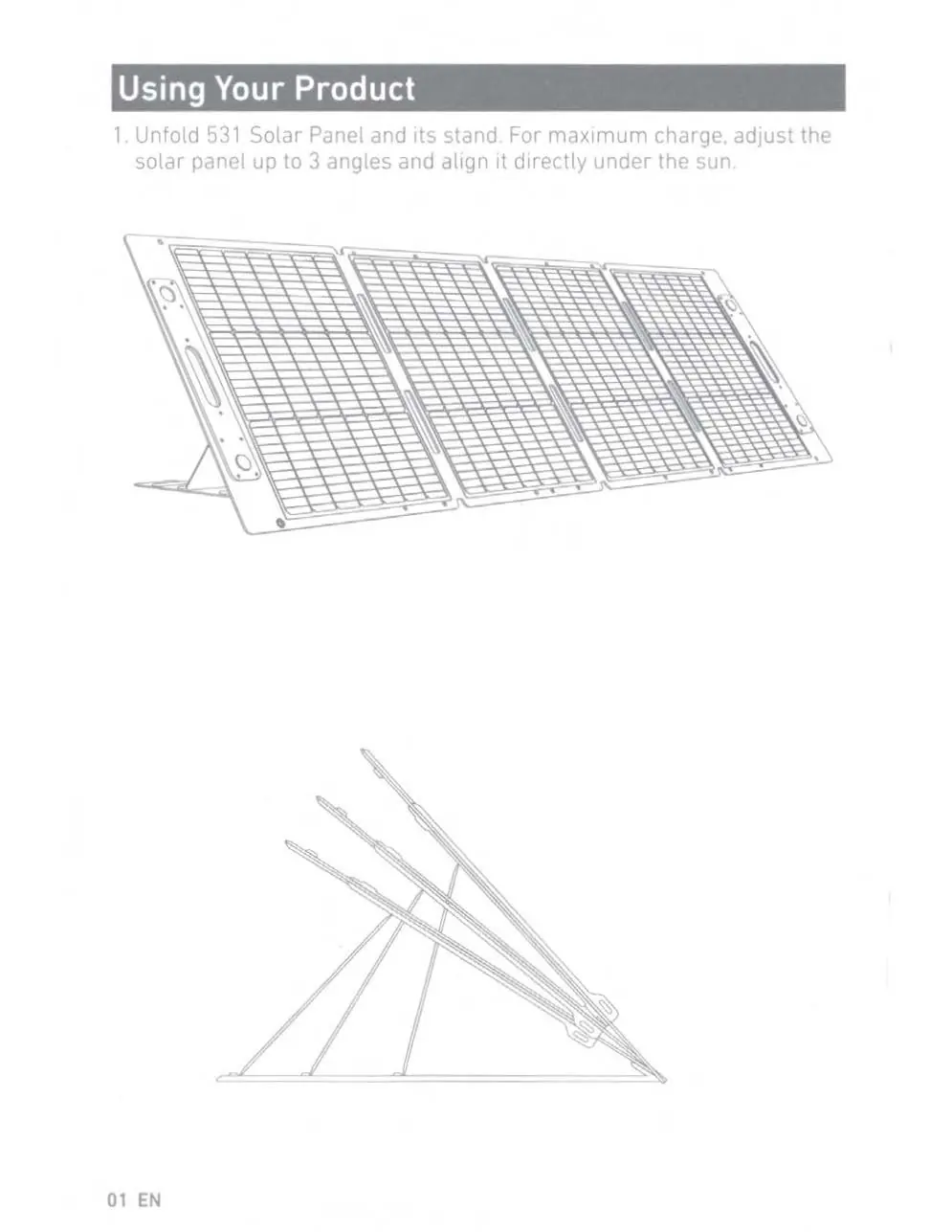
- Adjust the stand to one of the 3 angles for maximum charge. p. 2
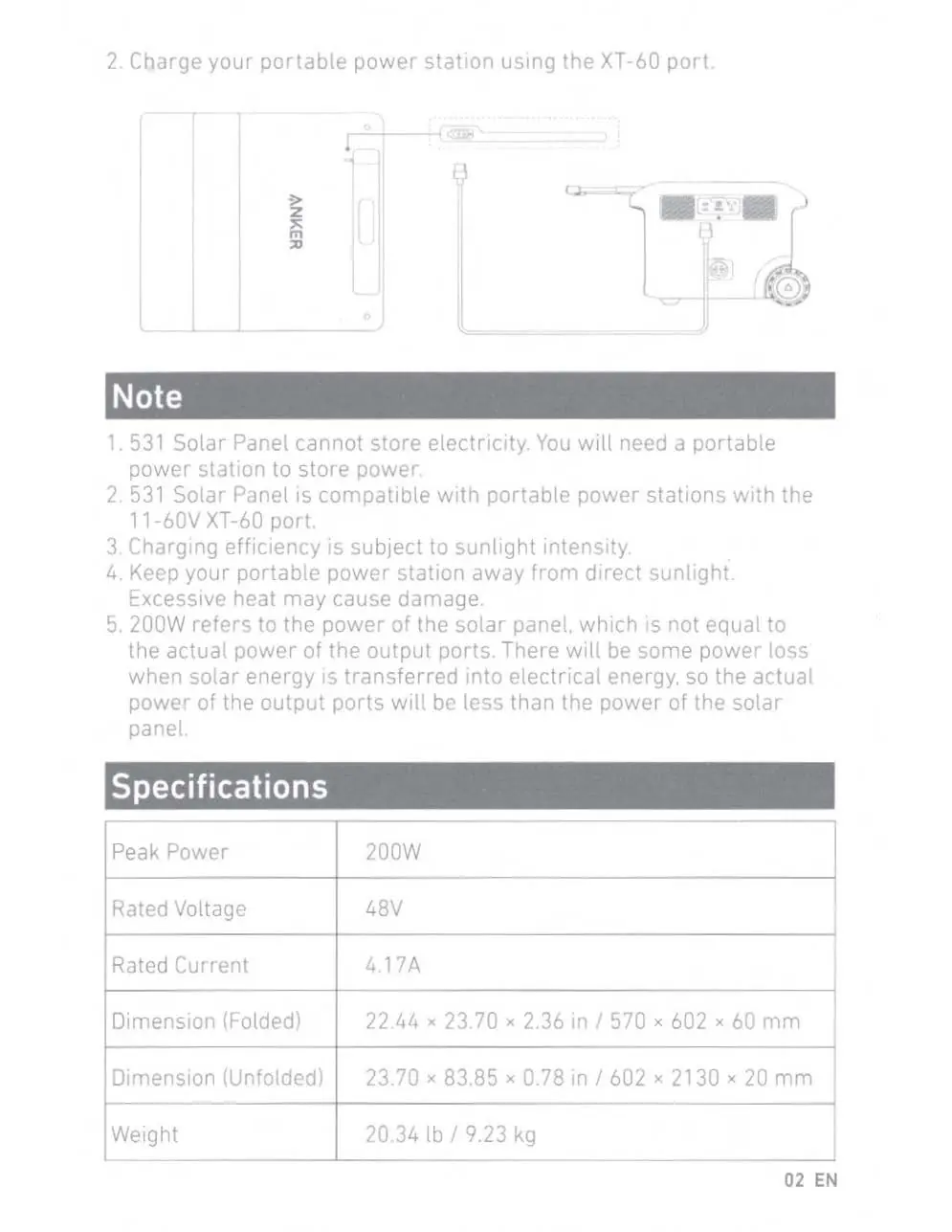
- Connect the solar panel to a portable power station using the XT-60 port. p. 3
First start
- Unfold the panel and stand, adjust the angle, and connect to your power station. p. 2, 3
Problems and fixes
Charging efficiency is low.
Ensure the panel is aligned directly under the sun and check for obstructions.
p. 3Maintenance and reset
- Clean the product only with a dry cloth or brush. p. 4
Technical specifications
| Parameter | Value | Meaning | Pages |
|---|---|---|---|
| Peak Power | 200W | Maximum power output | p. 3 |
| Rated Voltage | 48V | Operating voltage | p. 3 |
| Rated Current | 4.17A | Operating current | p. 3 |
Where to find it in the PDF
- Using Your Product p. 2
- Specifications p. 3
- Safety Instructions p. 4
Table of contents
Manual images
Click an image to enlargeQuick guide from the manual
The Anker 531 Solar Panel (200W) is designed to charge portable power stations. It does not store electricity itself. For optimal performance, ensure the panel is aligned directly with the sun and use the adjustable stand to set the best angle.
Using your product
Unfold the solar panel and its stand. You can adjust the solar panel to 3 different angles to maximize charging efficiency. Align the panel directly under the sun.
Charging your devices
Connect your portable power station to the solar panel using the XT-60 port. The panel is compatible with portable power stations that feature an 11-60V XT-60 port.
Important notes
- The solar panel cannot store electricity.
- Charging efficiency depends on sunlight intensity.
- Keep your portable power station away from direct sunlight to prevent damage from excessive heat.
- The 200W rating refers to the panel's power, not the actual output, as there is some power loss during energy transfer.
Specifications
- Peak Power: 200W
- Rated Voltage: 48V
- Rated Current: 4.17A
- Weight: 20.34 lb / 9.23 kg
Safety instructions
- Avoid dropping the product.
- Do not disassemble the panel.
- Use original or certified cables for the safest and fastest charge.
- Do not place open flame sources, such as candles, on the product.
- Clean the product only with a dry cloth or brush.
Manufacturer information
Anker
Practical help
Common problems
Low charging efficiency
Ensure the panel is aligned directly under the sun and check for obstructions.
Power station not charging
Ensure the XT-60 connection is secure and the power station is compatible (11-60V).
Before use
- Unfold the solar panel and stand
- Adjust the stand to one of the 3 available angles
- Ensure the panel is aligned directly under the sun
- Verify the power station has an 11-60V XT-60 port
Specs in practice
- Rated Voltage
- 48V operating voltage.
- Rated Current
- 4.17A operating current.
Images and diagrams
- The manual provides a diagram showing the 3 adjustable angles for the stand.
- A connection diagram illustrates how to connect the solar panel to a portable power station using the XT-60 port.
Model compatibility
- Compatible with portable power stations featuring an 11-60V XT-60 port.
- The solar panel cannot store electricity itself.

Manual page author
Michael Turner
Technical manual editor
Reviews PDF manuals for structure, safety notes, and practical product details so readers can find the right information quickly.