Power / Batteries & Chargers
User Manual for Anker 737 Charger and Anker 737 Power Bank
Comprehensive user guide for the Anker 737 Charger (GaNPrime 120W) and Anker 737 Power Bank (PowerCore 24K). Includes setup, charging instructions, LCD screen navigation, and safety guidelines.
Table of contents
Manual images
Click an image to enlargeQuick Guide
This document covers two products: the Anker 737 Charger (GaNPrime 120W) and the Anker 737 Power Bank (PowerCore 24K). Please identify your product and follow the relevant section for usage and safety instructions.
Anker 737 Charger (A2148)
Usage: Connect the charger to a wall outlet. Connect your devices to the USB-C or USB-A ports using a certified cable (such as MFi) for the fastest and safest charge.
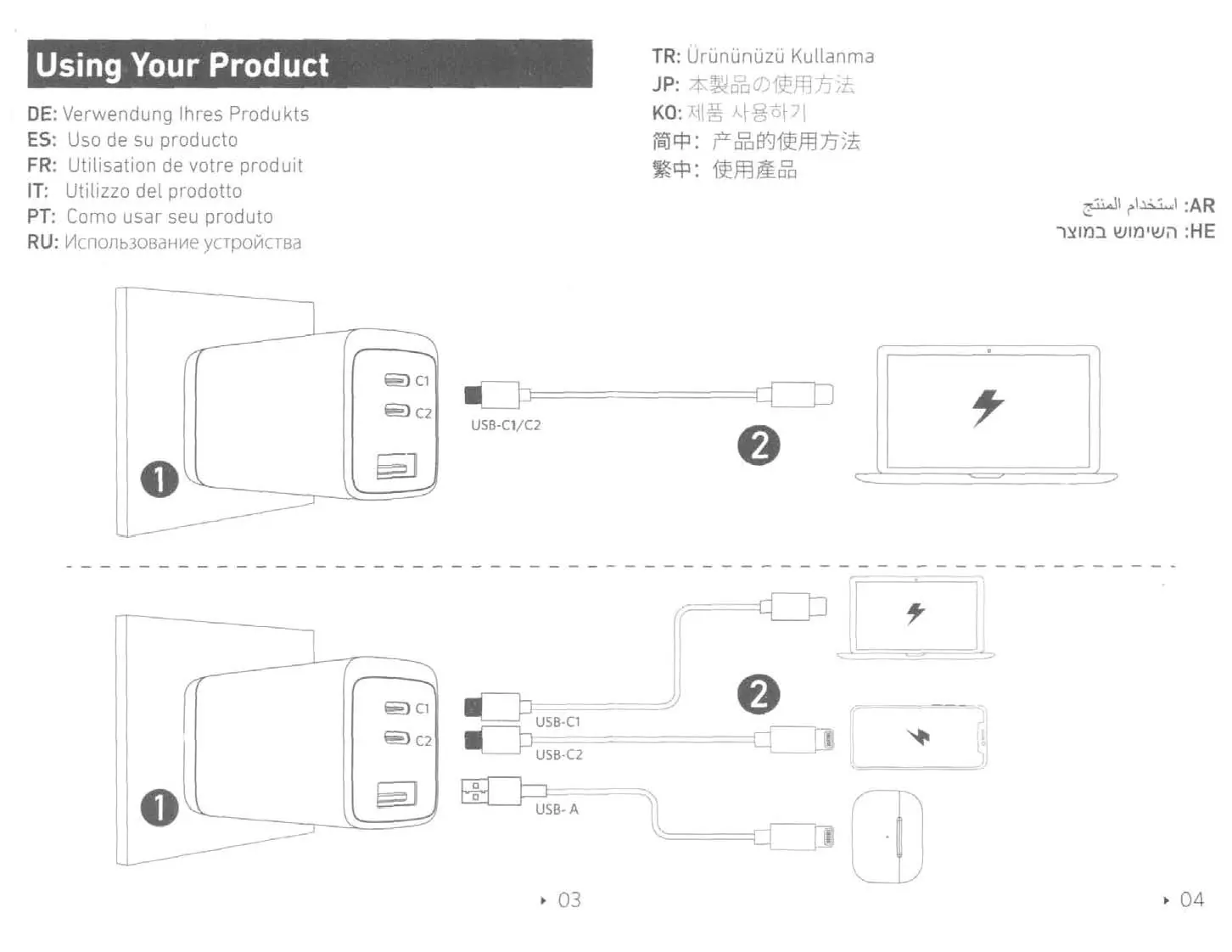
Specifications:
- Input: 100-240V~ 1.9A 50-60Hz
- Single Port Output (USB-C1/C2): Up to 100W
- Single Port Output (USB-A): Up to 22.5W
- Total Output: 120W Max
Anker 737 Power Bank (A1289)
Charging Your Devices: Connect your device to the USB-C or USB-A ports on the power bank. The LCD screen will display charging information.
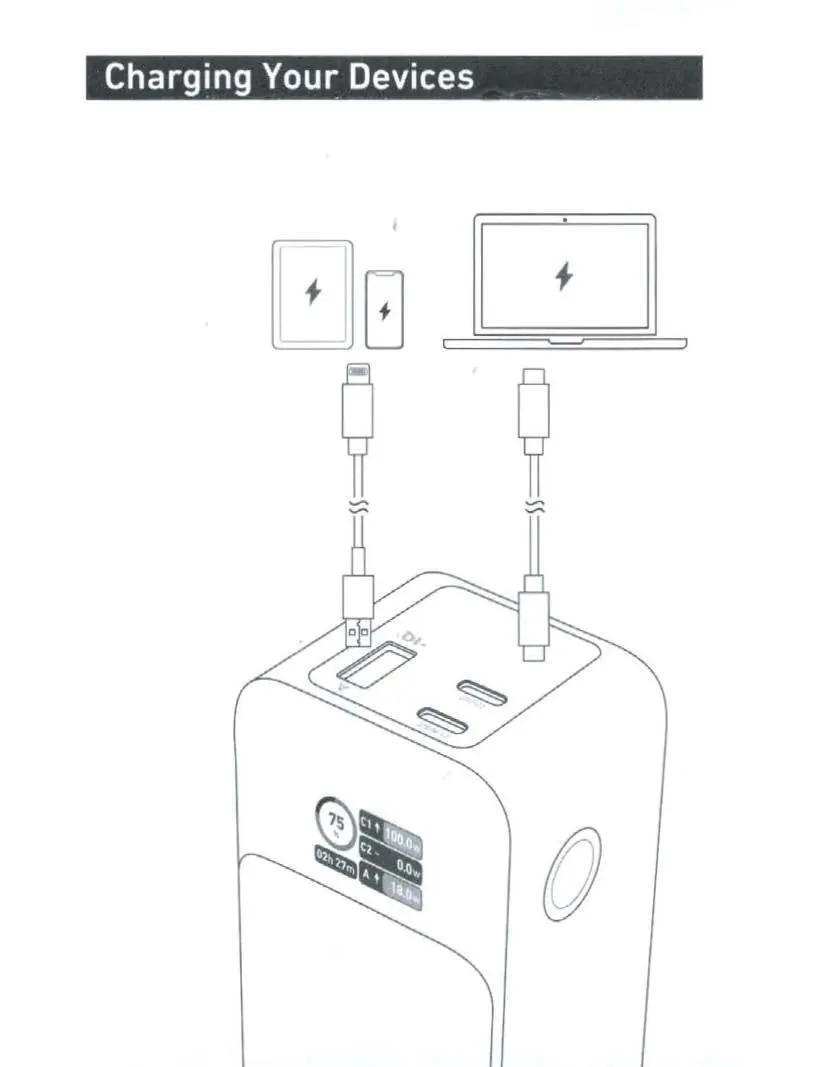
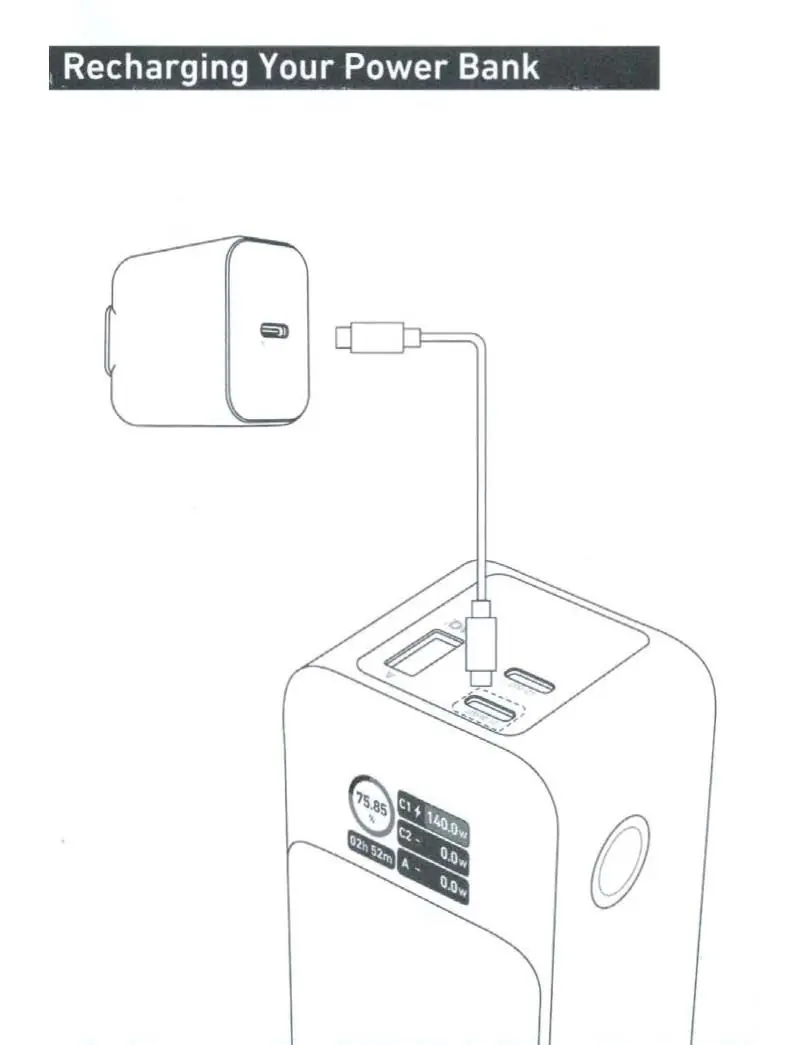
Recharging the Power Bank: Connect the power bank to a wall charger using a USB-C cable.
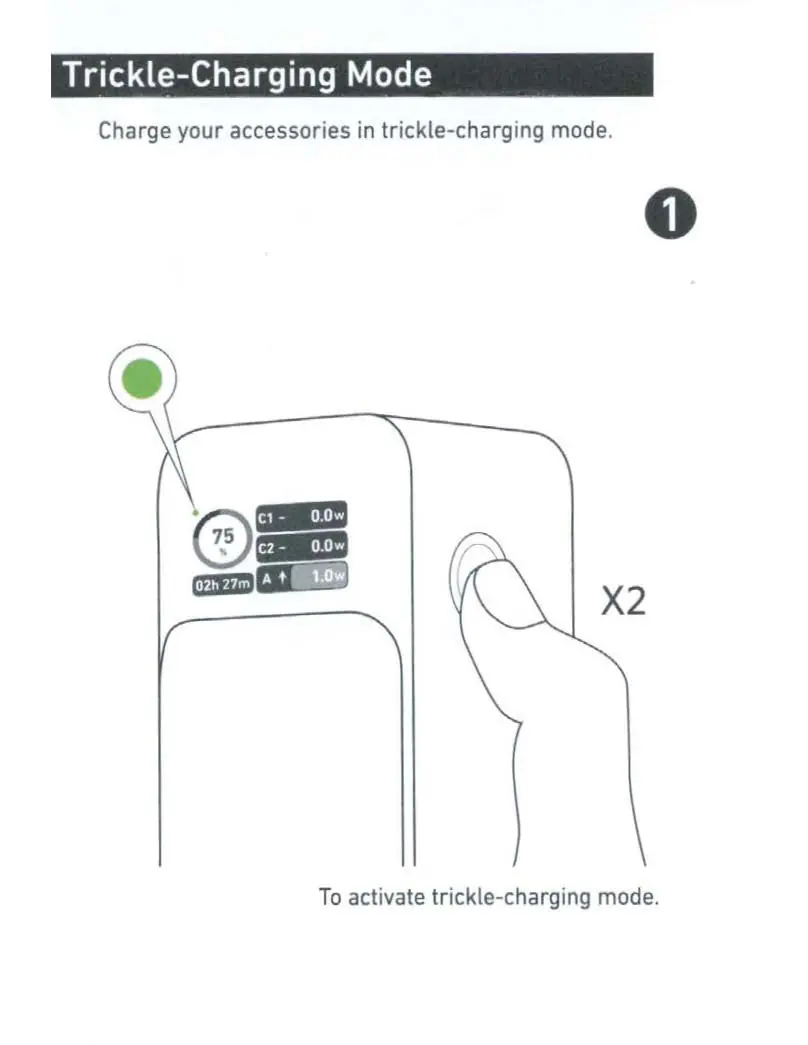
Trickle-Charging Mode: This mode is designed to charge accessories like earbuds safely. To activate, press the button twice (X2). The screen will indicate the mode is active. Press twice again to exit.
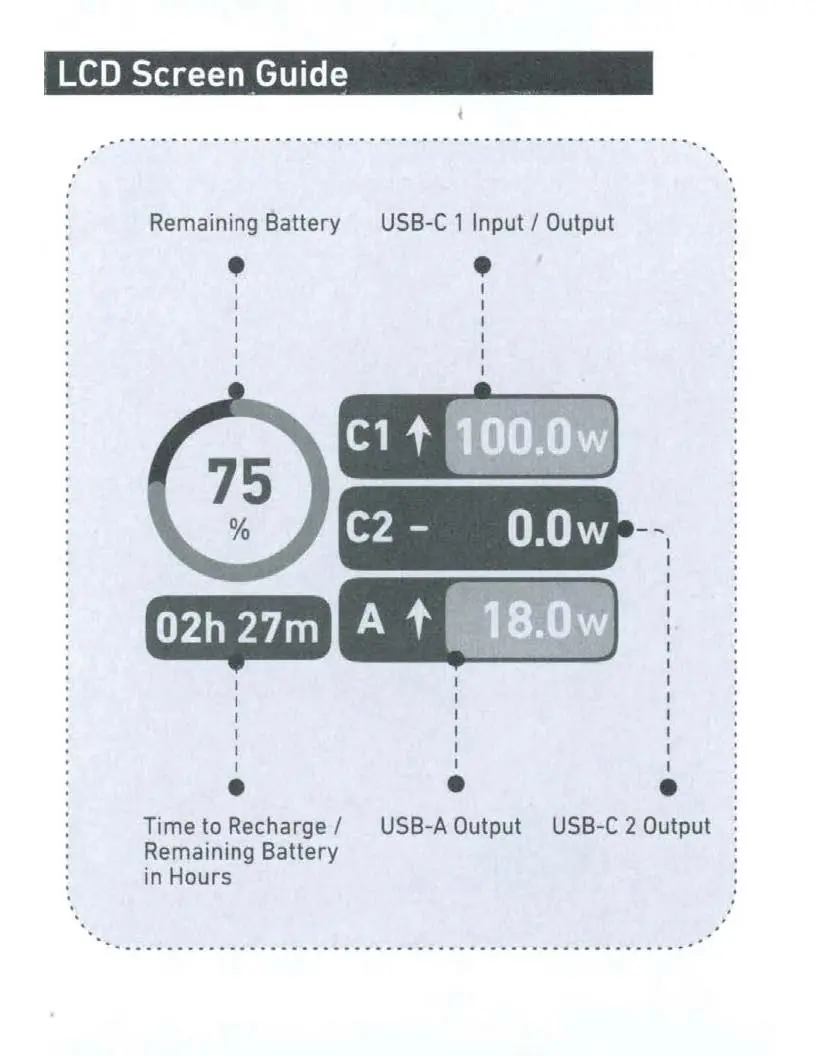
LCD Screen Guide: The screen displays remaining battery percentage, input/output wattage for each port, and time to recharge/remaining battery in hours. You can cycle between screens by pressing the button once. Long press the button for 2 seconds to access settings like Auto Screen Off.
Specifications:
- Cell Capacity: 24000mAh
- USB-C Input/Output: Up to 140W
- USB-A Output: Up to 18W
- Total Output: 140W Max
Important Safety Instructions
- Store in a cool and dry place.
- Do not store in hot or humid environments.
- Do not disassemble the product.
- If not used for long periods, charge and discharge once every three months.
- The product may feel warm during charging; this is normal.
- Only connect the power bank to a 2021 Apple MacBook Pro (16") using a USB-C to MagSafe 3 cable to achieve max power output (28V=5A).
Customer Service
For FAQs and more information, visit anker.com/support. Lifetime technical support is available. For specific regional support, please refer to the contact numbers provided in the full manual.
Official resources from the manual
Manufacturer information
Anker
Practical help
Common problems
Device not charging
Ensure the cable is securely connected to both the device and the charger/power bank. Verify the power bank has remaining battery.
Charger output fluctuation
This is normal behavior when the ambient temperature is between 26-35°C due to the ActiveShield 2.0 safety mechanism.
Power bank screen is off
The screen may be in standby. Press the button to wake it up or check if Auto Screen Off is enabled.
Before use
- Use an Anker cable or a certified cable (e.g., MFi) for optimal charging.
- Ensure the power outlet is easily accessible.
- Charge and discharge the power bank once every three months if not in use.
- Check the LCD screen for battery status before starting a long charging session.
Specs in practice
- ActiveShield 2.0
- Intelligently monitors temperature and adjusts power output to protect connected devices.
- Trickle-Charging Mode
- A low-power charging mode specifically for small accessories like earbuds.
- Total Output
- The maximum power delivery capacity when multiple ports are used simultaneously.
Images and diagrams
- Charger: Connect to wall outlet, then connect devices to USB-C or USB-A ports.
- Power Bank: Connect devices to ports for charging; connect to a charger to recharge the power bank.
- Trickle-Charging: Press the side button twice to activate/deactivate.
Model compatibility
- Charger: Designed for IT equipment only.
- Power Bank: For maximum 140W output, use with 2021 Apple MacBook Pro (16") and USB-C to MagSafe 3 cable.

Manual page author
Michael Turner
Technical manual editor
Reviews PDF manuals for structure, safety notes, and practical product details so readers can find the right information quickly.