Electronics / Audio
User Manual for Audiority The Sword Audio Plugin
Quick guide for the Audiority The Sword audio plugin. Learn about system requirements, installation paths, plugin parameters, EQ and boost settings, and interface customization.
Table of contents
Manual images
Click an image to enlargeQuick guide from the manual
The Sword by Audiority is a clean booster and 10-band equalizer plugin, based on the EQ/BOOST section of the Solidus VS8100. It is designed for tone shaping and transparent amplification.
System Requirements
Ensure your system meets the following requirements before installation:
- PC: Windows 7 64-bit or later, Intel i5 or equivalent, 4 GB RAM, screen resolution 1024x768.
- Mac (Intel): OSX 10.13 or later, Intel i5 or equivalent, 4 GB RAM, screen resolution 1024x768.
- Mac (Silicon): macOS 11.0 or later, M1 or higher, 4 GB RAM, screen resolution 1024x768.
- Host Requirements: VST2, VST3, AU, CLAP 64-bit host, or PT11 or higher (AAX 64-bit host).
Installation and File Locations
Presets, license files, and IR files are stored in specific directories depending on your operating system:
- Mac: /Users/Shared/Audiority/
- PC: C:\Users\Public\Public Documents\Audiority
Plugin files (AAX, CLAP, VST, VST3) are placed in their respective sub-folders within your system's standard audio plugin directories.
Plugin Parameters and Controls
The plugin interface provides several controls for sound shaping:
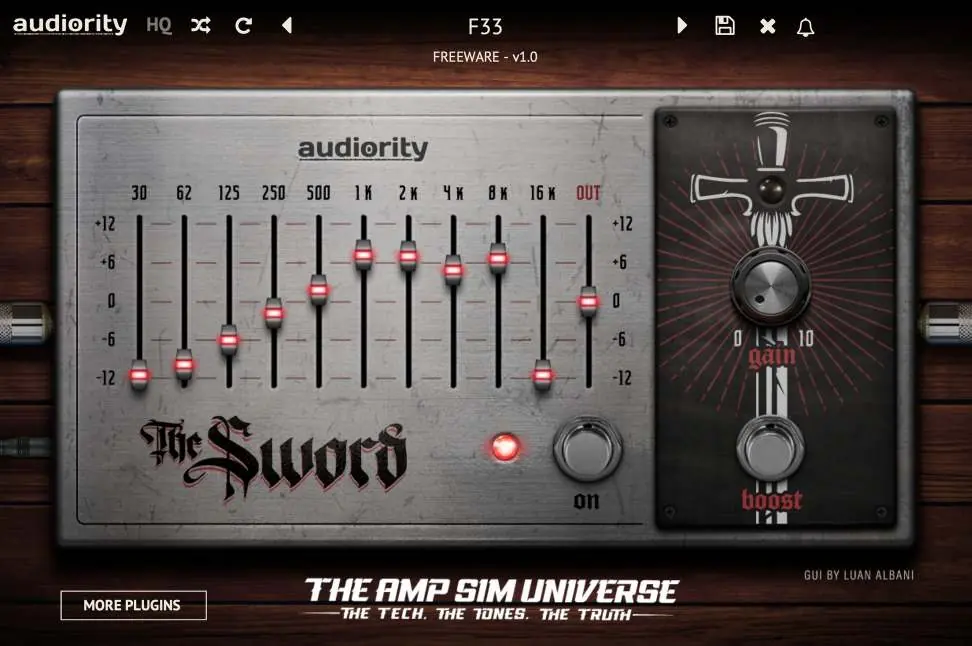
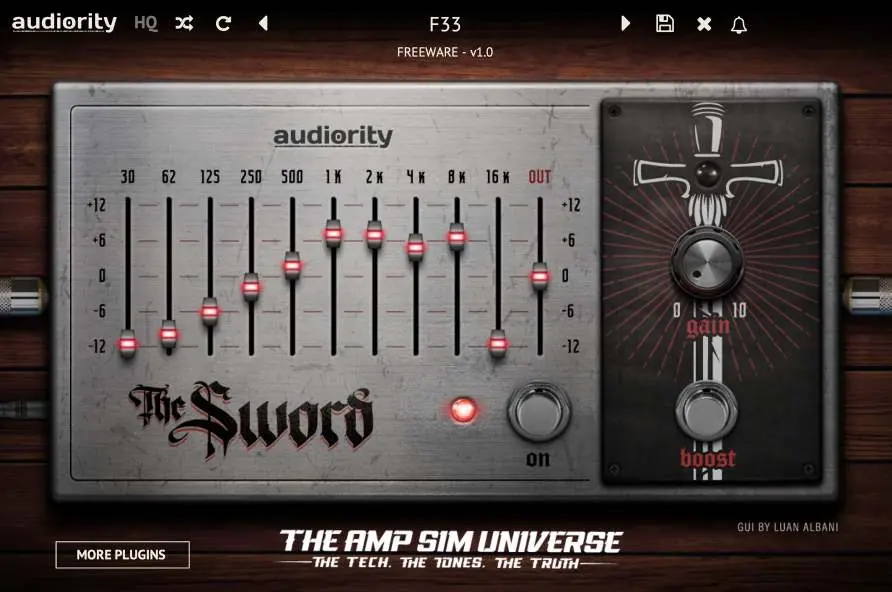
- Frequency Bands: Adjust the boost or cut of the selected band by +/- 12dB.
- EQ ON: Toggles the EQ pedal on or off.
- Gain Knob: Sets the amplification factor for the signal coming from the EQ.
- Boost Switch: Toggles the BOOST pedal on or off.
- Toolbar: Located at the top, allows for preset management, plugin registration, and global parameters.
- HQ Button: Enables oversampling to reduce aliasing when the signal saturates.
- Randomize/Reset: Use these buttons to experiment with random presets or restore the saved version.
User Paths and Settings
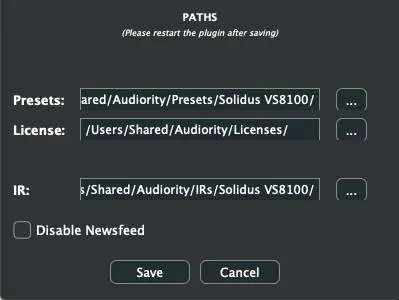
By selecting "Settings" from the logo menu, you can customize the paths for Presets, License, and IR folders. You can also disable the Newsfeed from this menu. Note: Do not move the Settings folder from its default location.
Interface Customization
The interface is resizable. You can change the size using the Audiority logo menu (Small / Default / Big Size) or by dragging the resizing corner at the bottom right of the GUI.
Right-Click Options
You can lock any knob to prevent it from changing its value. This is useful when using the plugin on an AUX/SEND channel. Simply right-click a knob and select "LOCK PARAMETER".
Support and Contact
For technical issues or questions, contact Audiority at [email protected] or visit their website at www.audiority.com. You can also join the Audiority Discord server or visit the Audiority User Area for installers and license files.
Official resources from the manual
Practical help
Common problems
Accidental parameter changes
Right-click any knob and select 'LOCK PARAMETER' to prevent it from changing its value.
Signal aliasing during saturation
Click the 'HQ' button in the toolbar to enable oversampling.
Interface size is too small or large
Use the Audiority logo menu to select 'Small', 'Default', or 'Big Size', or drag the bottom right corner of the GUI.
Before use
- Verify your OS version meets the minimum requirements (Win 7+ or macOS 10.13+).
- Ensure your DAW supports 64-bit VST2, VST3, AU, CLAP, or AAX plugins.
- Check that you have at least 4 GB of RAM available.
- Confirm your screen resolution is at least 1024x768.
Specs in practice
- 10 Band Graphic EQ
- Allows precise frequency shaping with +/- 12dB boost/cut per band.
- 20dB Clean Booster
- Provides up to 20dB of transparent signal amplification.
Images and diagrams
- The plugin interface features a 10-band graphic equalizer on the left side and a dedicated Gain/Boost section on the right.
Model compatibility
- Compatible with Windows 7 or later.
- Compatible with macOS 10.13 or later (Intel) and macOS 11.0 or later (Silicon).
- Requires 64-bit host software.

Manual page author
Michael Turner
Technical manual editor
Reviews PDF manuals for structure, safety notes, and practical product details so readers can find the right information quickly.