Furniture / Home Furnishing
Installation Guide for Belleze Bardot Electric Fireplace Entertainment Stand
Complete installation guide for the Belleze Bardot Electric Fireplace Entertainment Stand (014-HG-41892). Includes assembly steps, safety warnings, weight limits, and maintenance instructions.
Table of contents
Manual images
Jump to the sectionImportant Information
This guide provides instructions for the Belleze Bardot Electric Fireplace Entertainment Stand (014-HG-41892). Please read all safety information before beginning assembly. The unit requires two people for assembly and takes approximately 90 minutes to complete. Ensure the product is fully assembled before use. If any parts are missing or damaged, do not use the product until replacements are obtained.
Safety Warnings
- Weight Limits: The top panel supports a maximum load of 70 lbs (31.75 kg). Storage shelves support a maximum load of 30 lbs.
- TV Compatibility: Designed for flat panel TVs with a maximum width of 65 inches.
- Tipping Hazard: Serious or fatal crushing injuries may occur if the furniture tips over. The unit must be permanently fixed to a wall stud using the provided anti-tipping straps.
- Environment: Keep pets and children away from the assembly area due to small components and choking hazards.
Assembly Preparation
Assemble the furniture on an empty carton, carpet, or rug to prevent scratches or damage. Lay out all components and hardware separately on a flat surface. Hand-tighten all hardware; do not over-tighten to avoid damaging the product.
Assembly Steps
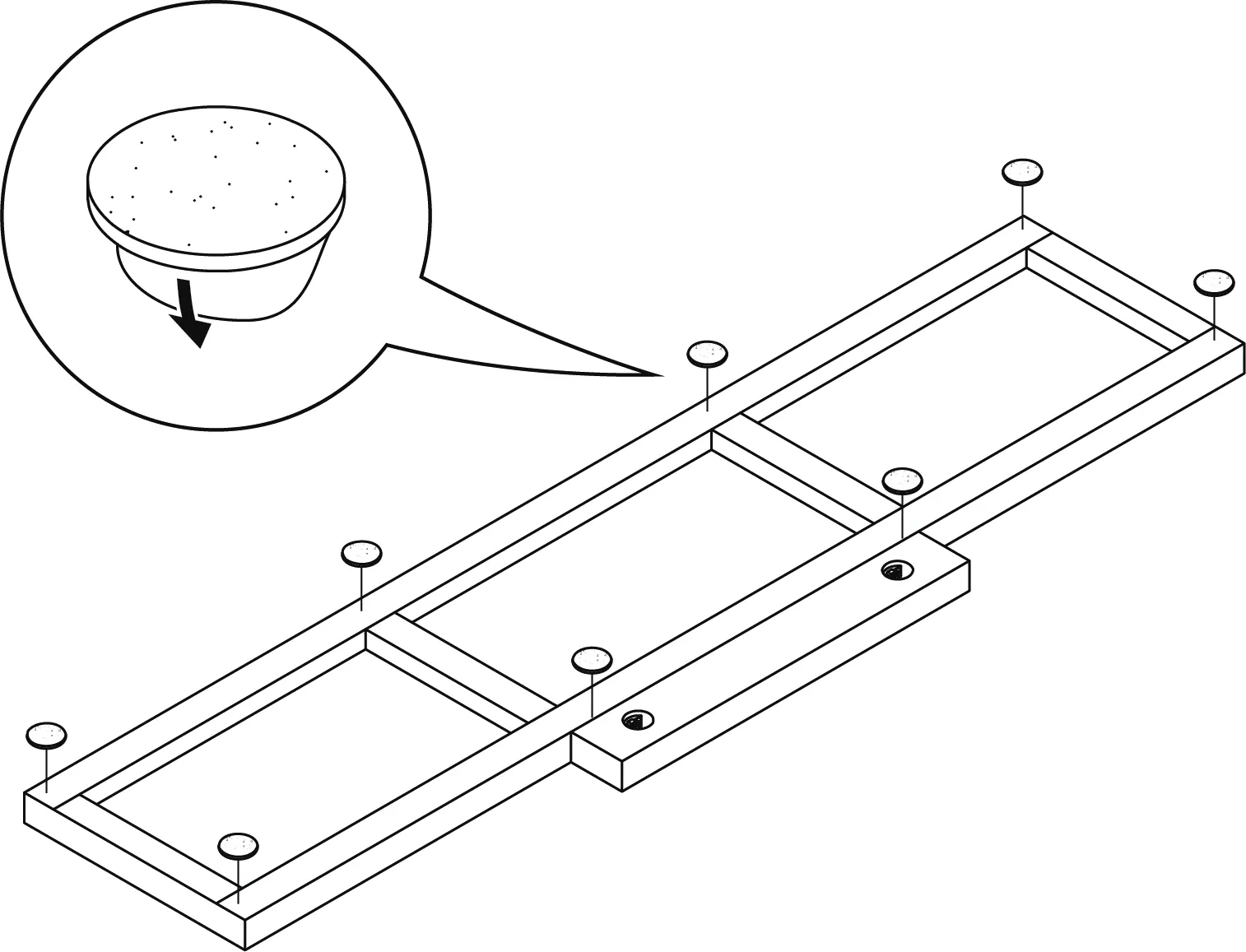
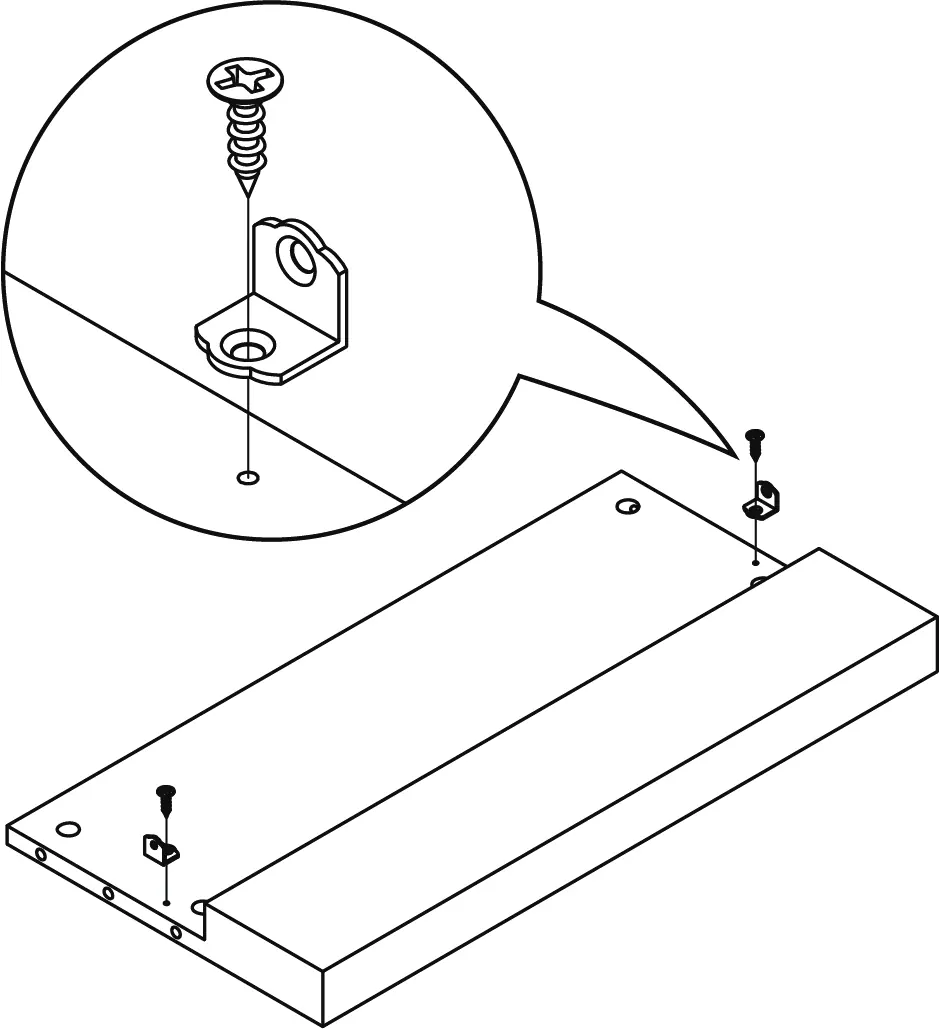
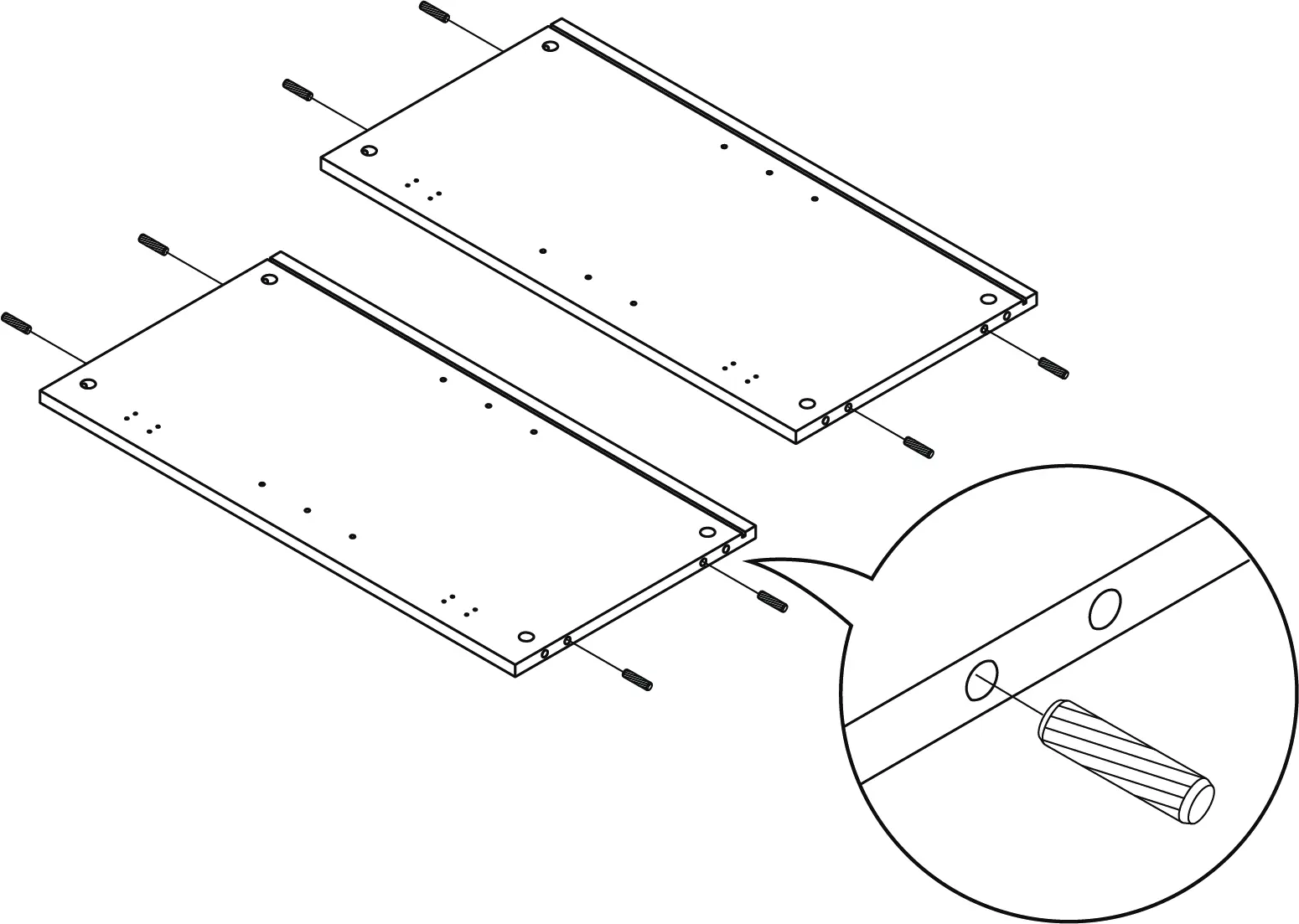
The assembly process involves connecting various panels using cam bolts, wood dowels, and screws. Key stages include:
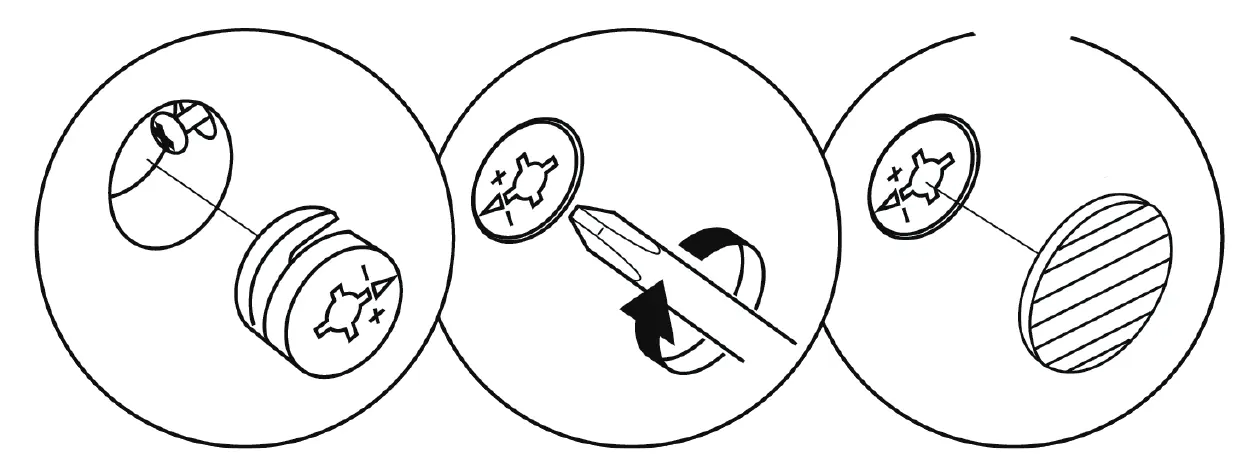
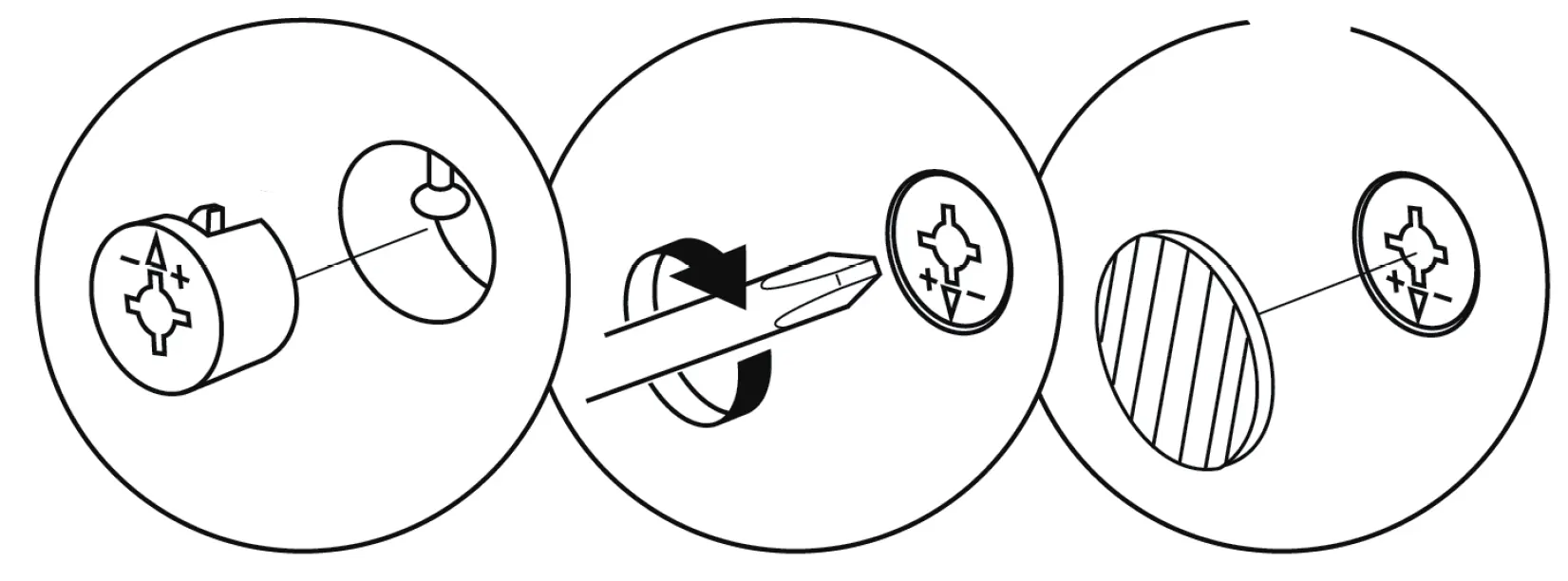
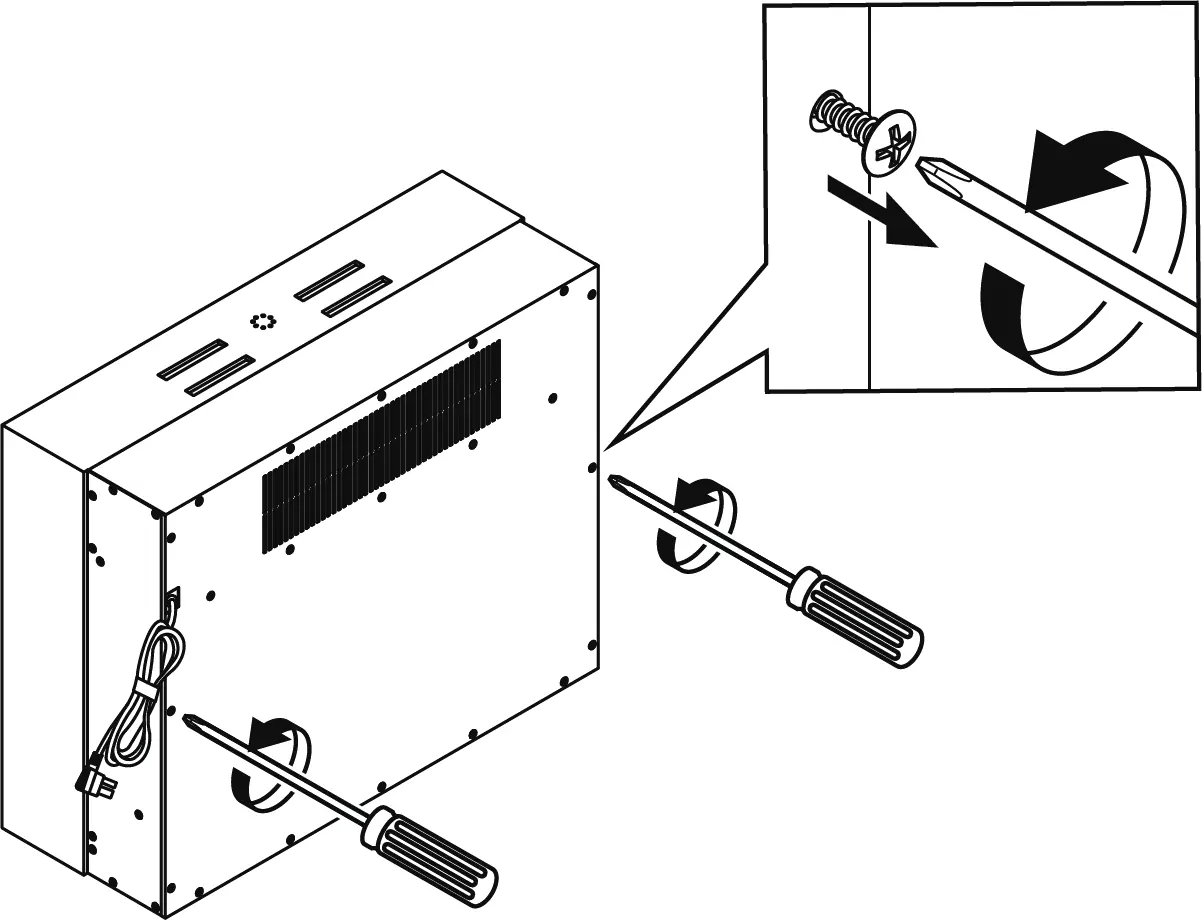
- Base Assembly: Attaching threaded stud bolts and wood dowels to the bottom panel.
- Storage Structure: Assembling the medial panels and center storage panels.
- Main Frame: Connecting side panels and back panels to the base.
- Top Assembly: Attaching the top panel to the main structure.
- Doors: Installing hinges and handles to the cabinet doors, then attaching them to the stand.
- Fireplace Installation: Inserting the fireplace unit from the back and securing it with corner braces.
- Final Security: Attaching anti-tipping straps and anchoring the unit to the wall.
Care and Maintenance
- Tightening: Tighten all bolts and screws within the first 2 weeks of assembly. Check the tightness of all bolts every 2 months and tighten if necessary.
- Cleaning: Clean the surface of the MDF with a lightly dampened cloth. A small amount of mild soap can be used if necessary. Dry the surface immediately after cleaning.
- Restrictions: Do not use bleach or alcohol to clean the surface. Do not apply wood treatment on parts made with MDF. MDF will swell and distort when exposed to water damage.
Manufacturer information
Belleze Furniture
Practical help
Common problems
Door misalignment
Use the adjustment screws on the hinges. Loosen screws on the mounting plate for up/down adjustment, loosen screws on the hinge arm for in/out adjustment, and use the front adjustment screw on the hinge for side-to-side adjustment.
Missing hardware or parts
Contact [email protected] or call 1-800-682-6376 for assistance and replacements.
Furniture instability
Ensure the unit is anchored to a wall stud using the provided anti-tipping straps as described in the final assembly step.
Before use
- Clear a large area and assemble on a soft surface like a carpet or rug.
- Ensure two people are available for the assembly process.
- Verify all parts and hardware against the package contents list.
- Confirm your TV weighs 70 lbs (31.75 kg) or less.
- Check that your TV width is 65 inches or less.
Specs in practice
- Estimated assembly time
- 90 minutes.
- Maximum load (top panel)
- 70 lbs.
- Maximum load (storage shelves)
- 30 lbs.
- Maximum TV width
- 65 inches.
Images and diagrams
- Hardware identification pages show all screws, dowels, and panels.
- Assembly steps use numbered diagrams to show component placement.
- Door adjustment diagrams illustrate how to align cabinet doors.
Model compatibility
- Designed for flat panel TVs only.
- Must be permanently fixed to a wall stud to prevent tipping.

Manual page author
David Miller
Documentation analyst
Organizes user manual content into clear summaries, with attention to model details, product context, and everyday usability.