Furniture / Home Furnishing
Assembly Guide for Belleze Libra TV Stand 014-HG-41034
Step-by-step assembly guide for the Belleze Libra TV Stand (014-HG-41034). Includes safety warnings, weight limits, hardware list, and detailed hinge adjustment instructions.
Table of contents
Manual images
Jump to the sectionQuick Guide
The Belleze Libra TV Stand requires two people for assembly and takes approximately 100 minutes to complete. Ensure you have a clear, flat workspace, preferably on a carpet or rug to prevent damage to the furniture surface. Essential tools include a Philips screwdriver, a rubber mallet, and an electric drill.
Safety Warnings
- Tipping Hazard: Serious or fatal crushing injuries can occur if the furniture tips over. The unit must be permanently affixed to the wall using the provided anti-tipping device.
- Weight Limits: Do not exceed the maximum load capacity. The top surface supports up to 80 lb (36.3 kg), and internal shelves support up to 20 lb (9 kg).
- Usage: Designed for flat panel TVs only. The recommended maximum TV width is 75 inches.
- Children and Pets: Keep small components, plastic bags, and packaging films away from children and pets to avoid choking hazards.
Assembly Requirements
Before beginning, lay out all components and hardware to ensure nothing is missing or damaged. Do not discard packaging until assembly is complete. Install all hardware perpendicular to the opening and hand-tighten to avoid over-tightening and damaging the product.

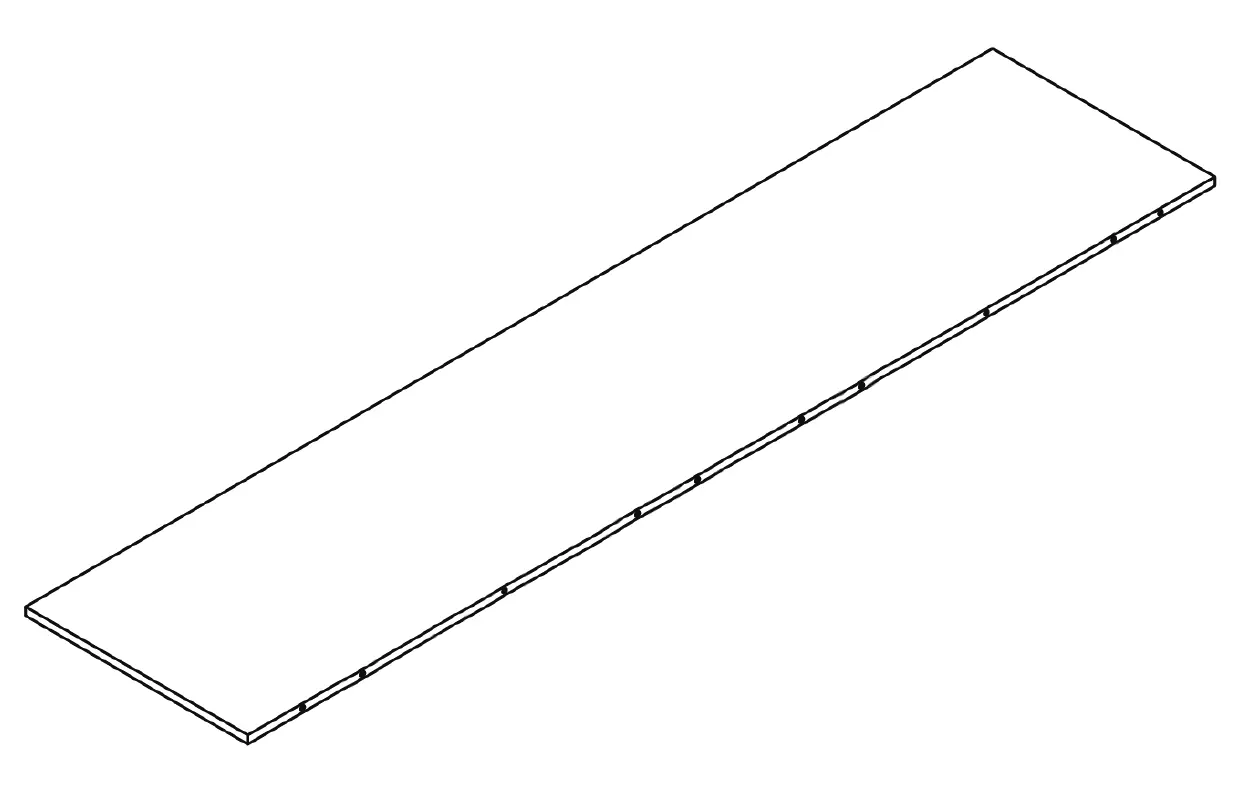
Assembly Steps
The assembly process involves 23 steps, including:
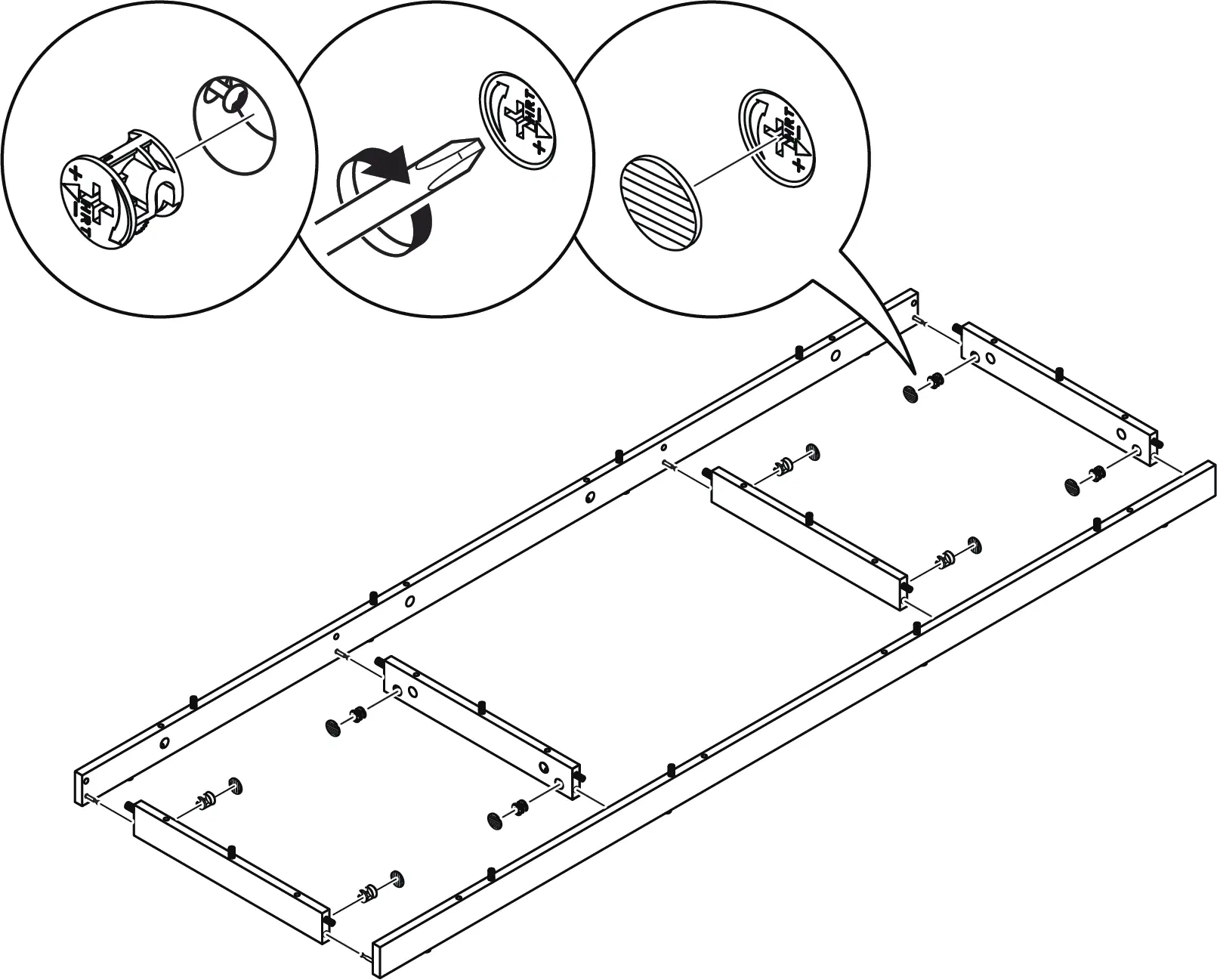
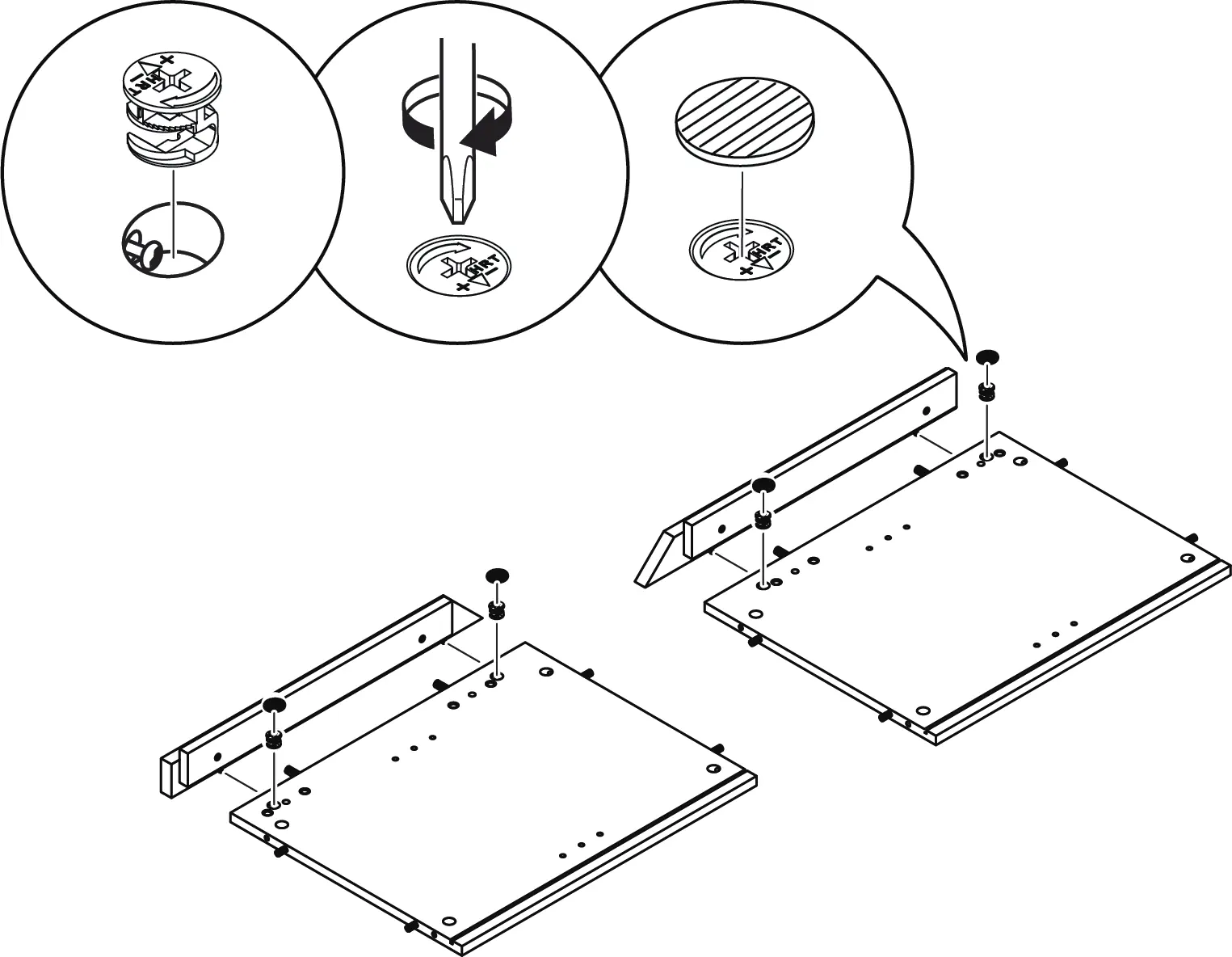
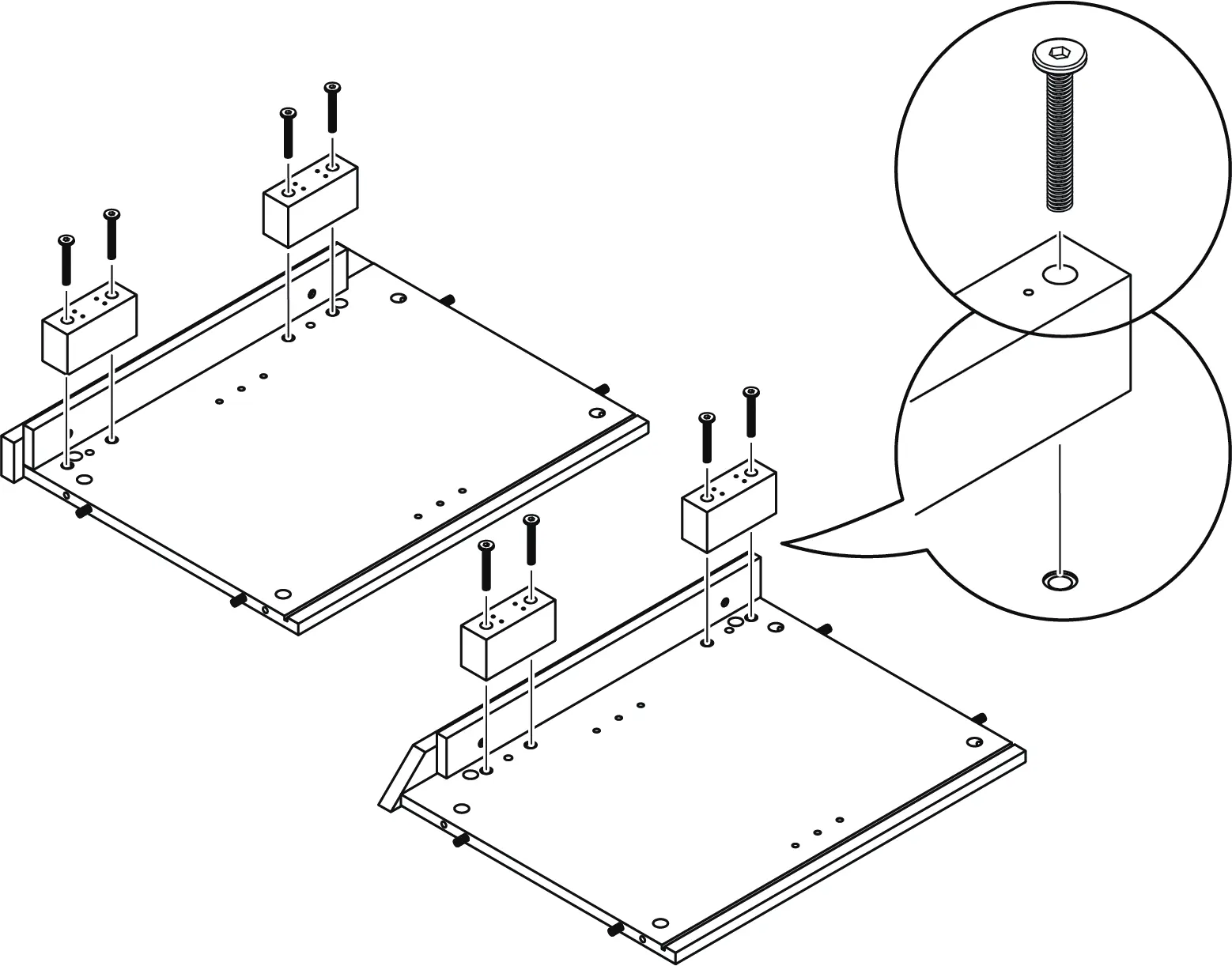
- Base Assembly: Attaching base strips to the bottom panel using cam locks and bolts.
- Structure: Assembling side panels, medial panel, and back supports.
- Back Panels: Sliding in the back panels.
- Top Panel: Attaching the top panel to the main structure.
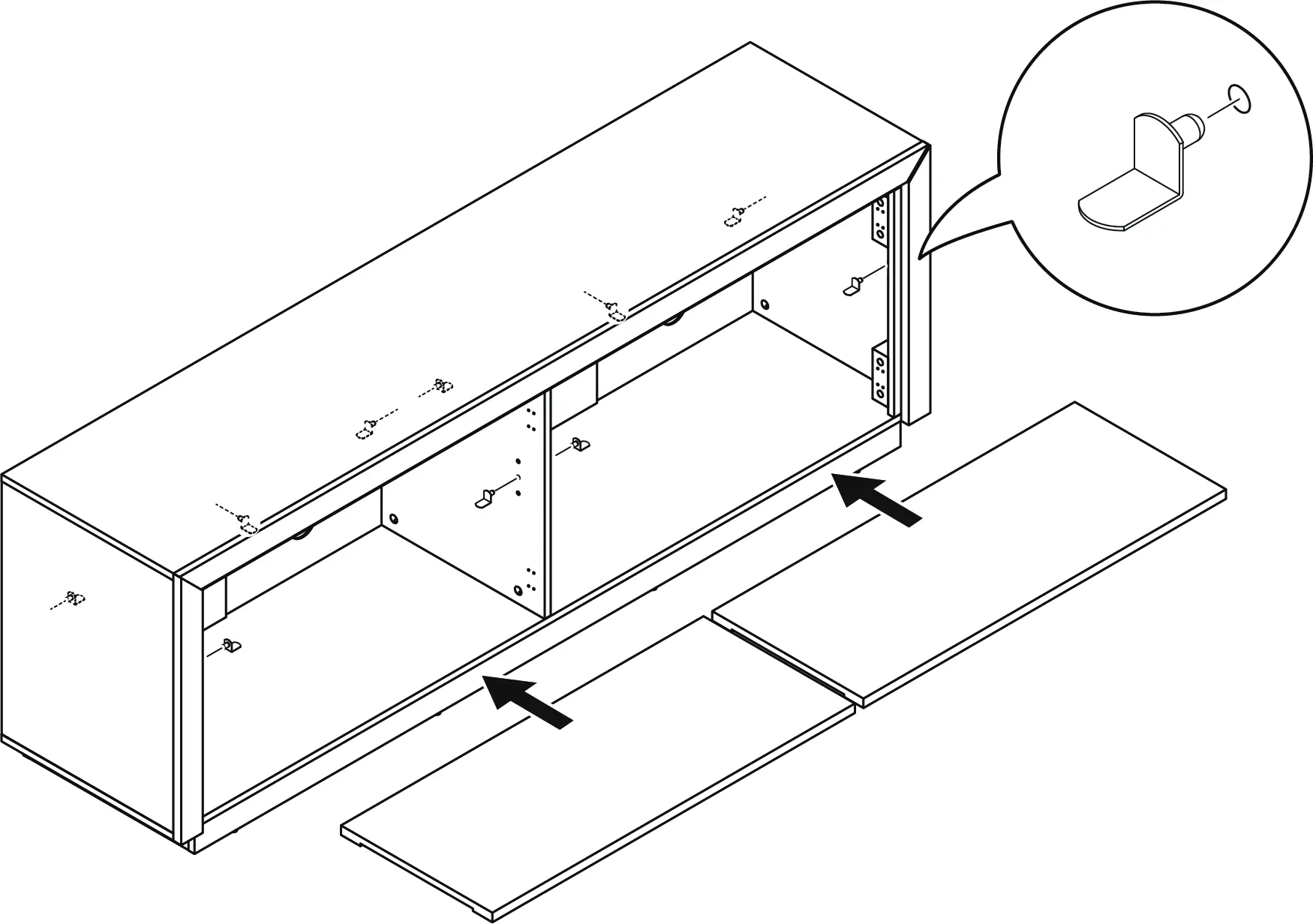
- Shelving: Inserting shelf pegs and placing storage shelf panels.
- Doors: Attaching door hinges and handles, then mounting the doors to the cabinet.
- Securing: Installing anti-tipping straps and anchoring the unit to the wall.
Hinge Adjustment
If there are excessive gaps or height differences between the cabinet doors, adjust the hinges:
- Up and Down: Loosen the screws on the mounting plate.
- Side to Side: Adjust the screw on the hinge arm.
- In and Out: Loosen the screws on the hinge arm to adjust the depth.
Care and Maintenance
- Tightening: Re-tighten all bolts within the first 2 weeks of assembly. Check and re-tighten every 2 months.
- Cleaning: Clean the MDF surface with a lightly dampened cloth. A small amount of mild soap may be used if necessary. Dry the surface immediately.
- Restrictions: Do not use bleach or alcohol-based cleaners. Do not apply wood treatments to MDF parts, as water exposure can cause swelling and distortion.
Manufacturer information
Belleze Furniture
Practical help
Common problems
Doors are misaligned or have gaps
Adjust the hinge screws: use mounting plate screws for up/down, the hinge screw for side-to-side, and hinge arm screws for in/out adjustment.
Furniture feels unstable
Ensure the anti-tipping device is properly installed and the unit is leveled on the ground.
Bolts coming loose over time
Check the tightness of all bolts every 2 months and re-tighten if necessary.
Before use
- Ensure 2 people are available for assembly.
- Clear a flat, soft area (carpet or rug) to prevent scratches.
- Verify all parts and hardware against the package contents list.
- Have a Philips screwdriver, rubber mallet, and electric drill ready.
- Do not discard packaging until assembly is complete.
Specs in practice
- Maximum Top Load
- 80 lb (36.3 kg)
- Maximum Shelf Load
- 20 lb (9 kg)
- Maximum TV Width
- 75 inches
- Estimated Assembly Time
- 100 minutes
Images and diagrams
- Cam lock system (B+C): Insert bolt, tighten cam lock clockwise to secure.
- Hinge adjustment: Three-way adjustment allows for precise door alignment.
- Anti-tipping: Use the provided strap and wall anchor to secure the unit to the wall.
Model compatibility
- Designed for flat panel TVs only.
- Wall anchors must be suitable for your specific wall material; seek professional advice if unsure.

Manual page author
David Miller
Documentation analyst
Organizes user manual content into clear summaries, with attention to model details, product context, and everyday usability.