Garden / Pool Equipment
User Manual for Bestway Aquatronix G300 Pool Robot
Comprehensive user guide for the Bestway Aquatronix G300 autonomous pool robot. Includes setup, charging instructions, operation modes for surface skimming and floor vacuuming, maintenance procedures, and troubleshooting steps.
Quick answers from the manual
Quick answer
- The Bestway Aquatronix G300 is an autonomous 2-in-1 pool robot designed for cleaning the pool floor and skimming the water surface. It operates on a rechargeable battery and requires the pool filtration system to be turned off during use. p. 1, 2
Key actions
- Charging the robot p. 3, 7, 16
- Cleaning the filter p. 5, 15
First start
- Charge the robot for 3-4 hours before the first use. p. 3
Problems and fixes
Robot not picking up dirt
Clean the dirt compartment and filter basket.
p. 5Maintenance and reset
- Clean charging contacts with sandpaper if charging fails. p. 3, 6, 16
Technical specifications
| Parameter | Value | Meaning | Pages |
|---|---|---|---|
| Runtime | 120 minutes | Maximum operating time on a full charge. | p. 4 |
Where to find it in the PDF
- Safety and Charging p. 1, 3
- Operation Modes p. 2, 4, 8, 10
- Troubleshooting p. 5, 6
Table of contents
Manual images
Click an image to enlargeQuick guide from the manual
The Bestway Aquatronix G300 is an autonomous pool robot designed to clean the pool floor and skim the water surface. Before first use, ensure the battery is fully charged (approximately 3-4 hours). Always turn off the robot before charging and ensure the charging port is clean and dry. For optimal performance, turn off your pool's filtration system while the robot is operating, as the water current can interfere with its movement.
Safety instructions
- No swimming: Do not operate the robot while people are in the pool.
- Charging: Use only the provided power adapter. Do not use the robot if the adapter or cable is damaged.
- Maintenance: Always disconnect the power supply before performing any maintenance or cleaning.
- Environment: Do not leave the robot outdoors during winter months unless it is protected against frost.
- Usage: This device is not a toy. Keep out of reach of children.
Charging
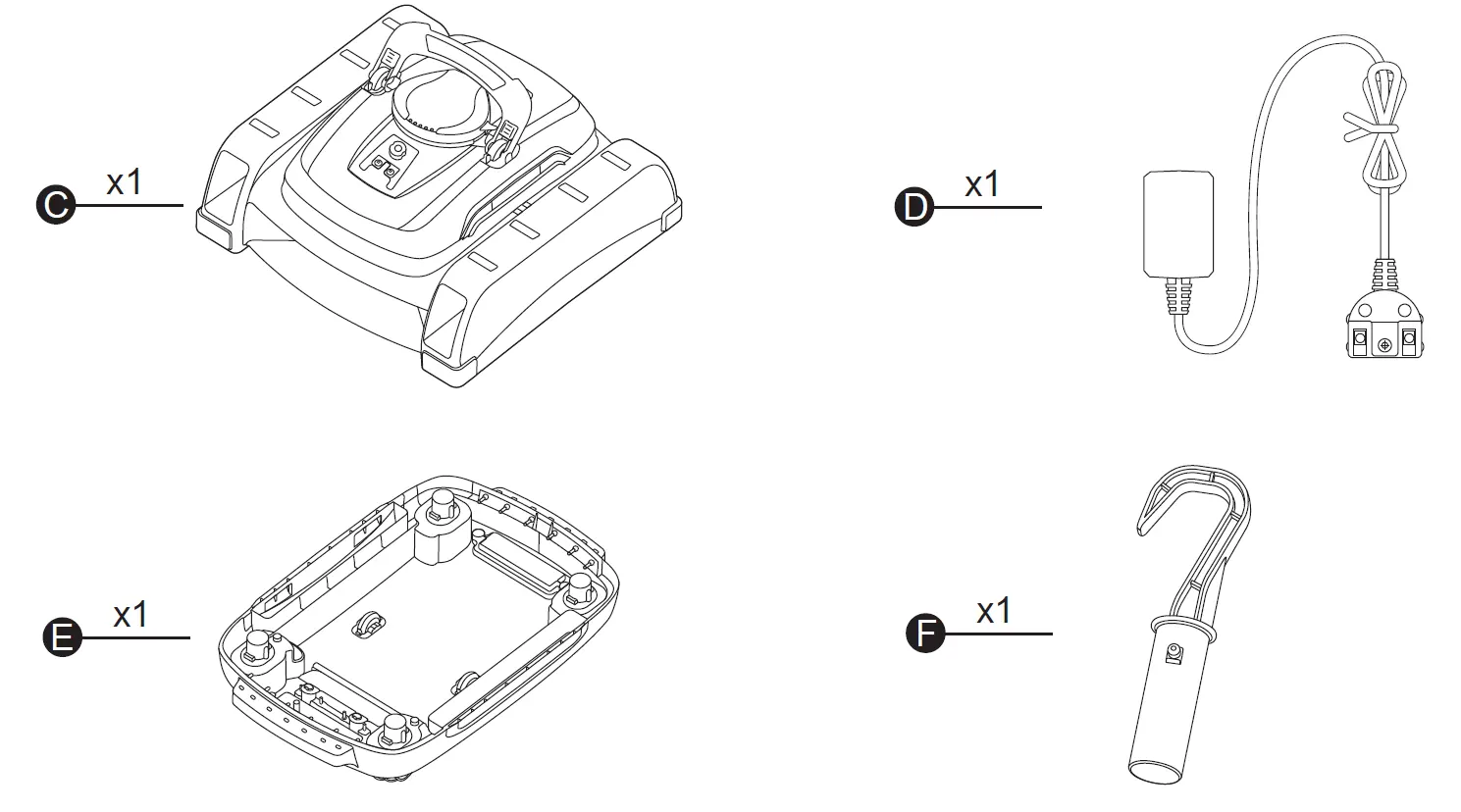
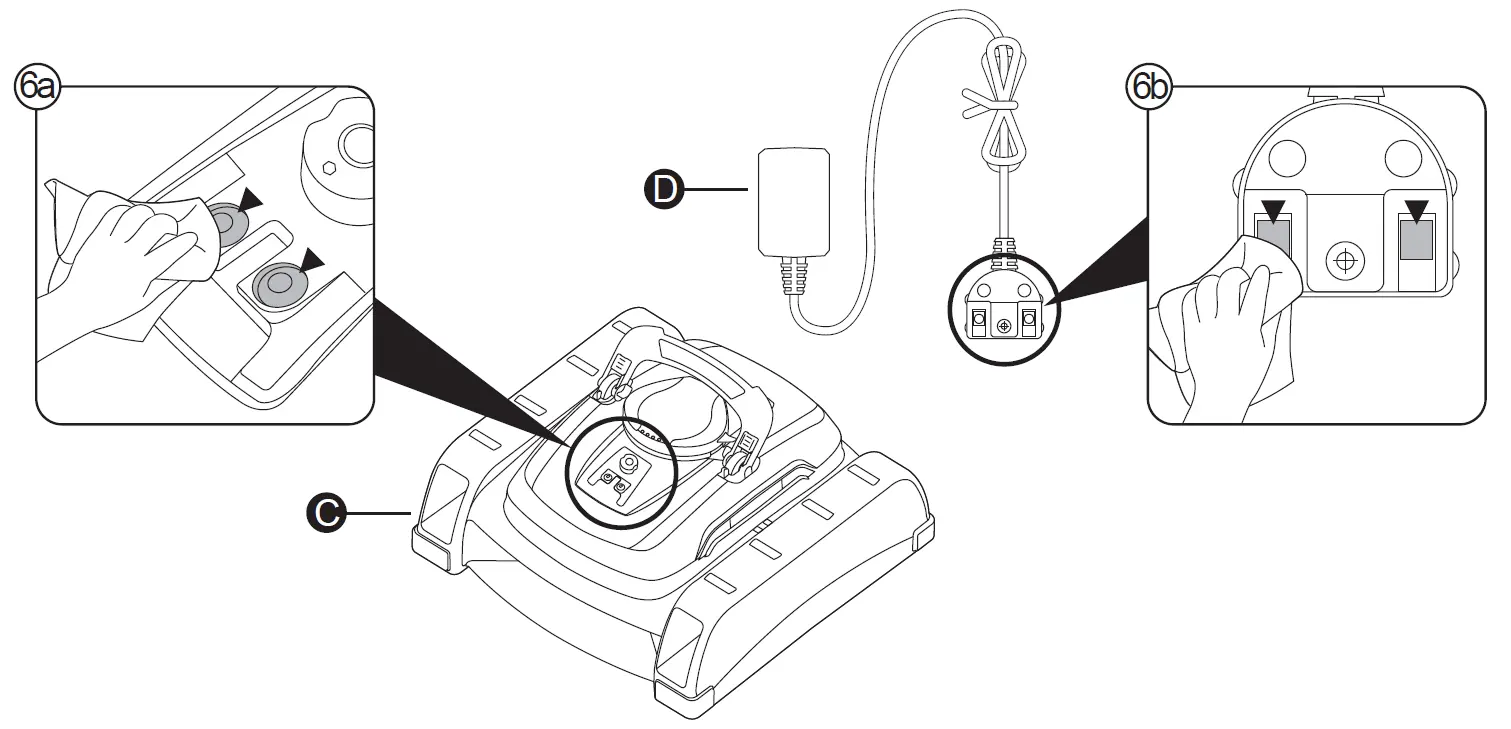
To charge the robot, ensure it is switched off. Connect the provided charging cable to the robot's charging port. If the robot does not charge after 7 hours, clean the charging contacts on the robot and the cable plug using sandpaper to remove any corrosion or debris.
Operation modes
The robot features two main cleaning modes:
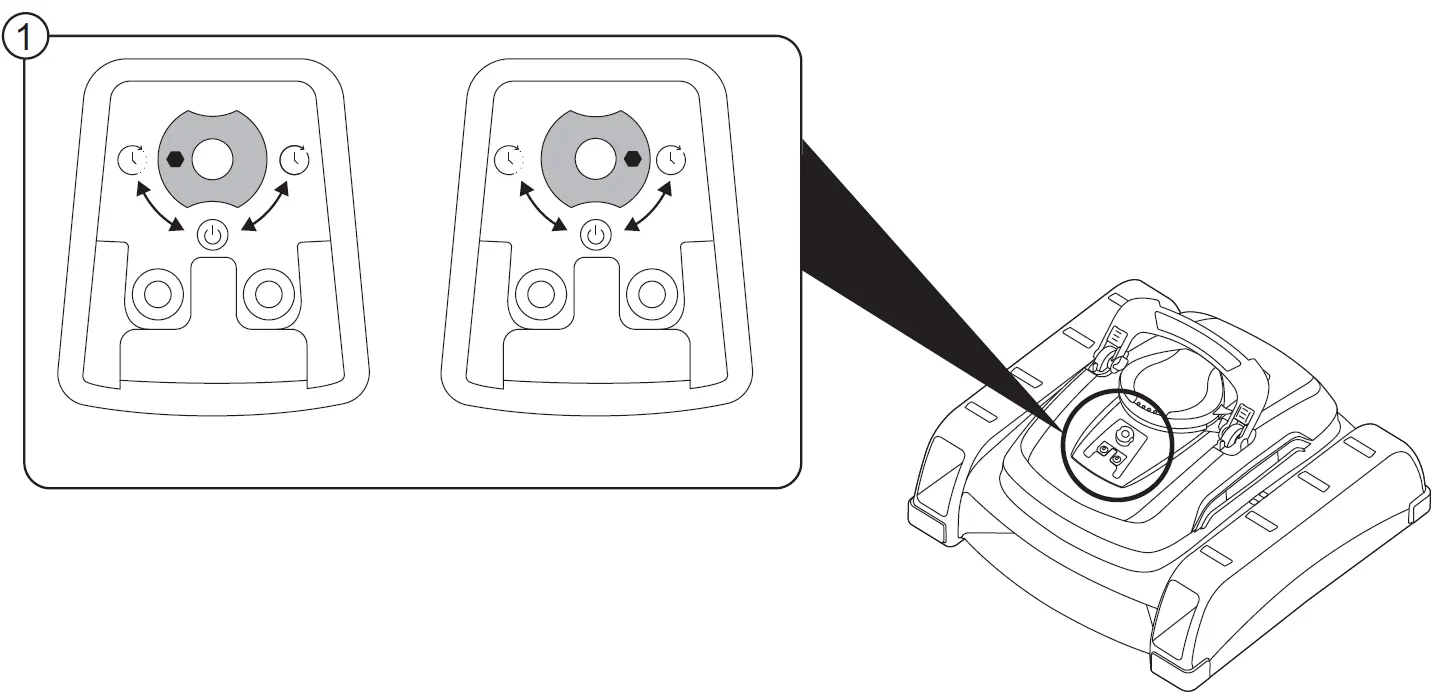
- V1 (Surface Skimming): Cleans the water surface using the skimmer.
- V2 (Floor Vacuuming): Cleans the pool floor.
The robot automatically stops every 3 minutes for 10 seconds to rotate and optimize its path. It will automatically start 10 seconds after being fully submerged.
Maintenance
Regular maintenance is required to ensure longevity:
- Cleaning: Rinse the robot and accessories with clear water after use. Do not use detergents.
- Filter: Regularly clean the filter basket and dirt compartment.
- Storage: Store in a dry place at moderate temperatures (10-38°C).
- Battery: Charge the robot at least every two months if not in use to maintain battery health.
Troubleshooting
If the robot is not picking up dirt, check if the filter basket is full or blocked. If the robot stops at the pool wall, the filter may be full. If the robot does not move despite the motor running, check for debris blocking the wheels or the swivel head.
Manufacturer information
Bestway
Practical help
Common problems
Robot does not pick up dirt or moves slowly
Check if the battery is low, the dirt compartment is full, or the filter basket is blocked. Clean the filter and charge the battery.
Robot stops at the pool wall
The dirt compartment is likely full. Empty and clean the filter basket.
Robot does not charge
Clean the charging contacts on the robot and the cable plug with sandpaper to remove corrosion. Ensure the adapter is not damaged.
Swivel head not functioning
Remove any debris accumulated under the swivel head or check if the wing is blocked.
Before use
- Charge the robot fully (3-4 hours) before first use.
- Ensure the pool floor is flat and even.
- Remove floating objects like ladders or skimmers from the pool.
- Turn off the pool's filtration system during operation.
- Ensure the charging port is clean and dry before connecting the charger.
Specs in practice
- Charging Time
- Approximately 3-4 hours.
- Compatibility
- Suitable for round pools up to 732 cm, square pools up to 956 cm, and oval pools up to 792 cm.
Images and diagrams
- The manual includes diagrams for charging (Page 7), selecting operation modes (Page 8), and cleaning the filter basket (Page 15).
- Indicator lights on the robot show status: Green (normal/charged), Green blinking (outside water), Red blinking (charging/low battery), Green/Red blinking (filter issue).
Model compatibility
- Not suitable for oval Bestway steel wall pools or pools without a flat bottom.

Manual page author
Emily Carter
User documentation editor
Prepares concise manual descriptions and highlights the most useful setup, operation, and maintenance information for readers.