Electronics / Headphones Earbuds
User Manual for boAt Airdopes 121v2 Plus
Quick guide for boAt Airdopes 121v2 Plus. Learn how to pair, use touch controls, activate BEAST mode, reset, and charge your earbuds.
Table of contents
Manual images
Click an image to enlargeQuick Guide for boAt Airdopes 121v2 Plus
This guide provides essential instructions for operating your boAt Airdopes 121v2 Plus. For the best experience, ensure the earbuds are fully charged before first use.
Power On and Pairing
Power On: Open the charging case lid to automatically power on the earbuds. Alternatively, long touch the Capacitive Touch Control (CTC) on both earbuds for 3 seconds to manually power them on.
Pairing: After powering on, the earbuds will automatically enter pairing mode. Enable Bluetooth on your device, search for 'Airdopes 121v2 Plus', and select it to connect. The earbuds will indicate a successful connection with a blue LED.
Basic Functions and Controls
The earbuds feature Capacitive Touch Controls (CTC) for managing media and calls:
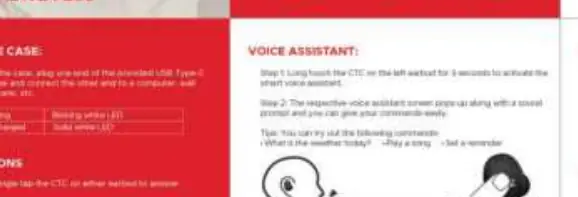
- Play/Pause: Single tap the CTC on either earbud.
- Answer/Hang up Call: Single tap the CTC on either earbud.
- Next Track: Double tap the right earbud CTC.
- Previous Track: Double tap the left earbud CTC.
- Voice Assistant: Long touch the left CTC for 3 seconds.
- BEAST Mode (Low Latency): Long touch the right CTC for 3 seconds to toggle between BEAST mode and standard music mode.
Charging
Charging the Earbuds: Place the earbuds in the charging case in the correct orientation and close the lid. The white LED on the case will remain solid for 3 seconds while charging and turn off when fully charged.
Battery Indicators: If the case LED flashes quickly 3 times, the battery is low (below 20%).
Factory Reset
If you encounter connectivity issues, perform a factory reset:
- Forget 'Airdopes 121v2 Plus' from your device's Bluetooth settings.
- Long touch both CTCs for 5 seconds to reset the earbuds. The LEDs will flash red and white rapidly.
- Place the earbuds back into the charging case and close the lid.
- Open the case again to re-pair.
Power Off
Smart Power Off: Remove earbuds from your ears and place them back into the charging case in the correct orientation. Close the lid to automatically power off.
Manual Power Off: Long touch both CTCs for 5 seconds to manually power off the earbuds.
Manufacturer information
boAt Lifestyle
Practical help
Common problems
Earbuds not pairing or connectivity issues
Perform a factory reset by forgetting the device from your phone, long-touching both CTCs for 5 seconds, and re-pairing.
Earbuds not charging
Ensure the earbuds are placed in the correct orientation in the case and the case lid is closed.
Before use
- Fully charge the charging case and earbuds before first use.
- Ensure Bluetooth is enabled on your smartphone or device.
- Remove any protective film from the earbuds if present.
Show more Show less
Images and diagrams
- The manual illustrates the touch control areas on the earbuds.
- Charging status is indicated by LED lights on the case.
Model compatibility
- Compatible with all Bluetooth-enabled devices.

Manual page author
David Miller
Documentation analyst