Electronics / Headphones Earbuds
User Manual for boAt Airdopes 181 Pro
Quick guide for boAt Airdopes 181 Pro. Learn about IWP technology, ASAP charging, BEAST mode for gaming, ENx noise cancellation, and safety precautions.
Table of contents
Quick guide from the manual
This guide provides essential information for operating your boAt Airdopes 181 Pro. Please read the manual thoroughly before use to ensure proper connectivity and device handling.
Key features and technologies
IWP™ Technology
The Instant Wake & Pair technology allows for seamless connectivity. Simply open the lid of the charging case to power on the earbuds automatically. To disconnect, place the earbuds back into the charging case in the correct orientation and close the lid to trigger Smart Power Off and enter charging mode.
ASAP™ Charge
The earbuds support fast charging. A 5-minute charge provides up to 100 minutes of playtime, ensuring you can get back to your audio quickly.
BEAST™ Mode
Designed for gamers, this mode provides low latency of up to 50 ms, synchronizing audio and visuals for a better gaming experience.
ENx™ Technology
The earbuds feature 4 microphones equipped with ENx™ technology. This system analyzes surroundings and cancels background noise to ensure clear voice communication during calls. This feature is activated by default.
Safety and maintenance
- Do not dismantle: Attempting to dismantle the product can lead to fire or electrical breakdown.
- Cleaning: Do not use oily or volatile liquids to clean the earbuds.
- Temperature: Avoid using the earbuds in extremely hot or cold temperatures.
- Hearing safety: Ensure the volume on your media device is at an appropriate level. Continuous exposure to noise levels at or above 85 dB can lead to hearing loss.
- Usage awareness: Do not use the earbuds when it is unsafe, such as while driving or crossing the street.
Recommendation
The earbuds may start at 100% volume level when first switched on. Please adjust the volume to your preferred level using the volume controls on your connected phone or media device.
Manufacturer information
boAt Lifestyle
Practical help
Common problems
Earbuds not disconnecting
Place the earbuds back into the charging case in the correct orientation and close the lid to trigger Smart Power Off.
Volume is too loud on first use
The earbuds may default to 100% volume. Adjust the volume using your connected phone or media device.
Before use
- Ensure the charging case is charged.
- Adjust the volume on your media device before first use.
- Keep the earbuds away from extreme heat or cold.
- Ensure the earbuds are placed correctly in the case for charging.
Show more Show less
Specs in practice
- ENx™ Technology
- Microphone noise cancellation for clear voice calls.
Images and diagrams
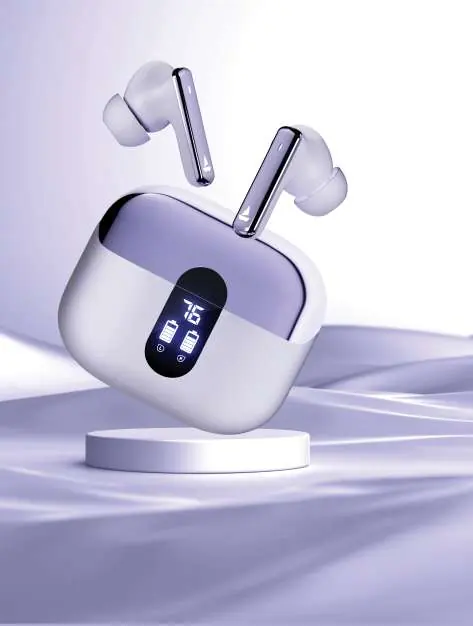
- The charging case features an LED display indicating battery levels for the case and the earbuds.
Model compatibility
- Compatible with Bluetooth-enabled media devices.

Manual page author
Emily Carter
User documentation editor