Electronics / Audio
User Manual for Brainz 2-in-1 Earbuds & Speaker
Quick guide for the Brainz 2-in-1 Earbuds & Speaker. Learn how to charge, pair via Bluetooth, control volume, manage music playback, and use voice control.
Quick answers from the manual
Quick answer
- To use the Brainz 2-in-1, charge it via USB, hold the button on the speaker for 3 seconds to turn it on, and pair via Bluetooth (Speaker: 'BRAINZ S70', Earbuds: 'BRAINZ H70'). p. 1
Key actions
- Pairing Speaker p. 1
- Pairing Earbuds p. 1
First start
- Charge the device fully, then hold the button at the bottom of the speaker for 3 seconds to power on. p. 1
Show 2 more answers Show less
Maintenance and reset
- To turn off the speaker, hold the button at the bottom for 3 seconds. To turn off earbuds, place them back in the case. p. 1
Where to find it in the PDF
- Instruction Manual p. 1
Table of contents
Quick guide from the manual
This document provides instructions for the Brainz 2-in-1 Earbuds & Speaker (Article number 38577). Before using the device, ensure it is fully charged. You will need a USB cable (included) and a Bluetooth-enabled device such as a mobile phone, tablet, or laptop.
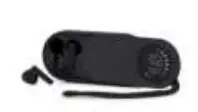
Charging
Connect the provided USB cable to the speaker and plug the USB end into a power source. The speaker is charging when the blue lights at the bottom blink. The number of blue lights indicates the current battery level. The earbuds charge automatically when placed inside the speaker case.
Setup and Bluetooth Pairing
To turn on the device, hold the button at the bottom of the speaker for 3 seconds.
- Speaker Pairing: The device will appear as 'BRAINZ S70' in your device's Bluetooth settings. Select it to connect.
- Earbuds Pairing: Remove the earbuds from the case. They will appear in your Bluetooth connections as 'BRAINZ H70'.
Operation and Controls
Volume Control:
- Speaker: Adjust the volume using the connected device.
- Earbuds: Double-tap the back of the left earbud to decrease volume. Double-tap the right earbud to increase volume.
Music Playback:
- Speaker: Press the button at the bottom of the speaker once to pause or resume music.
- Earbuds: Tap the back of either earbud to pause or resume music.
Voice Control:
Touch and hold the back of either earbud to activate voice control on your connected device.
Turning Off
- Earbuds: Place them back into the speaker case. Bluetooth will automatically switch to the speaker.
- Speaker: Hold the button at the bottom of the speaker for 3 seconds.
Important Safety Note
Do not use a charger with a higher voltage than what is suitable for this product.
Practical help
Common problems
Device not charging
Ensure you are using a compatible USB charger. Do not use a charger with a higher voltage than suitable for this product.
Earbuds not connecting
Ensure the earbuds are removed from the case to make them discoverable as 'BRAINZ H70' in your Bluetooth settings.
Before use
- Charge the device fully before first use.
- Ensure you have the included USB cable.
- Verify your phone, tablet, or laptop has Bluetooth enabled.
Show more Show less
Images and diagrams
- The button at the bottom of the speaker is used for power (hold 3s) and playback control (press once).
- Blue lights at the bottom of the speaker indicate the battery level during charging.
Model compatibility
- Compatible with mobile phones, tablets, and laptops with Bluetooth connectivity.

Manual page author
David Miller
Documentation analyst