Lighting / Ceiling Fans
Installation and User Manual for Breezary 23040-SN 52-inch Ceiling Fan
A comprehensive guide for the Breezary 23040-SN ceiling fan, covering safety, installation, wiring, remote control pairing, and troubleshooting.
Quick answers from the manual
Quick answer
- The Breezary 23040-SN is a ceiling fan with light. Installation requires mounting the bracket to a 35 lb rated outlet box, wiring the receiver according to the diagram, and pairing the remote by holding the MED and LOW buttons for 3-5 seconds. p. 1, 7, 10
Key actions
- Pairing the remote p. 10
- Wiring the fan p. 7, 8
First start
- Install batteries and pair remote p. 10
Show 4 more answers Show less
Problems and fixes
Fan wobbles
Check blade levels, ensure mounting bracket is secure, and use the balancing kit.
p. 12, 13Maintenance and reset
- Remote pairing reset p. 10
Technical specifications
| Parameter | Value | Meaning | Pages |
|---|---|---|---|
| Support Weight | 35 lbs (15.9 kg) | Minimum weight capacity for the outlet box. | p. 2 |
| Clearance | 7 ft (2.1 m) | Minimum distance from blade edge to floor. | p. 2 |
Where to find it in the PDF
- Safety Information p. 2
- Installation Instructions p. 5, 6, 7, 8
- Troubleshooting p. 12
Table of contents
Manual images
Click an image to enlargeQuick Guide
This manual provides instructions for the Breezary 23040-SN ceiling fan. Before beginning, ensure the power is turned off at the circuit breaker. The outlet box must be capable of supporting at least 35 lbs (15.9 kg) and be UL listed for fan support. Maintain a minimum clearance of 7 ft (2.1 m) from the trailing edge of the blades to the floor.
Installation
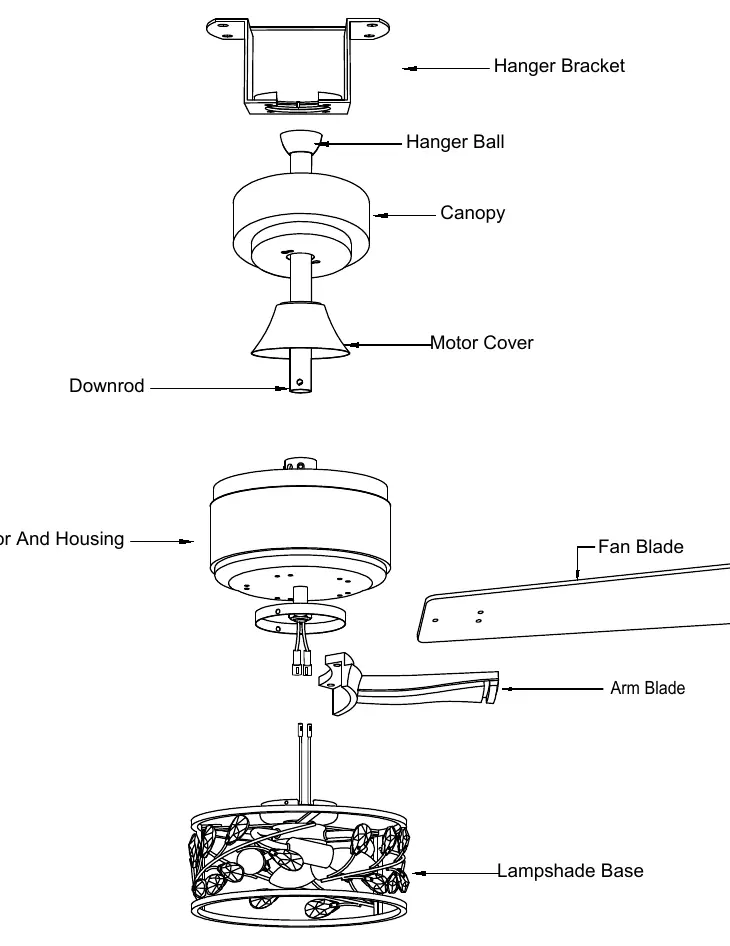
Mounting: Assemble the downrod, canopy, and yoke cover. Route wires through the assembly and secure the downrod to the motor housing using the provided bolt and cotter pin. Ensure all set screws are tightened to prevent wobble.
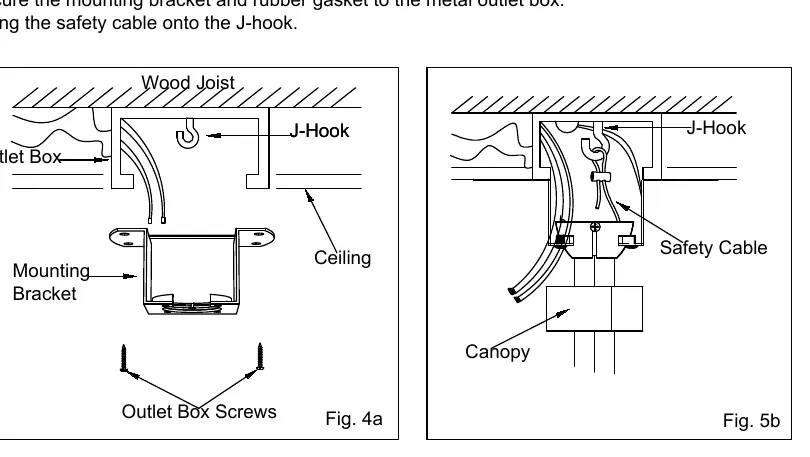
Mounting Bracket: Install the J-Hook into the wood joist. Secure the mounting bracket to the outlet box and hang the safety cable onto the J-Hook.
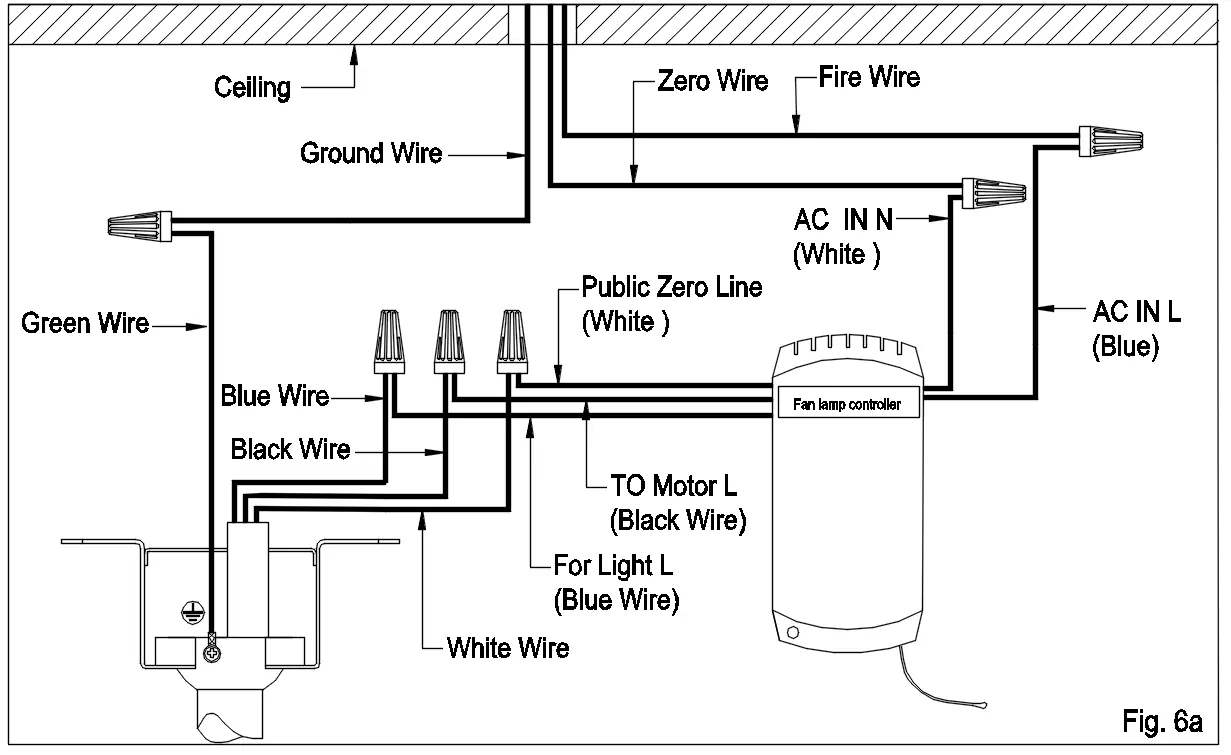
Electrical Connection: Connect the wires as follows:
- White wire (Public Zero Line): Connect to the white fan wire.
- Black wire (TO Motor L): Connect to the black fan wire.
- Blue wire (For Light L): Connect to the blue fan wire.
- Green wire: Connect to the Bare/Green (ground) supply wire.
- AC IN L (Blue): Connect to the black supply wire.
- AC IN N (White): Connect to the white supply wire.
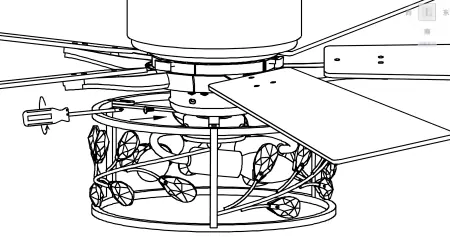
Light Kit: Loosen the three screws on the edge of the switch cover, connect the wires at the bottom of the lamp and motor, and re-tighten the screws.
Remote Control
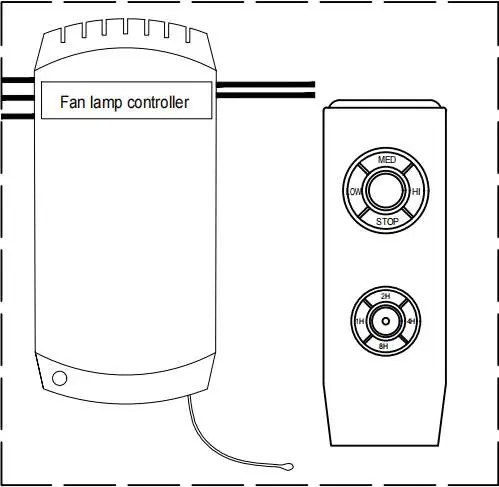
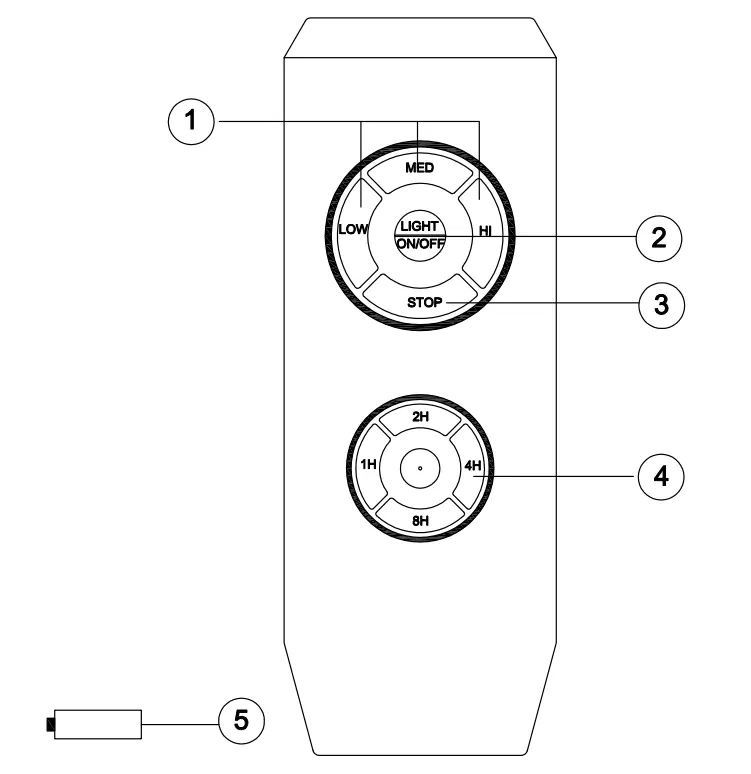
The remote requires AAA batteries (not included). If the remote fails to control the fan, use the learning code matching mode: Power on the receiver while holding down the remote "MED" and "LOW" buttons for 3 to 5 seconds until you hear "di" "di" sounds.
Troubleshooting
If the fan does not work, check fuses, wiring connections, and the remote battery. If the fan is noisy, ensure all screws are tight and allow a 24-hour "breaking in" period. If the fan wobbles, check blade levels and ensure the mounting bracket is secure. If the light does not work, check wiring and light bulbs.
Balancing
If the fan wobbles, use the included balancing kit. Place the balance clip on a blade, test the fan, and repeat on all blades to find the one causing the most improvement. Once found, install the balancing weight along the center line of that blade.
Practical help
Common problems
Fan does not work
Check fuses or circuit breakers, verify wiring connections, and check the battery in the remote control.
Fan sounds noisy
Ensure all motor housing screws are snug, check that blade bracket screws are tight, and allow a 24-hour break-in period.
Fan wobbles
Check that all blades are screwed firmly into holders, ensure the mounting bracket is secure, and use the balancing kit if necessary.
Light does not work
Check for loose wires in the switch housing or light kit, and verify the light bulbs are not faulty.
Before use
- Turn off electricity at the circuit breaker or fuse box.
- Ensure the outlet box supports at least 35 lbs (15.9 kg).
- Verify 7 ft (2.1 m) clearance from blade edge to floor.
- Check that all set screws are tightened before installation.
- Ensure the fan is not used with a solid-state speed control device.
Show more Show less
Specs in practice
- Support Weight
- The ceiling outlet box must be rated for at least 35 lbs (15.9 kg).
Images and diagrams
- Wiring diagram shows connections between the receiver, fan motor, and household supply.
- Exploded view illustrates the assembly order of the hanger bracket, downrod, and motor housing.
Model compatibility
- Do not use with solid-state fan speed control devices as this will damage the electronic circuitry.

Manual page author
Michael Turner
Technical manual editor