Electronics / Cables & Adapters
User Manual for Cable Matters 201046-BLK-E USB-C Multiport Adapter
Quick guide for the Cable Matters 201046-BLK-E USB-C Multiport Adapter. Includes installation steps, troubleshooting tips, and technical specifications for 8K DisplayPort and PD functionality.
Quick answers from the manual
Quick answer
- The Cable Matters 201046-BLK-E is a USB-C Multiport Adapter that provides 8K DisplayPort video output, Ethernet connectivity, two USB-A 2.0 ports, and up to 100W Power Delivery charging. p. 1
Key actions
- Connect the adapter to a USB-C, Thunderbolt 4, or USB4 port on the host device. p. 1
- Connect a USB-C charging cable to the adapter for Power Delivery. p. 1
Problems and fixes
No video output
Ensure your device supports DP Alternate Mode (video over USB-C).
p. 1Show 3 more answers Show less
Maintenance and reset
- Unplug all connections, reboot your host device, and reconnect everything. p. 1
Technical specifications
| Parameter | Value | Meaning | Pages |
|---|---|---|---|
| Video Resolution | 8K @ 60Hz | Maximum supported resolution (7680x4320) | p. 1 |
| Power Delivery | 100W | Maximum power pass-through | p. 1 |
Where to find it in the PDF
- Installation and Specs p. 1
Table of contents
Manual images
Click an image to enlargeQuick guide from the manual
The Cable Matters 201046-BLK-E is a USB-C Multiport Adapter designed to expand connectivity for host devices with USB-C, Thunderbolt 4, or USB4 ports. It supports 8K video output, Ethernet networking, USB-A peripherals, and Power Delivery (PD) charging.
Installation Instructions
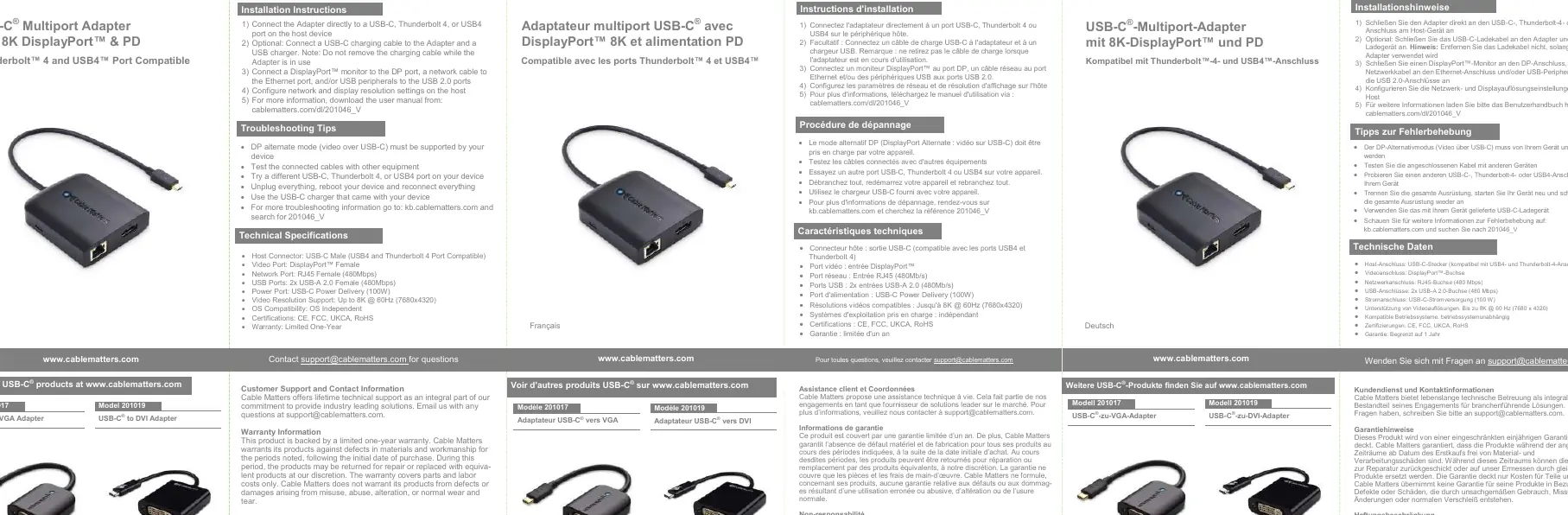
- Connect the adapter directly to a USB-C, Thunderbolt 4, or USB4 port on your host device.
- Optional: Connect a USB-C charging cable to the adapter and a USB charger to enable Power Delivery. Note: Do not remove the charging cable while the adapter is in use.
- Connect a DisplayPort monitor to the DP port, a network cable to the Ethernet port, and/or USB peripherals to the USB 2.0 ports.
- Configure network and display resolution settings on your host device.
Troubleshooting Tips
- Video Issues: Ensure your host device supports DP Alternate Mode (video over USB-C).
- Connection Issues: Test connected cables with other equipment or try a different USB-C, Thunderbolt 4, or USB4 port on your device.
- Reset: Unplug all connections, reboot your host device, and reconnect everything.
- Power Issues: Use the original USB-C charger that came with your device.
Technical Specifications
- Host Connector: USB-C Male (USB4 and Thunderbolt 4 compatible)
- Video Port: DisplayPort Female
- Network Port: RJ45 Female (480Mbps)
- USB Ports: 2x USB-A 2.0 Female (480Mbps)
- Power Port: USB-C Power Delivery (100W)
- Video Resolution: Up to 8K @ 60Hz (7680x4320)
- OS Compatibility: OS Independent
Support and Warranty
Cable Matters offers lifetime technical support. For questions, contact [email protected]. This product is covered by a limited one-year warranty against defects in materials and workmanship. The warranty does not cover damages arising from misuse, abuse, alteration, or normal wear and tear.
Practical help
Common problems
No video output
Verify that your host device supports DP Alternate Mode (video over USB-C).
Connection instability
Try a different USB-C, Thunderbolt 4, or USB4 port on your host device or test with different cables.
Device not recognized
Unplug all devices, reboot your host computer, and reconnect the adapter.
Before use
- Verify host device supports DP Alternate Mode
- Ensure host port is USB-C, Thunderbolt 4, or USB4
- Have a compatible USB-C charger ready if using Power Delivery
- Check that all cables are securely connected
Show more Show less
Specs in practice
- DP Alternate Mode
- Required for transmitting video signals over the USB-C connection.
- USB-C Power Delivery (100W)
- Allows the adapter to pass power through to charge the connected host device.
Images and diagrams
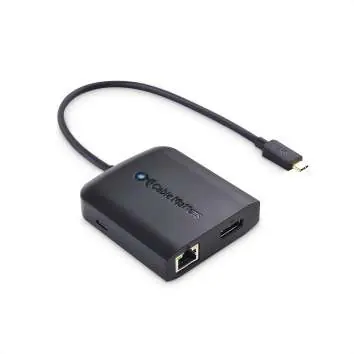
- The adapter features a fixed USB-C cable for host connection.
- The main unit includes a DisplayPort output, an RJ45 Ethernet port, and two USB-A 2.0 ports.
Model compatibility
- Compatible with USB-C, Thunderbolt 4, and USB4 ports.
- OS independent.

Manual page author
Michael Turner
Technical manual editor