Electronics / Routers
Cisco ISR 1100 and ISR 1100X Series Router User Guide
Comprehensive user guide for Cisco ISR 1100 and ISR 1100X series routers, covering chassis views, technical specifications, LED indicator behavior, and power supply details.
Table of contents
Manual images
Jump to the sectionOverview
The Cisco ISR 1100 and ISR 1100X series are integrated services routers designed to provide secure WAN, security, and multi-cloud capabilities for small businesses, home offices, and branch locations. These routers feature a fixed form factor and are built to support Cisco SD-WAN solutions.
Chassis and Hardware
The series includes several models, such as the ISR1100-4G, ISR1100X-4G, ISR1100-6G, ISR1100X-6G, and the ISR1100-4GLTE. Key hardware features across the series include Intel 2.2 GHz 4-core processors, varying memory configurations (4 GB or 8 GB DDR4 ECC DRAM), and multiple Ethernet/SFP port options. The 4GLTE variants include built-in Category-4 modems for cellular connectivity.
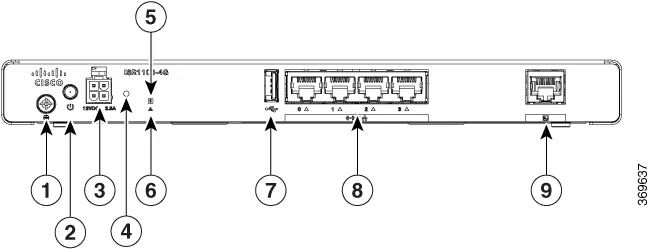
Installation and Power
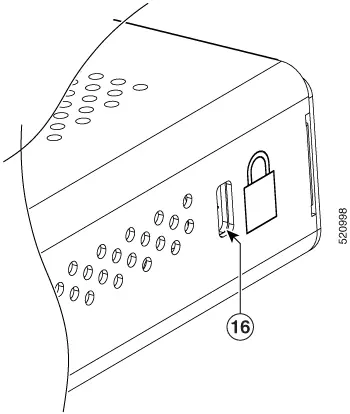
The routers are designed for desktop or surface placement. The external power supply unit (PSU) provides 12 VDC output and supports 100-240 VAC input. It is important to place the PSU on a stable surface rather than hanging it from the power socket. The chassis includes a Kensington lock slot for physical security.
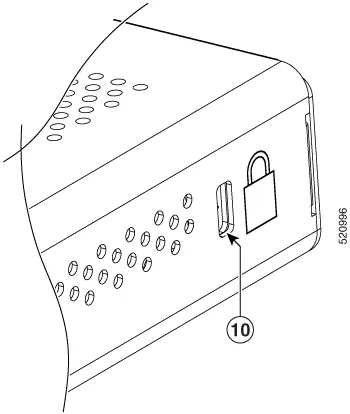
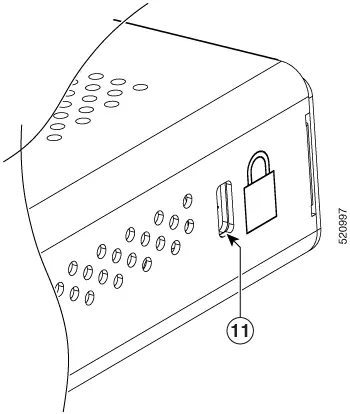
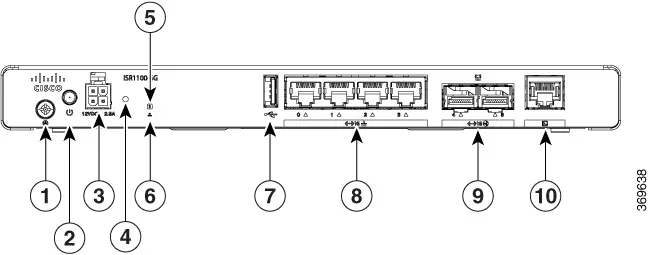
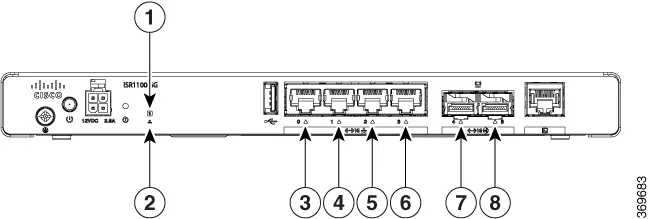
LED Indicators
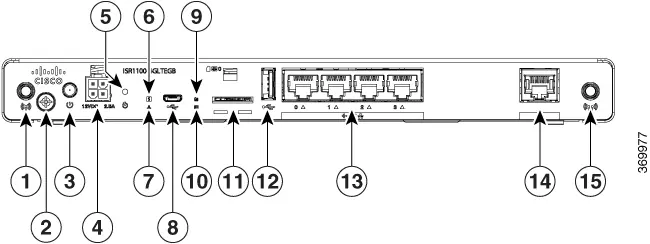
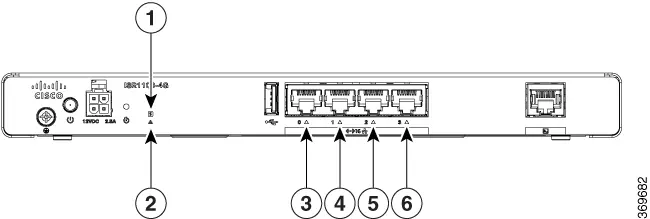
The front panel features various LED indicators to monitor system health and connectivity:
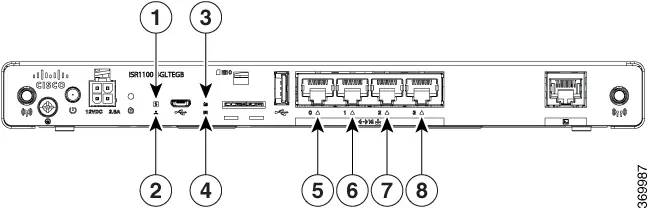
- SYS LED: Indicates system state (OFF, blinking amber during boot, steady green for normal operation, steady amber for fault).
- STATUS LED: Indicates OMP connection status.
- Ethernet/SFP LEDs: Show link establishment and data transmission activity.
- RSSI LED (4GLTE models): Displays LTE signal strength and connectivity status.
- SIM LED (4GLTE models): Indicates SIM card status and roaming/data activity.
Operating Conditions
These routers utilize a fanless design. They are rated for operation between 0°C and 40°C at sea level, with temperature de-rating required at higher altitudes (up to a maximum of 3000 m). Storage conditions range from -40°C to 70°C.
Manufacturer information
Cisco Systems, Inc.
Practical help
Common problems
SYS LED is steady amber
Indicates a system fault or that the system is shutting down.
RSSI LED is blinking orange
Indicates an LTE error, such as lack of signal or connectivity issues with the base station.
SIM LED is off
No SIM card is detected or the SIM is offline.
Console port not responding
Ensure the terminal is set to a baud rate of 115,200, as this is the only supported rate.
Before use
- Verify the model variant (e.g., 4G, 6G, or 4GLTE) to ensure correct port configuration.
- Ensure the power supply is placed on a flat surface, not hanging from the outlet.
- Check that the environment is within the 0-40°C operating temperature range.
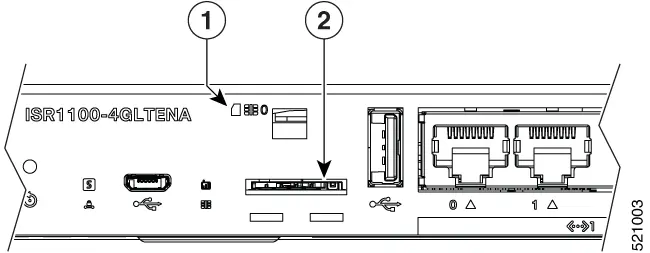
- For 4GLTE models, ensure the SIM card is correctly oriented in the slot.
- Confirm that the altitude does not exceed 3000 meters for optimal cooling.
Specs in practice
- Fanless design
- The device relies on passive cooling; ensure adequate airflow around the chassis.
- DDR4 ECC DRAM
- Error Correction Code memory provides higher reliability for data processing.
- Temperature de-rating
- The operating temperature limit decreases by 1.5°C for every 1000 feet of altitude.
Images and diagrams
- Front panels feature power inputs, reset buttons, system/status LEDs, and various network ports (RJ-45, SFP, USB).
- Side panels contain the Kensington lock slot for physical security.
- SIM slots on 4GLTE models are accessed via a removable cover on the front panel.
Model compatibility
- 4GLTE models are split into North American (4GLTENA) and Global (4GLTEGB) variants with different supported LTE bands.
- The console port is strictly limited to a 115,200 baud rate.

Manual page author
David Miller
Documentation analyst
Organizes user manual content into clear summaries, with attention to model details, product context, and everyday usability.