Hvac / Thermostats Controls
Installation Guide for Danfoss Aero RA Click Remote Sensor
A comprehensive installation and configuration guide for the Danfoss Aero RA Click remote sensor. Includes step-by-step instructions for mounting, setting temperature limits, and uninstalling the device.
Table of contents
Quick guide from the manual
This guide provides essential instructions for installing, configuring, and removing the Danfoss Aero RA Click remote sensor. Proper installation is critical for accurate temperature regulation. Ensure you have the necessary limitation tools (013G1246 or 013G1236) if you intend to set temperature stops.
Installation
The Danfoss Aero RA Click sensor is designed for tool-free mounting on compatible valves.
RA Click Installation
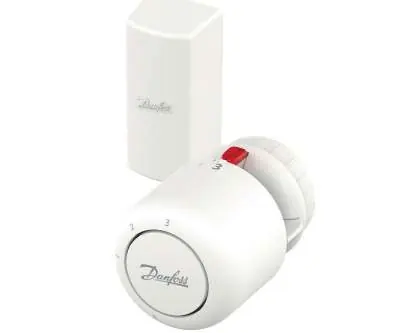
- Align the sensor with the valve body.
- Push the sensor firmly onto the valve.
- Ensure you hear a distinct "click" sound, which confirms the sensor is securely locked in place.
BIV Installation
- Position the sensor over the BIV valve interface.
- Press firmly until the mechanism clicks into position.
Remote Sensor Setup
For remote sensor configurations, ensure the sensor is placed within a range of 0 to 2 meters from the thermostat unit. Mount the sensor housing securely and connect the capillary tube to the thermostat.
Temperature Limitation
You can restrict the temperature range by setting minimum and maximum limits using the appropriate limitation tools.
Maximum Temperature Limitation
- Set the sensor dial to the desired maximum value (e.g., 3).
- Insert the limitation tool into the slot on the dial.
- Secure the stop to prevent the dial from turning past the set point.
Minimum Temperature Limitation
- Set the sensor dial to the desired minimum value (e.g., 2).
- Insert the limitation tool into the slot on the dial.
- Secure the stop to prevent the dial from turning below the set point.
Uninstalling the Sensor
- Grip the sensor firmly.
- Rotate the sensor to release the locking mechanism.
- Pull the sensor away from the valve body.
Blind Mark
The device features a blind mark indicator to assist with alignment and orientation during installation.
Manufacturer information
Danfoss A/S
Practical help
Common problems
Sensor does not click into place
Ensure the valve body is clean and the sensor is aligned correctly before pushing firmly.
Temperature range is too wide
Use the temperature limitation procedure to set physical stops on the dial.
Before use
- Verify the valve body is compatible with the RA Click system.
- Ensure the remote sensor placement is within the 0-2 meter range.
- Have the limitation tools (013G1246 or 013G1236) ready if setting temperature limits.
- Check that the sensor is not obstructed by curtains or furniture.
Specs in practice
- Remote sensor range
- The sensor must be installed within 0 to 2 meters of the thermostat.
- Temperature limitation
- Allows setting specific minimum and maximum temperature stops to prevent unauthorized or extreme adjustments.
Images and diagrams
- RA Click installation: Push the sensor onto the valve until it clicks.
- Temperature limitation: Use the provided tools to insert stops into the sensor dial slots.
- Uninstall: Rotate and pull the sensor to release it from the valve.
Model compatibility
- Compatible with RA Click valve systems.
- Requires specific limitation tools for temperature stops.

Manual page author
David Miller
Documentation analyst
Organizes user manual content into clear summaries, with attention to model details, product context, and everyday usability.