HVAC / Thermostats & Controls
User Manual for Danfoss Living Connect Electronic Radiator Thermostat
Quick guide for the Danfoss Living Connect electronic radiator thermostat. Learn how to install, pair with the Danfoss Link system, adjust temperature, and troubleshoot common issues.
Table of contents
Quick guide from the manual
The Danfoss Living Connect is an electronic radiator thermostat designed for residential use within a Danfoss Link system. This guide provides essential steps for installation, system pairing, and basic operation. For full system integration, refer to the Danfoss Link CC central controller installation guide.
Product Description
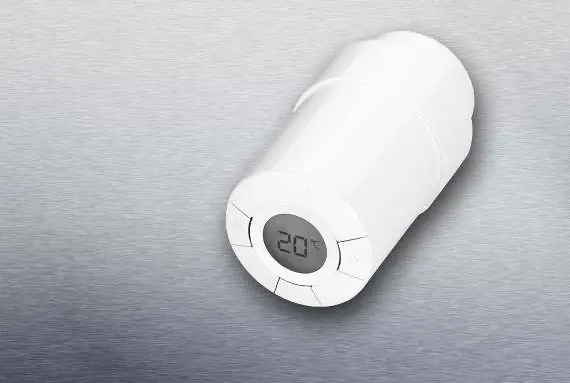
The thermostat features a digital display with a backlight, showing battery status, set temperature, network connection, lock status, frost protection, and alarm indicators. It is powered by two AA alkaline batteries and uses PID control for efficient heating.
Installation
Before installing, ensure the display shows a flashing 'M'.
- Battery Insertion: Remove the battery cover and insert two AA batteries, ensuring correct orientation. Do not use rechargeable batteries. Settings are preserved during replacement, but time and date reset after two minutes.
- Mounting: Start by mounting the appropriate adapter (RA or K). Tighten the RA adapter using a 2mm Allen key or hand-tighten the K adapter (max 5 Nm). Screw the thermostat onto the adapter and tighten by hand (max 5 Nm).
- Fixing: Once a large 'M' flashes on the display, press the button to fix the thermostat in place.
System Pairing
The thermostat must be added to a room within the Danfoss Link CC system. Initiate the pairing process on the Danfoss Link CC controller. When adding, press and release the button on the thermostat; the backlight and antenna symbol will flash to indicate pairing mode.
Operation
Temperature is typically controlled via the Danfoss Link CC, but can be adjusted manually at any time using the buttons on the thermostat. When adjusted manually, the thermostat sends a signal to the Danfoss Link CC to synchronize other thermostats in the same room.
Testing the Connection
To test the connection:
- Press the button for at least 3 seconds until 'M' is displayed.
- Press the button until 'LI' is displayed.
- Press the button to test the connection. 'LI' will disappear once the connection is established.
Safety and Maintenance
The thermostat is not a toy and should be kept away from children. Do not attempt to dismantle the device as it contains no user-serviceable parts. If error codes like E1 or E2 appear, return the device to the distributor. Dispose of the thermostat as electronic waste.
Manufacturer information
Danfoss A/S
Practical help
Common problems
Alarm and antenna symbols flashing
Connection to the Danfoss Link CC system failed.
Error code E1, E2 displayed
Internal fault; do not attempt to repair. Return the thermostat to the distributor.
Battery icon flashing
Low battery level. Replace with two new AA alkaline batteries.
Before use
- Ensure 'M' is flashing on the display before starting installation.
- Use two AA alkaline batteries (do not use rechargeable).
- Ensure the correct adapter (RA or K) is selected.
- Tighten RA adapter with a 2mm Allen key or hand-tighten K adapter (max 5 Nm).
- Ensure the thermostat is added to a room in the Danfoss Link CC system.
Specs in practice
- Temperature setting range
- 4 to 28°C
- Transmission frequency
- 868.42 MHz (up to 30m range)
- Power supply
- 2 x 1.5V AA alkaline batteries
- Battery life
- Approximately 2 years
Images and diagrams
- The display indicates battery status, set temperature, network connection, lock, frost protection, and alarm status.
Model compatibility
- Designed for use with the Danfoss Link system.

Manual page author
Emily Carter
User documentation editor
Prepares concise manual descriptions and highlights the most useful setup, operation, and maintenance information for readers.