General / Other Manuals
User Guide for Fanatec CSL Elite Pedals V2
Quick guide for Fanatec CSL Elite Pedals V2. Learn how to connect, hard-mount, and tune your brake pedal settings for optimal performance.
Table of contents
Manual images
Jump to the sectionQuick guide from the manual
The Fanatec CSL Elite Pedals V2 are high-performance racing pedals. The most critical instruction is to never connect the pedals via RJ12 and USB at the same time, as this may cause damage. Before using the pedals, ensure you have updated the firmware using the official Fanatec driver software. The pedals offer adjustable brake tuning options using different elastomers to customize the pedal feel.
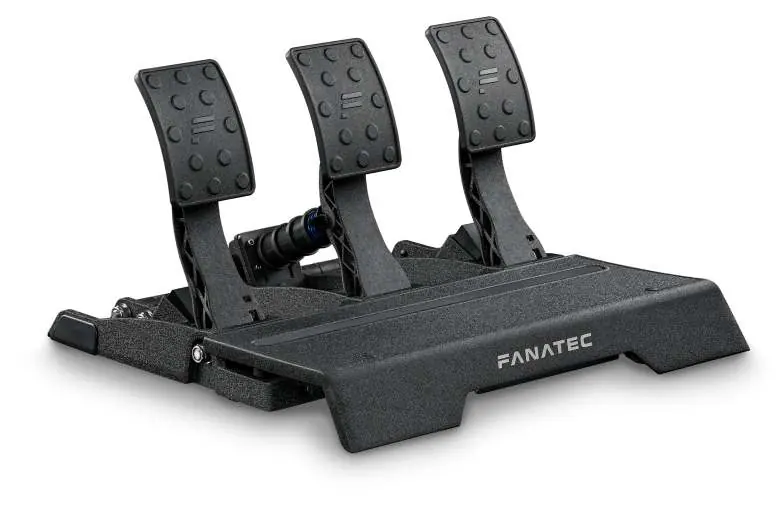
Package Content
The package includes the following items:
- 1x CSL Elite Pedals V2
- 1x USB Cable (approx. 3m)
- 1x RJ12 Cable (approx. 3m)
- Elastomers (S1, S2) and various spacers
- Tools: 13mm wrench, 6mm hex key, 4mm hex key
Connections
You can connect the pedals to your system using one of two methods, but never both simultaneously:
- USB Connection: Connect directly to a Windows PC.
- RJ12 Connection: Connect to a compatible Fanatec Wheel Base.
Ensure the cable is securely inserted into the correct port on the pedal base.
Hard-Mounting
For stable operation, it is recommended to hard-mount the pedals to a rig or stand.
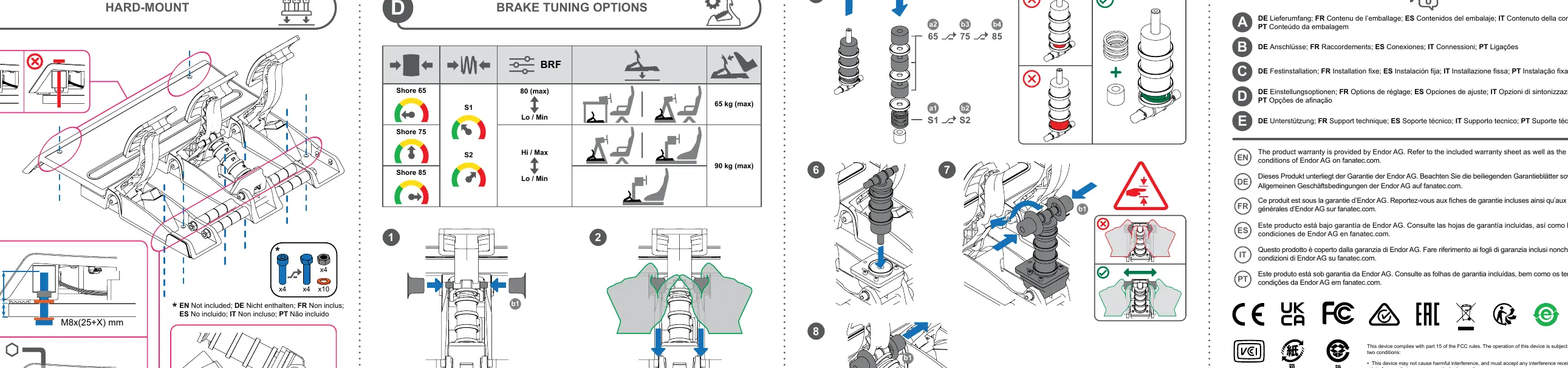
- Use M8 bolts for mounting.
- The mounting depth should be 25mm plus the thickness of your mounting plate (X mm).
- Ensure the pedals are bolted securely to prevent movement during intense racing sessions.
Brake Tuning Options
The brake pedal features adjustable resistance using interchangeable elastomers:
- Shore 65: Softest setting.
- Shore 75: Medium setting.
- Shore 85: Hardest setting.
To change the elastomers, follow the disassembly steps provided in the manual (steps 1-8). Ensure the brake force (BRF) is calibrated in the driver software after making physical adjustments.
Support
For further assistance, firmware updates, and video manuals, visit the official Fanatec website. You can also use the Fanatec app for mobile support. Warranty information is provided by Endor AG; refer to the warranty sheet included in the box.
Manufacturer information
Fanatec
Practical help
Common problems
Connecting via RJ12 and USB simultaneously
Do not do this. Use only one connection method to avoid damaging the device.
Pedal movement during use
Hard-mount the pedals to your rig or stand using M8 bolts.
Before use
- Ensure the pedals are securely mounted.
- Choose either USB or RJ12 connection, not both.
- Download and install the latest drivers from Fanatec.com/driver.
- Update the pedal firmware before first use.
- Verify the brake feel and adjust elastomers if necessary.
Specs in practice
- Shore 65/75/85
- Indicates the hardness of the brake elastomers. Higher numbers provide a stiffer brake pedal feel.
Images and diagrams
- Step 1-4: Disassembly of the brake pedal unit to access elastomers.
- Step 5: Selection and installation of different Shore hardness elastomers.
- Step 6-8: Reassembly of the brake pedal unit.
Model compatibility
- Compatible with Windows PC via USB.
- Compatible with Fanatec Wheel Bases via RJ12.

Manual page author
Michael Turner
Technical manual editor
Reviews PDF manuals for structure, safety notes, and practical product details so readers can find the right information quickly.