Music / Guitar Effects
User Manual for Flamma FC21 Compressor Pedal
Quick guide for the Flamma FC21 Compressor Pedal. Learn about power requirements, control layout, and technical specifications for this optical compressor.
Table of contents
Quick Guide
The Flamma FC21 is a compact optical compressor pedal designed for guitarists. To begin using the pedal, ensure you have a 9V DC center-negative power supply and 1/4 inch mono audio cables for your instrument and amplifier connections.
Precautions
Please read the following safety instructions carefully before operating the device:
- Power Supply: Use only a 9V DC, center-negative power adapter. Using an incorrect voltage or polarity may damage the unit. Unplug the adapter during electrical storms or when not in use.
- Environment: Do not use the apparatus near water or install it near heat sources like radiators or stoves.
- Maintenance: Clean the device only with a dry cloth.
Features
- Classic optical compressing effect with smooth attack and decay.
- Nice dynamic performance.
- Compact size with a durable metal shell.
- True bypass circuit to ensure signal integrity when the pedal is off.
Layout and Controls
The pedal features the following controls and connections:
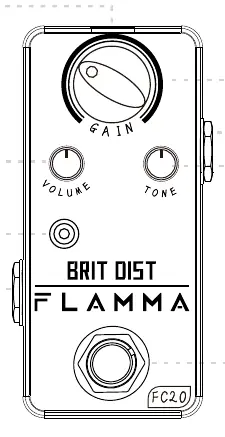
- 01 Footswitch: Press to turn the pedal effect on or off.
- 02 LED Indicator: Indicates the current On or Off status of the pedal.
- 03 DC IN: Input for the 9V DC power supply.
- 04 INPUT: 1/4 inch mono audio jack for your instrument.
- 05 OUTPUT: 1/4 inch mono audio jack for your amplifier or next pedal.
- 06 VOLUME: Rotates to adjust the output volume level.
- 07 EQ: Rotates to adjust the tone color.
- 08 COMP: Rotates to adjust the intensity of the compression effect.
Specifications
- Input: 1/4 inch mono audio jack (impedance: 470k ohms)
- Output: 1/4 inch mono audio jack (impedance: 1k ohms)
- Power Requirements: 9V DC (center negative)
- Current Draw: 10mA
- Dimensions: 93.5mm (D) x 42mm (W) x 52mm (H)
- Weight: 160g
Practical help
Common problems
Pedal does not turn on
Verify that the power supply is 9V DC and center-negative. Ensure the power cable is securely connected.
No sound output
Check that the input and output cables are fully inserted. Ensure the pedal is engaged (LED indicator should be on).
Before use
- Ensure you have a 9V DC, center-negative power adapter.
- Use 1/4 inch mono audio cables for input and output.
- Verify the pedal is placed on a stable surface.
- Check that your amplifier is turned on and volume is up.
Specs in practice
- Power Requirements
- Requires 9V DC power with center-negative polarity.
- Input Impedance
- 470k ohms, suitable for standard guitar pickups.
- Current Draw
- 10mA, very low power consumption.
Images and diagrams
- The pedal layout includes a footswitch for activation, an LED for status, and three knobs (Volume, EQ, Comp) for sound shaping.
- Input and Output jacks are located on the sides, with the DC power input on the top.
Model compatibility
- Compatible with standard 1/4 inch mono instrument cables.
- Requires external power supply (not included).

Manual page author
David Miller
Documentation analyst
Organizes user manual content into clear summaries, with attention to model details, product context, and everyday usability.