Lighting / Ceiling Fans
User Manual for Globo Lighting 03671N Ceiling Fan with Light
Quick guide for the Globo Lighting 03671N ceiling fan. Includes installation steps, remote control operation, light settings, and safety instructions.
Table of contents
Manual images
Click an image to enlargeQuick guide from the manual
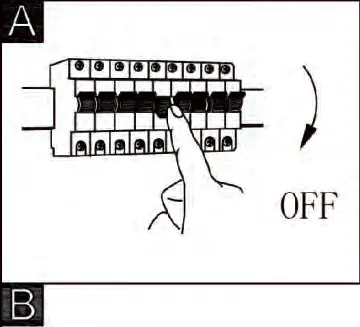
This manual provides instructions for the installation and operation of the Globo Lighting 03671 series ceiling fan. Before starting any work, ensure the main power supply is turned off at the circuit breaker. The fan is operated via a 2.4G RF remote control, which requires 2x AAA (R03) 1.5V batteries.
Installation
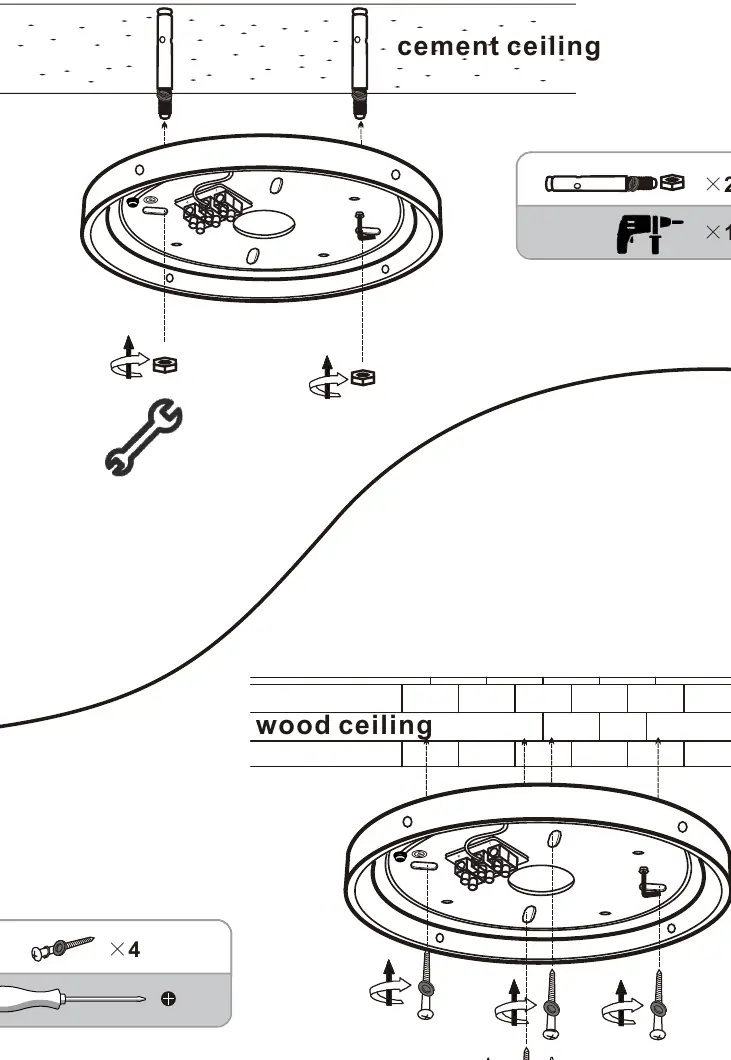
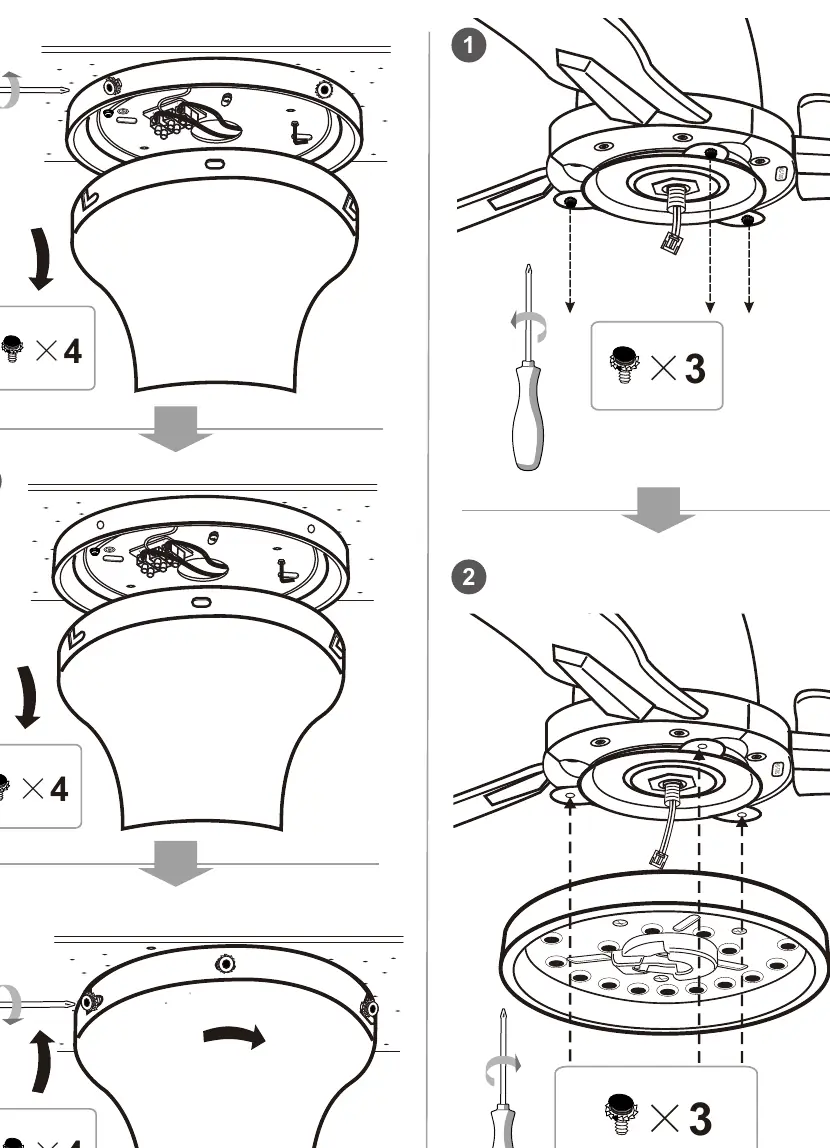
The fan can be installed on cement or wood ceilings. Ensure the mounting surface is capable of supporting the weight of the fan. Follow the specific mounting hardware instructions provided for your ceiling type. The installation process involves mounting the base, assembling the fan blades, connecting the wiring, and attaching the light kit.
Wiring and Assembly
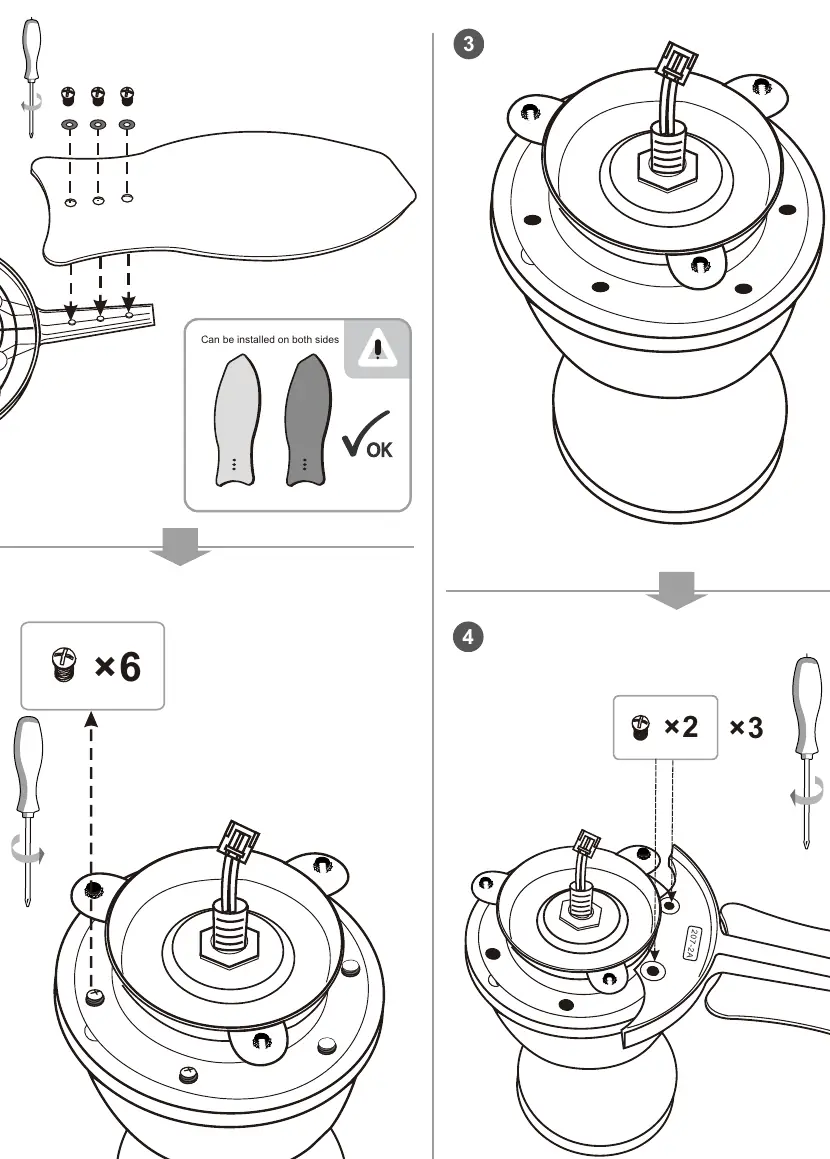
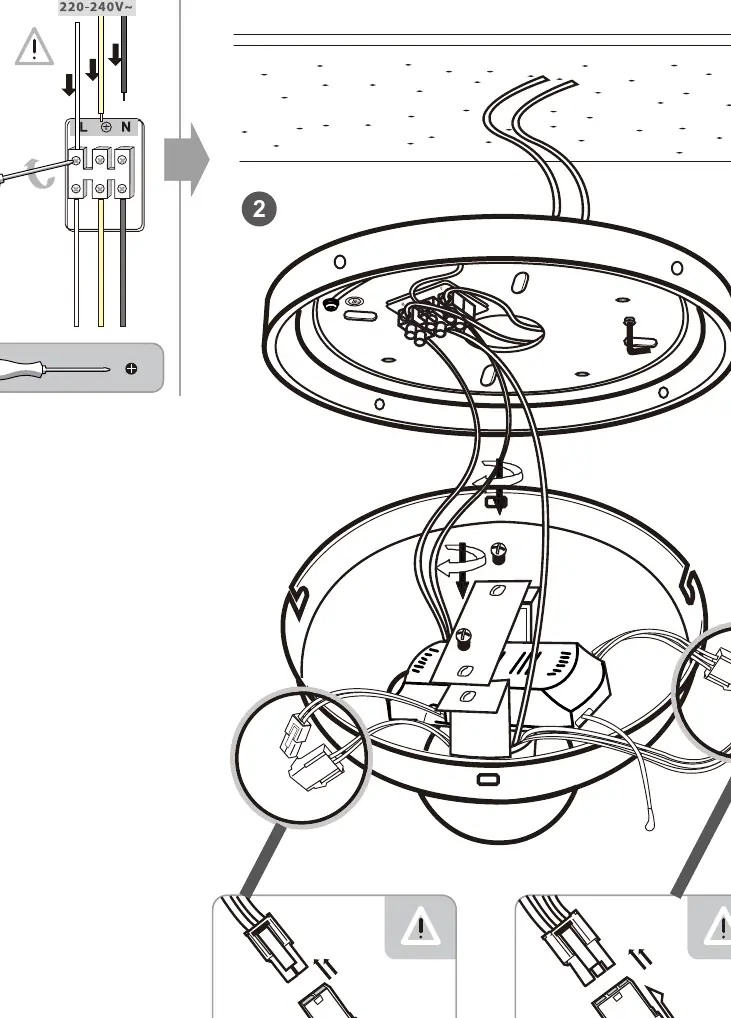
Connect the fan wiring to the mains supply (L and N). Ensure all connections are secure. The fan blades can be installed on both sides. After securing the blades to the motor housing, attach the light kit and ensure all screws are tightened. The final step involves attaching the light cover to the fan housing.
Remote Control Operation
The remote control offers several functions:
- Fan Speed: 6 adjustable speeds (1-6).
- Light Control: Toggle light on/off and adjust color temperature (3000K, 4500K, 6000K).
- Timer: Set the fan to turn off after 1H, 2H, or 4H.
- Modes: Includes Natural Wind mode and Forward/Reverse rotation for seasonal airflow adjustment.
- Memory Function: The fan remembers the last settings used.
Safety and Maintenance
The light source and control gear are permanently integrated into the product and cannot be replaced. Do not attempt to disassemble the light source. Always turn off the power before performing any maintenance or cleaning. Keep the remote control away from moisture and extreme temperatures.
Manufacturer information
Globo Lighting
Practical help
Common problems
Fan does not start
Check if the main power is on at the circuit breaker and ensure the remote control has fresh batteries.
Light color temperature not changing
Use the remote control to cycle through the available color temperature modes (3000K, 4500K, 6000K).
Before use
- Turn off the main power supply at the circuit breaker.
- Verify the ceiling structure can support the fan weight.
- Install 2x AAA (R03) 1.5V batteries into the remote control.
- Ensure all screws are tightened during assembly.
Specs in practice
- Motor: MAX 35W
- The maximum power consumption of the fan motor.
- Light: MAX 22W LED
- The integrated LED light source power rating.
- Frequency: 433MHz
- The operating frequency of the RF remote control.
Images and diagrams
- The wiring diagram indicates the connection points for Live (L) and Neutral (N) wires.
- Remote control buttons are clearly labeled for fan speed, light control, timer, and rotation direction.
Model compatibility
- The light source and control gear are non-replaceable and permanently fixed to the product.

Manual page author
Emily Carter
User documentation editor
Prepares concise manual descriptions and highlights the most useful setup, operation, and maintenance information for readers.