Home Appliances / Dehumidifiers
Goldair 12L Dehumidifier with WiFi GD295
Quick guide for the Goldair 12L Dehumidifier with WiFi (Model GD295). Includes setup, operation, WiFi pairing, maintenance, and troubleshooting steps.
Table of contents
Manual images
Click an image to enlargeQuick guide from the manual
This dehumidifier is designed for indoor household use. Before operating, ensure the unit has been standing for at least one hour after transport to allow the refrigerant to settle. The appliance must be installed in a room with a floor area larger than 4m². Keep all objects at least 200mm away from all sides of the unit to ensure proper airflow and prevent fire risks. Do not cover the appliance or use it in small rooms occupied by persons unable to leave on their own without supervision.
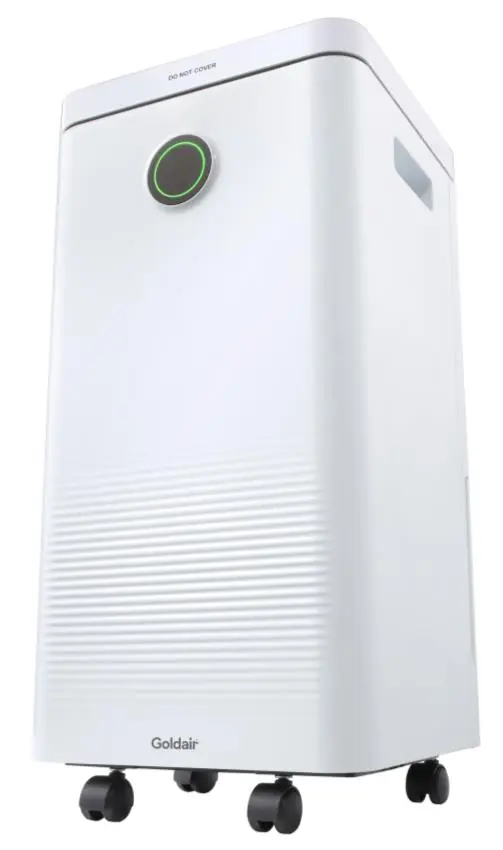
Product Overview
The control panel features a touch-sensitive humidity setting bar, mode selection, timer, and LED display. The front of the unit includes a humidity indicator light that changes color based on room humidity: Blue (below 50%), Green (50-70%), and Red (above 70%).
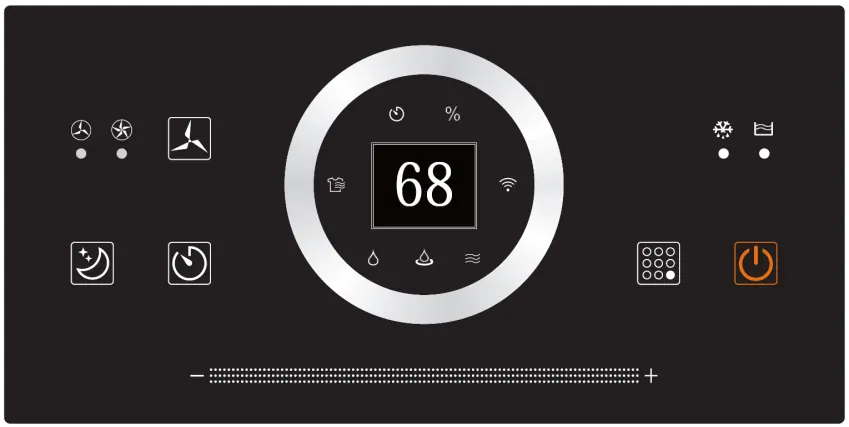
Operating Instructions
To start, ensure the unit is on a flat, stable surface and the water tank is correctly positioned. Plug into a mains outlet and press the Power button.
Modes
- Normal Dehumidification: Allows manual setting of fan speed and target humidity.
- Continuous Dehumidification: Runs continuously; fan speed set to low; target humidity disabled.
- Ventilation: Adjustable fan speed; target humidity disabled.
- Dry Clothes: Defaults to high fan speed; target humidity disabled.
Humidity and Timer
Relative humidity can be set from 30% to 80% in 5% increments using the touch-sensitive bar. The timer can be set for 1-24 hours for both turning the unit on (when off) or off (when on).
Continuous Drainage
For long-term use, connect the supplied drainage hose to the drainage point. Ensure the hose drains below the outlet level without knots or kinks. The water tank must remain installed for this feature to work.
WiFi Setup
The unit supports 2.4GHz Wi-Fi channels only. Download the Goldair mobile app, register an account, and follow the in-app instructions. To enter pairing mode, put the device on standby (plugged in but off) and hold the 'MODE' button for 5 seconds until the WiFi icon flashes.
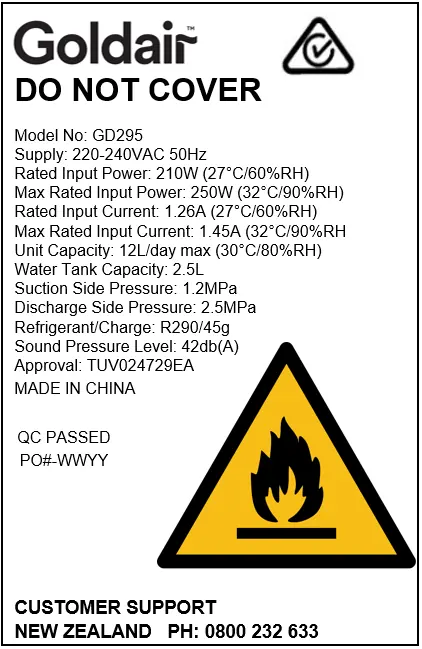


Maintenance
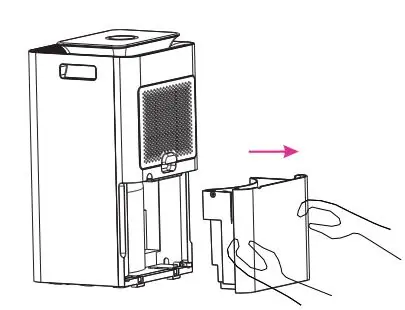
Unplug the unit before cleaning. Clean the air filter every 2 weeks by removing it, tapping off dust, or washing in warm soapy water if necessary. Clean the water tank every few weeks to prevent mold growth. Wipe the exterior with a damp cloth; do not use abrasive cleaners or solvents.
Troubleshooting
If the unit is not collecting water, check if the room humidity is already below the set level or if the air filter is blocked. If the unit is noisy, ensure it is on a level surface. If the unit has frozen, switch it off and allow the temperature to rise.
Manufacturer information
Goldair
Practical help
Common problems
Both fan and compressor are not working
Check the mains power supply and ensure the control panel is switched to ON.
Not collecting water
Check if the room humidity is already below the set level or if the air intake filter is blocked.
Unit is making loud noise
Re-position the unit on an even, stable surface.
Leaking from the unit
Ensure the water tank is installed correctly or check if the unit has frozen.
Before use
- Remove all packaging from the unit.
- Ensure the unit is on a flat, stable, heat-resistant surface.
- Leave the appliance to stand for one hour after transport.
- Ensure all external windows and doors are closed.
- Check that the water container is positioned correctly.
Specs in practice
- Humidity Setting
- 30% to 80% in 5% increments.
Images and diagrams
- Control Panel: Includes fan speed, mode, timer, and humidity setting bar.
- Water Tank: Located at the back; pull to remove and empty.
Model compatibility
- WiFi App: Supported only on 2.4GHz Wi-Fi channels.
- Room Size: Must be larger than 4m².

Manual page author
Michael Turner
Technical manual editor
Reviews PDF manuals for structure, safety notes, and practical product details so readers can find the right information quickly.