Toys / RC Models & Drones
User Manual for Guangdong 1908-OT Remote Control Toy
Quick guide for the Guangdong 1908-OT remote control toy. Learn how to install batteries, operate the remote, connect via Bluetooth app, and perform basic maintenance.
Quick answers from the manual
Quick answer
- The 1908-OT is a remote-controlled toy operated via a physical remote or a Bluetooth-connected smartphone app. It requires AA batteries or the included 3.7V rechargeable battery. p. 1, 2
Key actions
- Install batteries in the remote and the vehicle. p. 1
- Connect via Bluetooth for app control. p. 2
First start
- Insert batteries into the remote and the vehicle, then turn on the vehicle's power switch. p. 1
Problems and fixes
Beeping sound
Battery is running low; replace or recharge.
p. 1Maintenance and reset
- Use the buckle mechanism to open the vehicle for battery access or maintenance. p. 1
Technical specifications
| Parameter | Value | Meaning | Pages |
|---|---|---|---|
| Remote Battery | 2 x 1.5V AA | Required power for remote | p. 1 |
| Vehicle Battery | 3 x 1.5V AA or 3.7V rechargeable | Required power for vehicle | p. 1 |
Where to find it in the PDF
- Remote and Battery Instructions p. 1
- App Operation Guide p. 2
Table of contents
Manual images
Click an image to enlargeQuick guide from the manual
The Guangdong 1908-OT is a remote-controlled toy vehicle that supports both physical remote control and smartphone app control via Bluetooth. Ensure you have the correct batteries installed before operation. If you hear a beeping sound, the battery is low and requires charging or replacement.
Remote control operation
The physical remote control features the following functions:
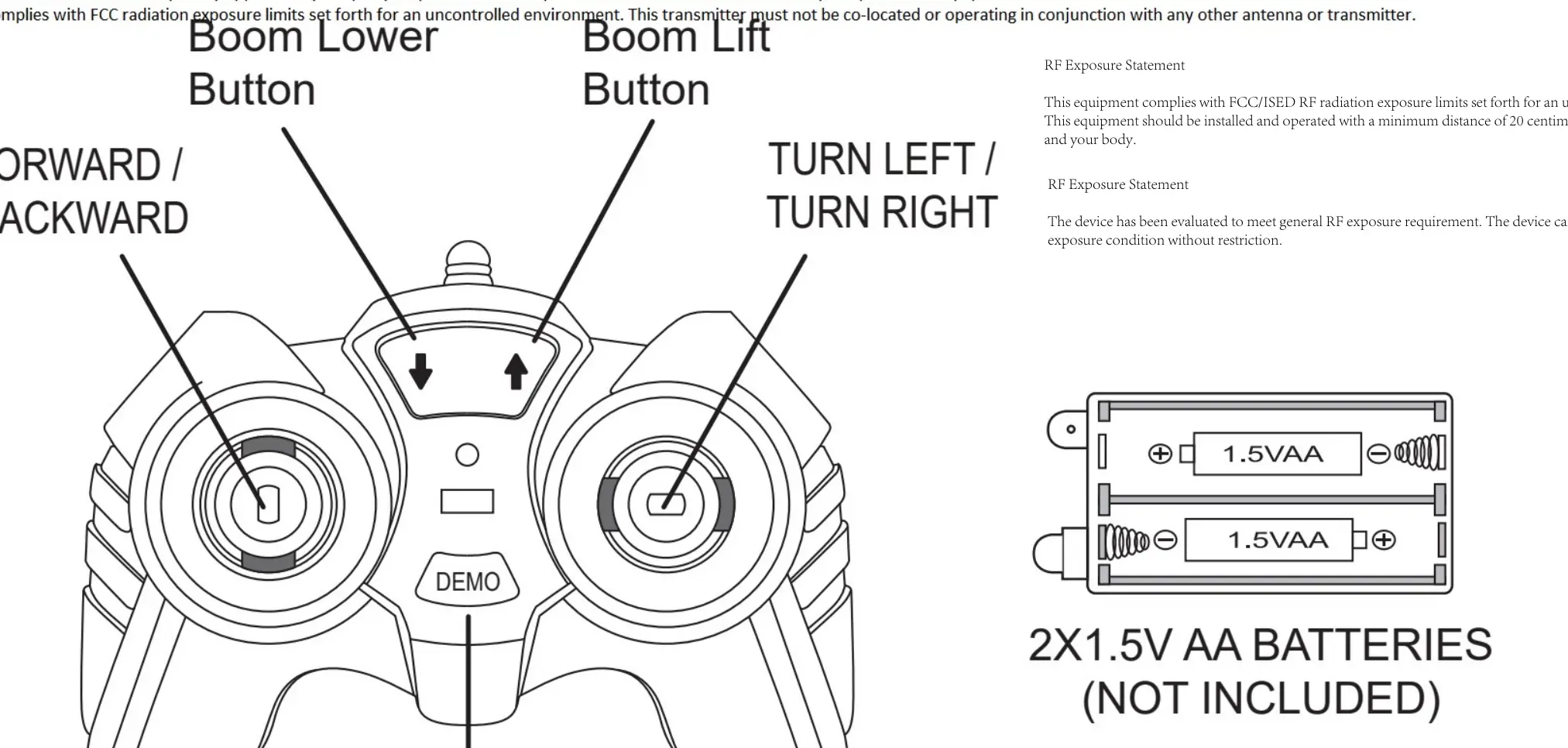
- Forward / Backward: Controlled by the left joystick.
- Turn Left / Turn Right: Controlled by the right joystick.
- Boom Lower Button: Located on the top left of the remote.
- Boom Lift Button: Located on the top right of the remote.
- Demo Button: Initiates a demonstration mode.
Battery installation
Remote Control: Requires 2 x 1.5V AA batteries (not included).
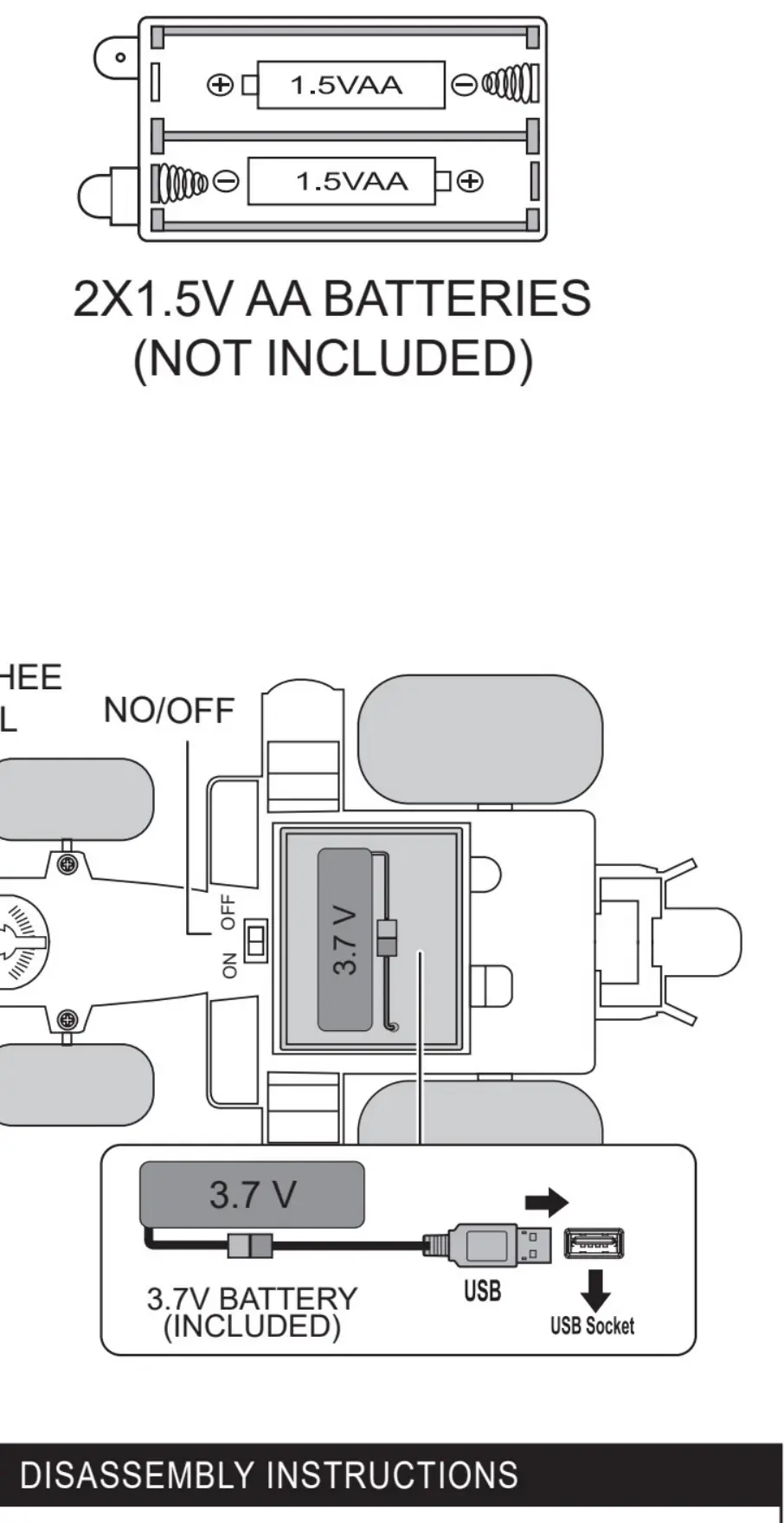
Vehicle: Can be powered by either 3 x 1.5V AA batteries (not included) or the included 3.7V rechargeable battery pack. Ensure correct polarity when inserting batteries.
App control
To operate the vehicle using the smartphone app:
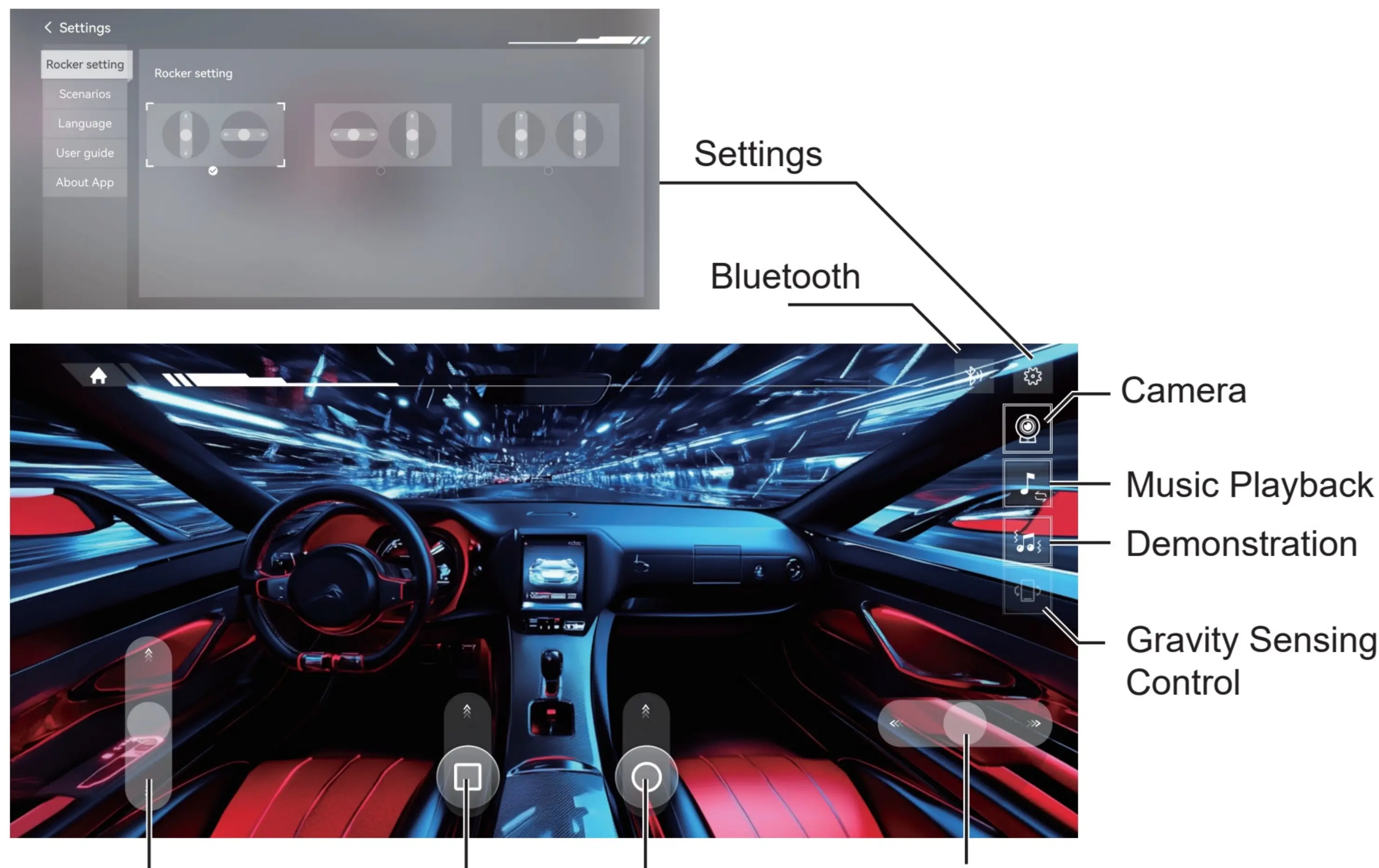
- Turn on the vehicle's power.
- Enable Bluetooth on your mobile phone.
- Open the app and search for the device.
- Select the vehicle to connect.
- Download the control module if prompted.
The app interface allows for steering, boom control, camera access, music playback, demonstration mode, and gravity sensing control.
Disassembly and maintenance
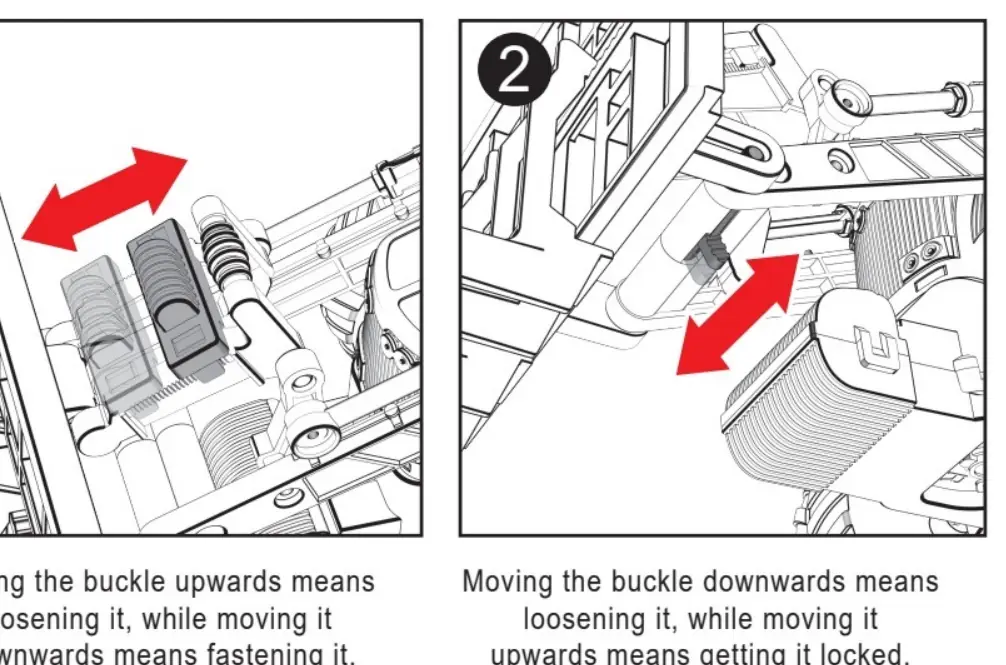
The vehicle features a buckle system for maintenance or battery access. Moving the buckle upwards loosens the component, while moving it downwards fastens it. Always remove exhausted batteries from the product. Do not mix old and new batteries or different types of batteries.
Safety warnings
- Never recharge non-rechargeable batteries.
- Batteries should be changed by an adult.
- Do not short-circuit terminals.
- Remove batteries if the product is not to be used for long periods.
Practical help
Common problems
Beeping sound during operation
The battery is running low; recharge the 3.7V battery or replace the AA batteries.
Cannot connect via app
Ensure the vehicle power is on and Bluetooth is enabled on your mobile device.
Before use
- Install 2x 1.5V AA batteries in the remote control.
- Install 3x 1.5V AA batteries or the provided 3.7V rechargeable battery in the vehicle.
- Ensure correct battery polarity.
- Turn on the vehicle power switch.
- Download the control app if using Bluetooth features.
Specs in practice
- Remote Power
- 2 x 1.5V AA batteries
- Vehicle Power (Option 1)
- 3 x 1.5V AA batteries
- Vehicle Power (Option 2)
- 3.7V rechargeable battery pack
Images and diagrams
- The remote control diagram identifies the joysticks for movement and the specific buttons for boom operation.
- The battery compartment diagrams show the correct orientation for both AA batteries and the rechargeable pack.
- The disassembly diagram illustrates how to operate the buckle mechanism to open the vehicle casing.
Model compatibility
- The vehicle is compatible with both standard AA batteries and the included 3.7V rechargeable battery.
- App control requires a smartphone with Bluetooth capability.

Manual page author
Michael Turner
Technical manual editor
Reviews PDF manuals for structure, safety notes, and practical product details so readers can find the right information quickly.