Tools / Welding Equipment
User Manual for GYS MULTIWELD 160M / 200M Welding Machine
Quick guide for the GYS MULTIWELD 160M and 200M welding machines. Includes setup instructions for MIG/MAG and MMA modes, maintenance tips, safety rules, and troubleshooting for common welding issues.
Table of contents
Manual images
Click an image to enlargeQuick guide from the manual
The GYS MULTIWELD 160M and 200M are semi-automatic welding stations designed for MIG/MAG, flux-cored wire, and MMA welding. They are manual setting machines assisted by a reference table printed on the product. These machines are recommended for welding steel, stainless steel, and aluminum.
Safety Rules
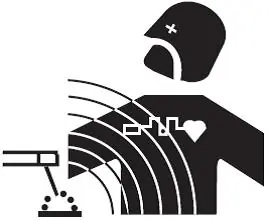
Arc welding can be dangerous and cause serious or fatal injuries. Always wear protective clothing that covers the entire body, insulated gloves, and a welding helmet with sufficient protection. Ensure the working area is well-ventilated and free from flammable materials. Keep a safe distance of at least 11 meters from flammable objects. People with pacemakers must consult a doctor before using this equipment.
Installation
Place the machine on a floor with a maximum incline of 10°. Ensure the area is well-ventilated and free from conductive metal dust. The machine has an IP21 protection rating, meaning it is protected against solid objects larger than 12.5mm and vertically falling water drops. Ensure all power and welding cables are fully uncoiled to prevent overheating.
MIG/MAG Welding
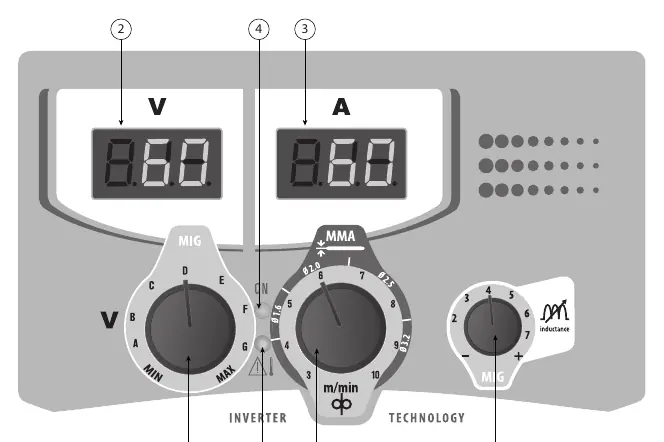
Connect the earth clamp to the positive (+) or negative (-) terminal depending on the wire type. Select the MIG/MAG mode using the switch. Adjust the welding voltage and wire speed according to the reference table on the machine based on the thickness of the workpiece. The inductance can be adjusted to control arc hardness; lower inductance makes the arc harder and more directional, while higher inductance makes it softer with less spatter.
MMA Welding
In MMA mode, the polarity reversal cable must be disconnected. Connect the electrode holder and earth clamp to the connectors. Select the MMA mode using the switch. Adjust the welding current using the central knob based on the electrode diameter and type. The machine features an Anti-Sticking function to prevent the electrode from overheating if it sticks to the metal.
Maintenance
Maintenance should only be performed by qualified personnel. Annual maintenance is recommended. Regularly remove the casing to dust the interior with compressed air and have electrical connections checked. Ensure ventilation holes remain clear for proper airflow. If the power cable is damaged, it must be replaced by the manufacturer or a qualified service technician.
Troubleshooting
If the wire feed is not constant, check for debris in the contact tube, ensure the correct roller pressure, and verify the wire diameter matches the roller. If the machine has no welding current, check the mains connection and the earth clamp. If the weld bead is porous, ensure sufficient gas flow, clean the base metal, and protect the welding area from drafts.
Manufacturer information
GYS
Practical help
Common problems
Wire feed not constant
Clean or replace the contact tube, check roller pressure, or ensure the wire diameter matches the roller.
Wire jams after rollers
Check the guide sheath, ensure the capillary tube is present, or reduce wire speed.
Porous weld bead
Increase gas flow, clean the base metal, or protect the welding area from drafts.
No welding current
Check mains connection, earth clamp connection, or the torch trigger.
Before use
- Ensure the power supply is 230V single phase with earth.
- Check that the gas bottle is secured vertically.
- Verify the correct drive roller is installed for the wire type.
- Ensure all welding cables are fully uncoiled.
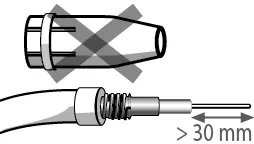
- Check that the contact tube and nozzle are clean.
Images and diagrams
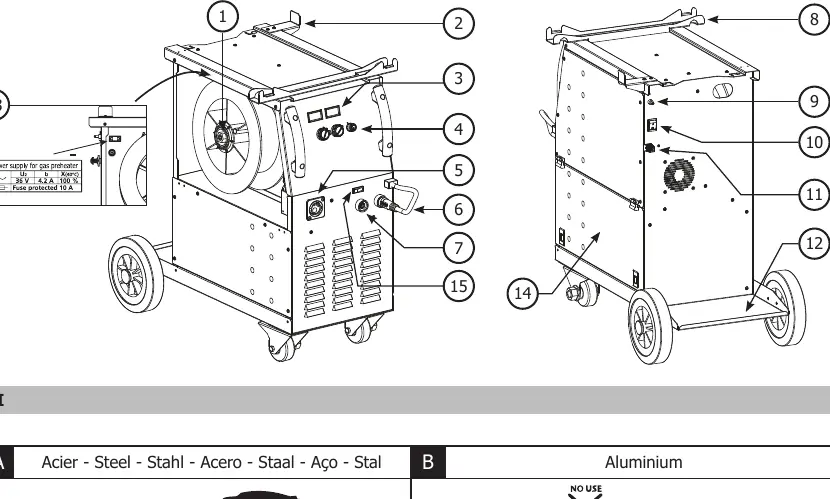
- Fig I: Overview of machine controls and ports.
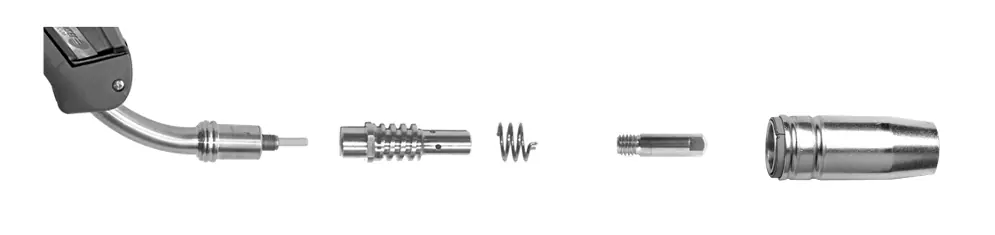
- Fig IV: Reel and torch assembly steps.
- Fig VI: Interface panel (IHM) controls.
Model compatibility
- 160M: Steel wire 0.6/0.8mm, Stainless 0.8mm.
- 200M: Steel wire 0.6/1.0mm, Stainless 0.8/1.0mm.
- Compatible with 200/300mm wire reels.

Manual page author
Emily Carter
User documentation editor
Prepares concise manual descriptions and highlights the most useful setup, operation, and maintenance information for readers.