Documents / Warranty Safety
Hamilton Beach 19-IN-1 Automatic Bread Maker User Guide
Quick guide for the Hamilton Beach 19-IN-1 Automatic Bread Maker, covering setup, 19 program modes, ingredient handling, maintenance, and troubleshooting.
Table of contents
Manual images
Jump to the sectionQuick guide from the manual
This document provides essential instructions for operating the Hamilton Beach 19-IN-1 Automatic Bread Maker. It covers the initial setup, proper ingredient layering, program selection, and maintenance. Always ensure the appliance is placed on a stable, level surface and that the bread pan is securely locked before starting any program.
Product Overview
The bread maker consists of the main body, a top lid with a viewing window, a control panel, and a removable bread pan with a kneading paddle. Accessories include a measuring cup, measuring spoon, and a dough hook.
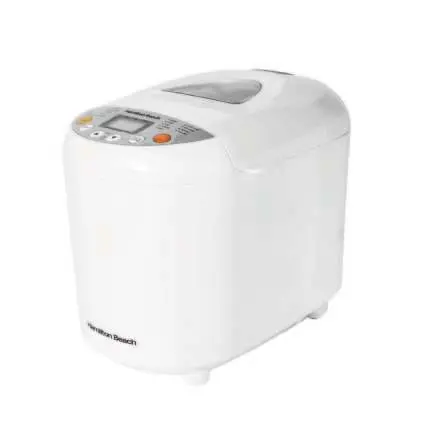

Using Your Appliance
To begin, ensure the bread pan is clean and the kneading paddle is installed on the drive shaft. Add ingredients in the specific order: liquids first, followed by dry ingredients, and finally yeast on top of the flour. Avoid letting yeast touch liquids or salt. Use the control panel to select one of the 19 programs, set the loaf size (500g, 750g, or 1000g), and choose the crust color. Press Start to begin. The machine will beep when it is time to add extra ingredients like fruits or nuts for programs 1-7.
Program Menus
The 19 programs include: 1. Basic, 2. Quick, 3. Sweet, 4. French, 5. Whole-Wheat, 6. Rice Bread, 7. Gluten-Free, 8. Dessert, 9. Mix, 10. Dough, 11. Knead, 12. Cake, 13. Jam, 14. Yoghurt, 15. Bake, 16. Sticky Rice, 17. Rice Wine, 18. Defrost, 19. Stir-Fry.
Cleaning and Maintenance
Always unplug the appliance and allow it to cool completely before cleaning. The bread pan and kneading paddle are dishwasher-safe, but avoid using abrasive cleaners or metal utensils that could damage the non-stick coating. Wipe the housing and lid with a damp cloth. Never immerse the main body in water.
Troubleshooting
If the machine displays 'HHH', it is too hot; unplug and let it cool for 15-30 minutes. For 'EE0', contact customer support. If the bread does not rise, check yeast freshness and ingredient measurements. If the kneading paddle sticks to the bread, remove it gently with a spatula after the loaf has cooled.
Manufacturer information
Hamilton Beach
Practical help
Common problems
Odour or burning smell
Stop the machine, allow it to cool, and wipe any spilled flour from the baking chamber.
HHH error on display
The unit is too hot. Unplug and allow it to cool for 15-30 minutes before restarting.
Bread does not rise
Check yeast expiration, ensure accurate measurements, and verify liquids are at room temperature.
Kneading paddle stuck in bread
Remove the paddle gently with a spatula after the loaf has cooled.
Before use
- Check for missing or damaged parts.
- Wash and dry the bread pan and kneading paddle.
- Ensure the appliance is on a stable, level surface.
- Run the machine empty on 'Bake' mode for 10 minutes to burn off manufacturing residues.
- Verify that the wall socket voltage matches the appliance rating plate.
Specs in practice
- Power Consumption
- 220-240V~, 50-60Hz, 550W.
Images and diagrams
- The bread pan must be turned counter-clockwise to remove and clockwise to lock into the machine.
- Ingredients must be added in order: liquids first, dry ingredients second, and yeast last on top of the flour.
Model compatibility
- Warranty registration is only accepted for products purchased in the UK.
- Weight and crust settings are not available for all 19 programs.
- Do not use the delay timer for recipes containing perishable ingredients like eggs, milk, or cheese.

Manual page author
David Miller
Documentation analyst
Organizes user manual content into clear summaries, with attention to model details, product context, and everyday usability.