Electronics / Speakers & Soundbars
Quick Start Guide for JBL Studio 6 In-Wall Loudspeaker
Get started with your JBL Studio 6 In-Wall Loudspeaker. This guide covers installation, wiring, EQ settings, and mounting instructions for the 6IW, 8IW, 66LCR, 88LCR, and Theater models.
Table of contents
Manual images
Click an image to enlargeQuick guide from the manual
This guide provides essential instructions for installing and configuring the JBL Studio 6 In-Wall Loudspeaker series. Ensure you have all components before beginning the installation. The series includes models 6IW, 8IW, 66LCR, 88LCR, and Theater.
Placement
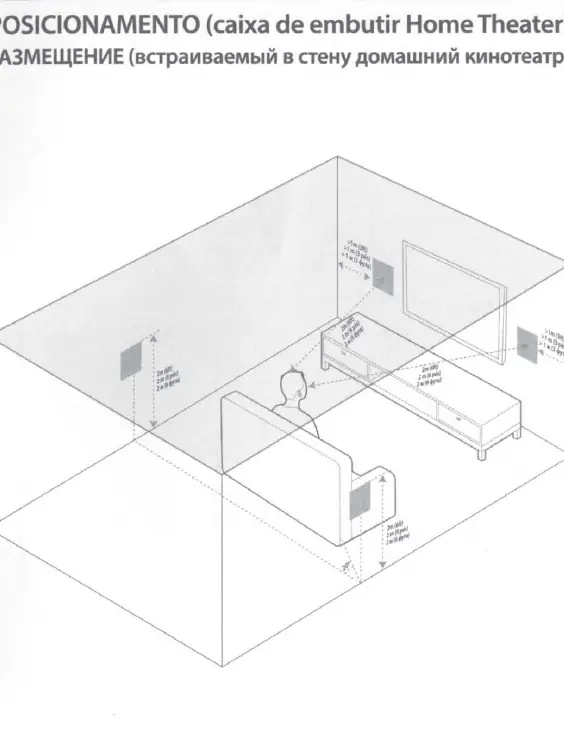
Proper placement is critical for optimal sound performance. For stereo setups, position speakers at an equal distance from the listening area. For home theater configurations, ensure speakers are placed according to standard surround sound layouts, maintaining recommended distances from walls and the primary listening position as illustrated in the manual.
Installation
Follow these steps to install your speakers:
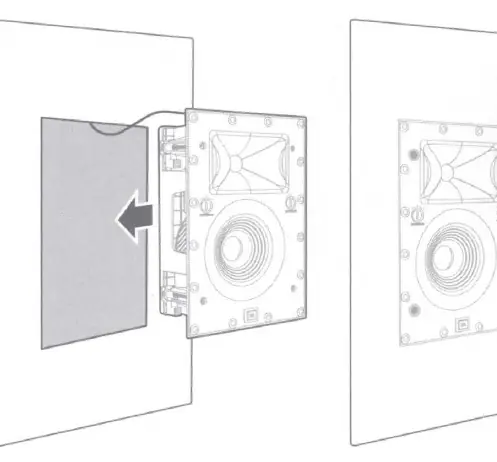
- Cut-out: Use the provided template to mark and cut the opening in the wall.
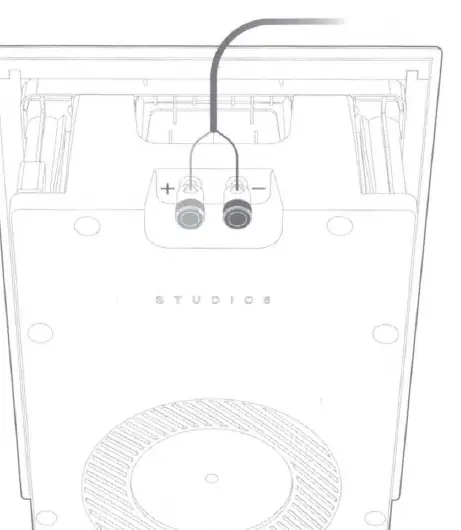
- Wiring: Connect the speaker wire to the terminals on the back of the speaker, ensuring correct polarity (+ to +, - to -).
- Mounting: Insert the speaker into the wall opening and secure it using the integrated screw mechanism.
EQ Settings
The speakers feature adjustable EQ settings to fine-tune the sound based on your room acoustics:
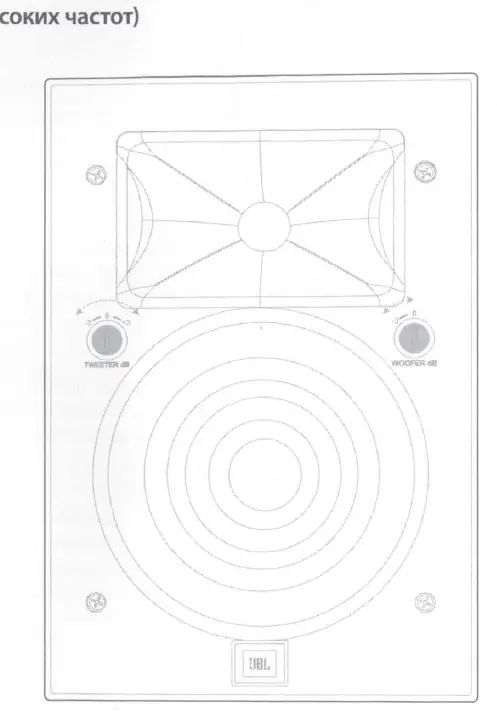
- Tweeter dB: Adjusts the high-frequency output level.
- Woofer dB: Adjusts the low-frequency output level.
Use the controls on the front panel to set these levels to your preference.
Painting
The speaker grille can be painted to match your wall decor. Remove the grille, paint it separately, and reattach it once dry. Ensure the paint does not clog the grille perforations.
Logo Mounting
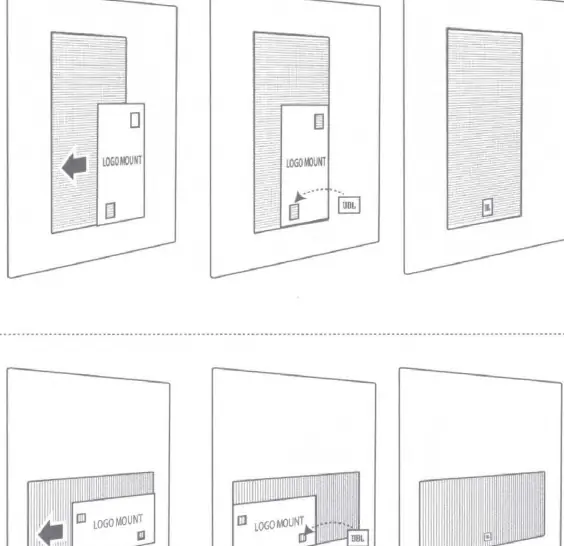
For 66LCR, 88LCR, and Theater models, the JBL logo can be mounted or rotated. Follow the specific logo mount guide included in the manual to ensure correct orientation based on your speaker's installation position.
Safety
Always follow safety instructions provided in the manual. Do not install the apparatus near heat sources, ensure proper ventilation, and refer all servicing to qualified personnel. This product is RoHS compliant and should be disposed of according to local regulations for electronic waste.
Manufacturer information
JBL
Practical help
Common problems
Speaker does not fit in the wall opening
Verify that the cut-out dimensions match the provided template exactly before cutting.
Sound balance is off
Adjust the Tweeter and Woofer dB settings on the front panel to compensate for room acoustics.
Logo orientation is incorrect
Use the Logo Mount Guide to rotate or attach the logo correctly for your specific model (66LCR, 88LCR, or Theater).
Before use
- Verify wall space for installation
- Use the provided template for cutting
- Ensure speaker wire is routed to the location
- Check EQ settings before final mounting
- Confirm model-specific logo orientation
Images and diagrams
- Placement diagrams show recommended distances from walls and listening positions.
- Installation steps illustrate the cut-out process and screw-in mounting method.
- Painting section shows the process of removing, painting, and reattaching the grille.
Model compatibility
- Compatible with Studio 6 6IW, 8IW, 66LCR, 88LCR, and Theater models.

Manual page author
David Miller
Documentation analyst
Organizes user manual content into clear summaries, with attention to model details, product context, and everyday usability.