Electronics / Data Center Infrastructure
User Manual for Kendall Howard 12U Corner Wall Mount Cabinet
Quick guide for the Kendall Howard 12U Corner Wall Mount Cabinet. Includes installation steps, specifications, and component identification for part number 1915-3-700-12.
Table of contents
Manual images
Click an image to enlargeQuick guide from the manual
The Kendall Howard 12U Corner Wall Mount Cabinet is designed for corner installations. The installation process involves a two-part system: first, securing the mounting frame to the wall, and second, hanging the cabinet onto the frame's beveled tabs. Ensure you have the necessary tools and wall anchors (not included) before beginning. Always verify that the wall structure can support the weight of the cabinet (52 lbs) plus the weight of the equipment to be installed.
Specifications
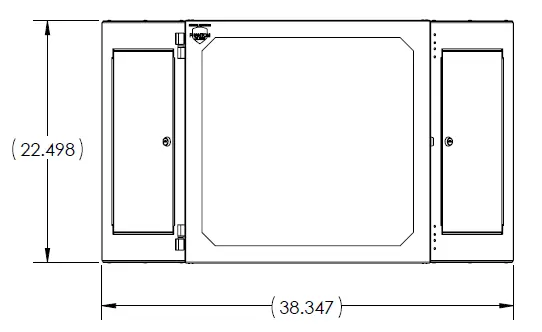
- Dimensions: 22.49 inches Tall x 27.42 inches Deep x 38.34 inches Wide (with doors open)
- Weight: 52 lbs (114 kg)
- Color: Black Powder Coat, medium texture finish
Component Identification
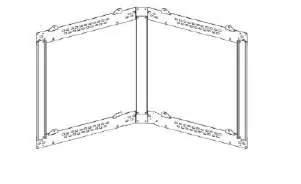
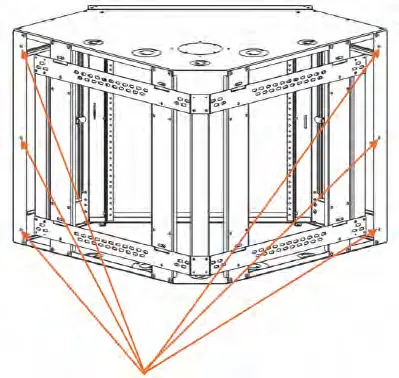
The package includes the Corner Cabinet and the Corner Cabinet frame. Note that mounting screws and wall anchors are not included and must be sourced separately based on your wall type.
Installation Instructions
Step 1: Remove the mounting frame from the cabinet. Determine the desired placement on the wall. Ensure the eight beveled tabs on the wall mount are facing up. Secure the wall mount to the wall using appropriate hardware (not included).
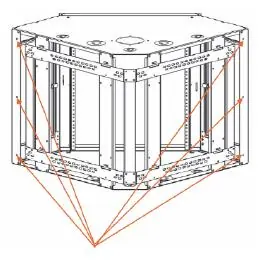
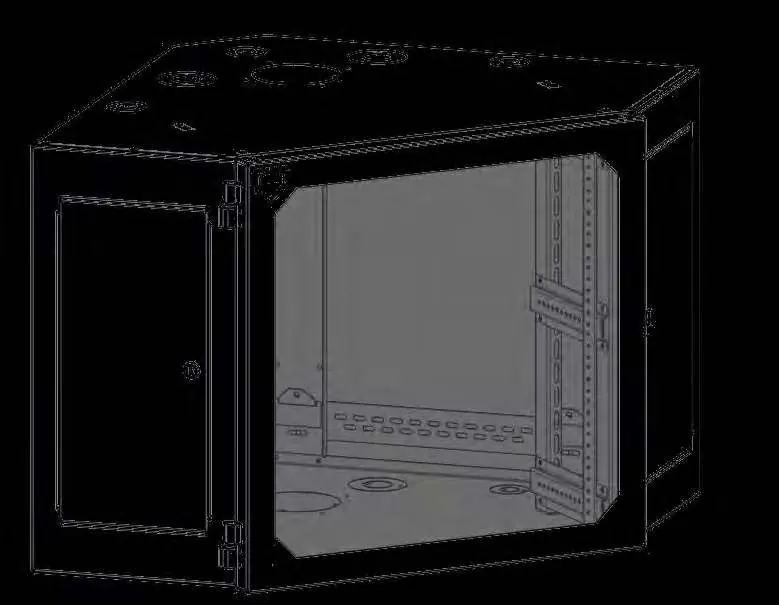
Step 2: Once the wall mount frame is securely installed, lift the cabinet and lower it so that the eight beveled tabs on the wall mount engage with the eight slots on the back of the cabinet.
Step 3: Install screws (not included) from the inside of the cabinet in the six designated locations before installing any equipment.
Step 4: For additional security, install screws (not included) in the eight optional positions shown in the manual.
Support
For support, you can contact Kendall Howard via the following methods:
- Phone: 651.213.1333 (8:00 AM to 5:00 PM CST)
- Email: [email protected]
- Mail: 10152 Liberty Lane, Chisago City, MN 55013
- Web: www.kendallhoward.com
Official resources from the manual
Practical help
Common problems
Cabinet does not sit securely on the frame
Ensure all eight beveled tabs on the wall mount are fully engaged with the slots on the back of the cabinet.
Mounting frame is loose
Verify that the wall anchors used are appropriate for the wall material and that the frame is secured tightly to the wall.
Before use
- Verify wall structure can support 52 lbs plus equipment weight
- Gather tools: Phillips screwdriver, Cordless Drill, Level
- Purchase appropriate mounting screws and wall anchors for your wall type
- Ensure the mounting frame tabs are facing upward before securing to the wall
Images and diagrams
- The mounting frame uses eight beveled tabs to support the cabinet weight.
- Installation requires securing the frame to the wall first, then hanging the cabinet.
Model compatibility
- Mounting hardware is not included; must be sourced based on wall material.

Manual page author
David Miller
Documentation analyst
Organizes user manual content into clear summaries, with attention to model details, product context, and everyday usability.