Computers / Laptops
User Manual for LG 16T90R Series Notebook
Comprehensive safety and regulatory guide for the LG 16T90R Series notebook. Includes installation precautions, battery care, system maintenance, and regulatory compliance information.
Table of contents
Manual images
Click an image to enlargeQuick guide from the manual
The LG 16T90R Series notebook includes built-in software to help you manage your device. You can access the user manual and troubleshooting guide directly from your PC:
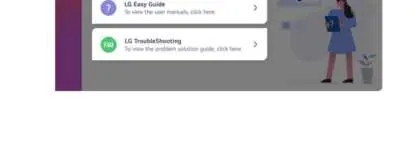
- Select the Start button.
- Navigate to All apps.
- Run LG PC Manuals.
- Select LG Easy Guide for the user manual or LG TroubleShooting for problem-solving assistance.
Information and precautions before using
Before using your notebook, please note the following:
- This guide is written for the Windows 11 operating system.
- Screen and menu configurations may vary based on Windows and software updates.
- The optical disk drive is an optional component and may not be included with your specific purchase.
- The product has been tested for SAR (Specific Absorption Rate) at a 20 mm separation distance.
Product installation and usage precautions
To ensure the longevity and safety of your notebook, follow these guidelines:
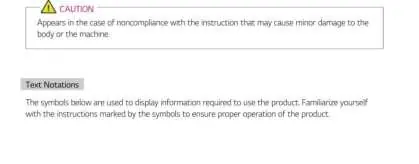
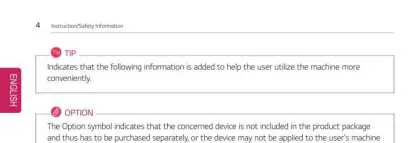
- Placement: Place the machine in a safe, stable, and clean environment to prevent falls and damage.
- Ventilation: Keep objects at least 15 cm away from the PC to ensure proper airflow and prevent overheating.
- Magnetic Interference: Do not store or use the PC near magnetic objects (e.g., wallets, diaries, speakers) as this may damage the storage device (HDD, SSD, eMMC).
- LCD Care: Do not touch the LCD with your hands if damaged. Avoid placing objects like pens between the keypad and the LCD when closing the lid. Clean the screen using designated agents and a soft cloth, rubbing in one direction only.
- Upgrades: Always turn off the power and disconnect the power cable, battery, and LAN before upgrading the PC.
Battery and AC adapter precautions
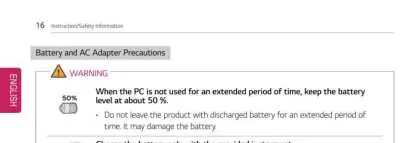
- Storage: If the PC is not used for an extended period, keep the battery level at approximately 50%.
- Charging: Use only the provided instrument to charge the battery.
- Safety: Do not disassemble, pierce, or short-circuit the battery. Keep it away from heat, water, and metallic objects.
- Temperature: Do not store the battery in environments above 60°C or in high humidity.
- AC Adapter: Connect the power plug firmly. Do not bend the cable excessively or use damaged cords. Keep the adapter clean and disconnect it by pulling the plug, not the cord.
System protection and maintenance
If the system becomes too hot, the system protection feature will automatically stop recharging and switch the power mode to Hibernate or Off. The system must cool down before it can be reactivated. Always handle the machine with care to prevent data loss from the storage device.
Regulatory and environmental information
This product complies with various international regulations, including Energy Star specifications. The PC is set to switch to Modern Standby after 10 minutes of inactivity. For environmental preservation, LG promotes recycling programs. Please dispose of old electrical and electronic equipment (WEEE) separately from municipal waste streams as indicated by the crossed-out wheeled bin symbol.
Manufacturer information
LG Electronics
Practical help
Common problems
System overheating
The system protection feature will automatically stop recharging and switch to Hibernate or Off. Allow the PC to cool down before reactivation.
Hard drive capacity discrepancy
Windows uses binary definition (1 KB = 1,024 Bytes), while manufacturers use decimal (1 KB = 1,000 Bytes), resulting in lower reported capacity.
Wireless LAN connection issues
Avoid using wireless LAN within a 5 m radius of a microwave or plasma lamp. If necessary, use channels 11 to 13.
Before use
- Ensure the PC is placed in a safe, stable, and clean environment.
- Keep objects at least 15 cm away from the PC for proper ventilation.
- Avoid using the PC near magnetic objects (wallets, speakers, etc.) to protect storage devices.
- Check that the memory cover is securely closed before turning on the PC.
- Use only parts certified by LG Electronics Inc.
Specs in practice
- SAR (Specific Absorption Rate)
- A measure of the rate at which energy is absorbed by the human body when exposed to a radio frequency electromagnetic field.
Model compatibility
- This guide is written for the Windows 11 operating system.
- The optical disk drive is optional and may not be included with all models.

Manual page author
David Miller
Documentation analyst
Organizes user manual content into clear summaries, with attention to model details, product context, and everyday usability.