Lighting / Outdoor Lighting
User Manual for Lightpro 227A Motion Sensor
Quick guide for the Lightpro 227A Motion Sensor. Learn how to install, pair with the Zigbee gateway, reset the device, and understand technical specifications.
Quick answers from the manual
Quick answer
- The Lightpro 227A is a Zigbee-based motion sensor for 12V outdoor lighting. It requires a Gateway to pair with the app and operates only from dusk till dawn. p. 4, 5, 6, 7
Key actions
- Pairing with Gateway p. 4, 5, 6, 7
- Resetting the sensor p. 4, 5, 6, 7
First start
- Ensure the 12V transformer is on, install the sensor within 20m of the Gateway, and use the app to pair. p. 2, 4, 5
Show 4 more answers Show less
Problems and fixes
Sensor not working
The motion sensor only works from dusk till dawn.
p. 4, 5, 6, 7Maintenance and reset
- Press and hold the reset button for 5 seconds. p. 4, 5, 6, 7
Technical specifications
| Parameter | Value | Meaning | Pages |
|---|---|---|---|
| Input | 12V AC/DC | Operating voltage | p. 4, 5, 6, 7 |
| Protection class | IP65 | Water and dust resistance | p. 4, 5, 6, 7 |
| Max load | 150W | Maximum connectable power | p. 4, 5, 6, 7 |
Where to find it in the PDF
- Product Overview p. 1
- Installation & Pairing p. 2, 3, 4, 5
- Safety & Specs p. 8, 9
Table of contents
Manual images
Click an image to enlargeQuick Guide
The Lightpro 227A is a wireless motion sensor that operates via Zigbee technology. It is designed for use with the Lightpro 12V outdoor lighting system. Key requirements for operation include a Lightpro Gateway and a 2.4GHz WiFi network.
- Operating Range: Maximum 20 meters between two Zigbee products.
- Operating Condition: The sensor only functions from dusk till dawn.
- Power: 12V AC/DC.
Product Description
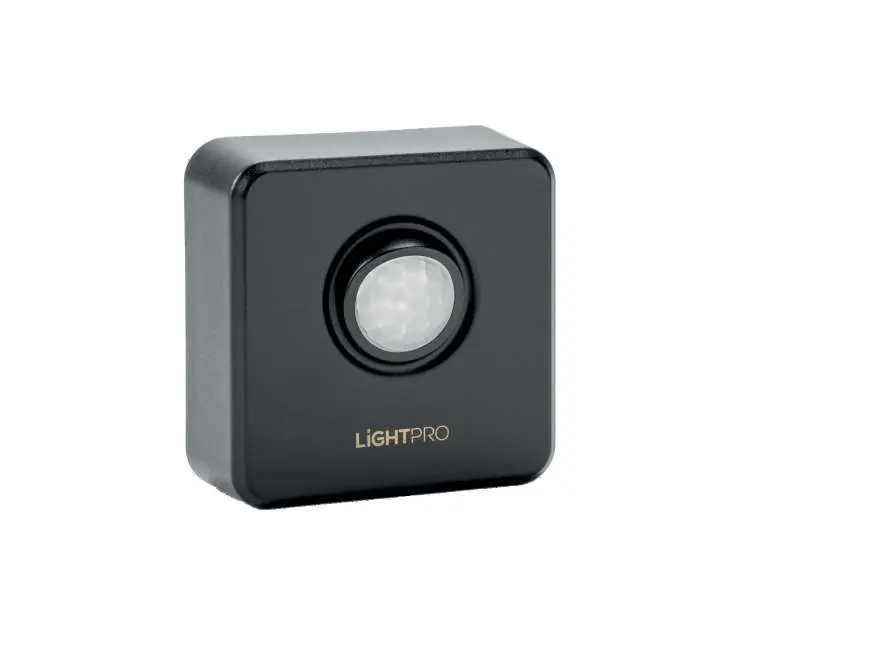
The Motion Sensor helps secure your garden by detecting movement. It communicates with other Zigbee products to extend the range of your smart lighting system. It is compatible with the Lightpro 12-Volt system.
Installation
Follow these steps to install the sensor:
- Place the product in the desired location.
- Ensure the sensor is within 20 meters of the Gateway.
- If the product has a drain hole, ensure it points downwards.
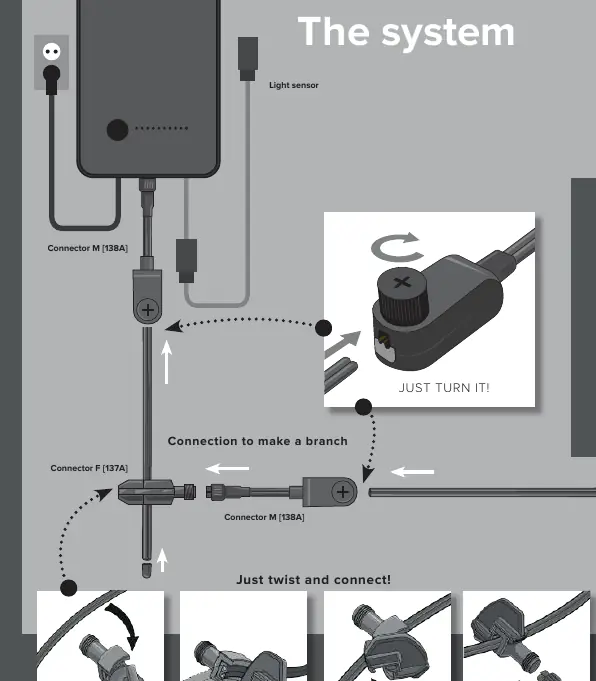
- Connect the sensor to the main cable using the provided connector.
- Ensure the 12V transformer is powered on continuously (do not use light sensors or other accessories on the transformer).
Pairing with the App
A Gateway is required to use the sensor with the app:
- Ensure your WiFi router is set to 2.4GHz.
- Open the app and click the '+' button.
- Select 'Motion Sensor (PIR)'.
- Select the correct Gateway.
- The app will search for the sensor; this may take up to 2 minutes.
- A notification will appear once successfully connected.
Resetting the Sensor
If you need to reset the device, press and hold the reset button for 5 seconds.
Safety and Maintenance
- Maintenance: Clean regularly with a soft, clean cloth. Do not use high-pressure washers or aggressive chemical cleaning agents.
- Accessibility: Install the product so it remains accessible for servicing. Do not embed or brick it in permanently.
- Environment: Suitable for outside temperatures between -20°C and 50°C.
- Usage: Do not use in areas where combustible gases, fumes, or liquids are stored.
Technical Specifications
- Product: Motion Sensor
- Model: 227A
- Input: 12V AC/DC
- Max Consumption: 1W
- Max Connectable Power: 150W
- Protection Class: IP65
- Dimensions: 70 x 70 x 32 mm
Practical help
Common problems
Sensor does not connect to the app
Ensure your WiFi router is set to 2.4GHz and the sensor is within 20 meters of the Gateway.
Sensor is not triggering lights
The sensor only works from dusk till dawn. Check if it is dark enough outside.
Before use
- Ensure the 12V transformer is powered on.
- Verify the Gateway is installed and connected to the app.
- Check that the sensor is within 20 meters of another Zigbee product.
- Ensure the WiFi network is 2.4GHz.
Show more Show less
Images and diagrams
- The system diagram illustrates how to connect the sensor to the main cable using the provided connector.
- The 'Just turn it!' diagram shows the proper way to secure the connector to the cable.
Model compatibility
- Must be used with the Lightpro 12V system.
- Requires a Lightpro Gateway for smart features.
- Not compatible with 5GHz WiFi networks.

Manual page author
Emily Carter
User documentation editor