Home Appliances / Small Kitchen Appliances
User Manual for MAULgloss Digital Scale
Quick start guide and user manual for the MAULgloss digital scale. Learn how to operate, use the tare function, change units, and troubleshoot common errors like EEEE or Lo.
Table of contents
Getting Started
Before using your MAULgloss scale for the first time, ensure you remove the plastic isolation film from the battery compartment located on the underside of the device. Always place the scale on a flat, horizontal surface to ensure accurate readings.
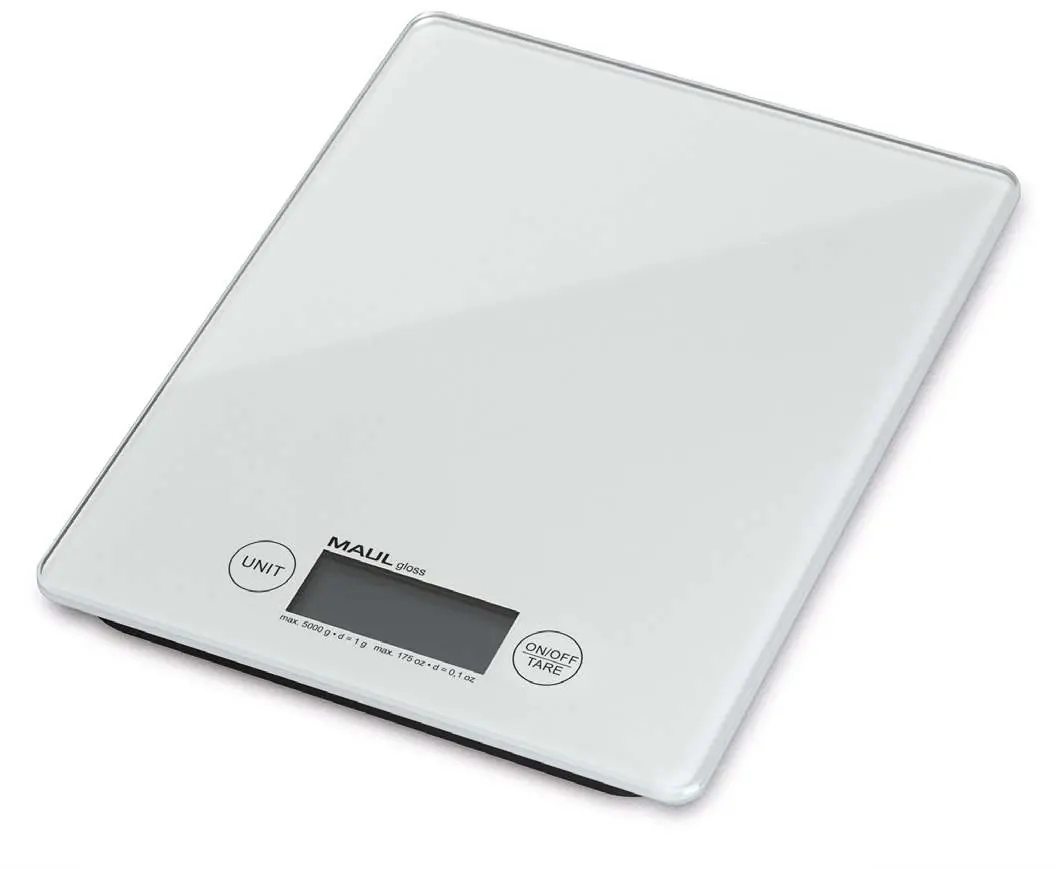
Weighing and Tare Function
To turn on the scale, press the ON/OFF/TARE button. The display will show "8888" briefly; wait until "0" appears before placing your item on the scale.
Using the Tare function:
- Place an empty container on the scale.
- Press the ON/OFF/TARE button to reset the display to zero.
- Add the ingredients or items to the container. The display will show only the net weight of the added items.
Switching Units
The scale can display weight in grams (g), pounds (lb), ounces (oz), or milliliters (ml). With the scale turned on, press the UNIT button to cycle through the available units and select your preference.
Troubleshooting
- EEEE: The weight on the scale exceeds the maximum capacity. Remove the excess weight.
- unSt: The scale is not on a steady, flat surface. Move the scale to a stable location.
- Lo: The battery is low and needs to be replaced.
Maintenance and Auto-Off
The scale features an automatic shut-off function that turns the device off after approximately 1.5 minutes of inactivity. If the scale is not used for an extended period, remove the battery to prevent leakage.
Manufacturer information
Jakob Maul GmbH
Practical help
Common problems
Display shows 'EEEE'
The weight exceeds the maximum capacity of the scale. Remove the excess weight.
Display shows 'unSt'
The scale is not on a stable surface. Place it on a flat, horizontal area.
Display shows 'Lo'
The battery is exhausted. Replace the CR2032 battery.
Before use
- Remove the plastic isolation film from the battery compartment.
- Ensure the scale is placed on a flat, horizontal surface.
- Check that the battery is inserted with correct polarity.
Images and diagrams
- The scale features a single ON/OFF/TARE button for power and zeroing, and a UNIT button for switching measurement modes.
Model compatibility
- Not for legal trade use.

Manual page author
Michael Turner
Technical manual editor
Reviews PDF manuals for structure, safety notes, and practical product details so readers can find the right information quickly.