Software / Apps Services
Instruction Manual for NEO TOOLS 12K020/12K021/12K022 Oil-Free Compressor
Quick guide for the NEO TOOLS 12K020, 12K021, and 12K022 oil-free compressors. Includes assembly instructions, operation steps, maintenance schedules, safety warnings, and troubleshooting.
Table of contents
Manual images
Jump to the sectionQuick guide from the manual
This document provides essential instructions for the safe operation and maintenance of the NEO TOOLS 12K020, 12K021, and 12K022 oil-free compressors. Always read the full manual before use. Key safety requirements include using protective gear (goggles, ear protection), ensuring proper grounding, and never exceeding the maximum operating pressure.
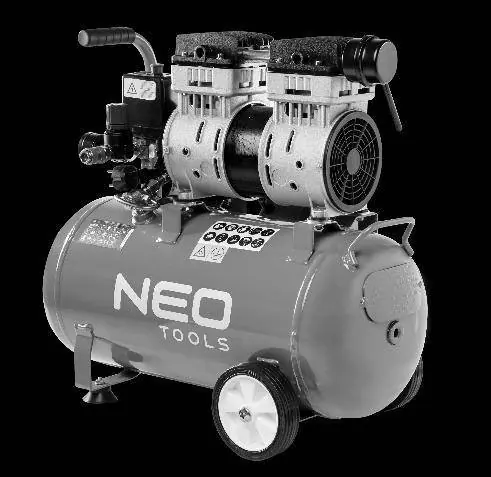

Assembly and Installation
The compressor requires assembly before first use:
- Place the compressor on a flat, stable surface with the motor facing up.
- Attach the transport wheels to the wheel holders using the provided screws.
- Install the support foot to the bracket on the underside of the air nozzle.
- Screw the air filter onto the thread by hand (clockwise).
- Ensure the air tank drain valve is tightly closed.
- Position the unit 12-18 inches from walls to ensure proper airflow for cooling.
Operation
Before starting, ensure all bolts are tight and the air hose is correctly connected. To operate:
- Press the lower part of the main switch to start the machine.
- Allow the tank to pressurize and check for air leaks.
- Adjust the operating pressure using the regulator.
- The machine will automatically switch off when the maximum pressure is reached and restart if pressure drops.
- Always switch off the machine and drain the condensate from the tank after use.
Maintenance
Regular maintenance is crucial for safe operation:
- Before each use: Drain condensate, check for unusual sounds/vibrations, and ensure all bolts are tight.
- Every 10 hours: Clean the air filter.
- Every 40 hours: Check the air system for leaks using soapy water.
- Annually: Have the machine checked by an authorized service center.
Troubleshooting
- No start: Check power supply, fuse/circuit breaker, or wait for the motor to cool down if overheated.
- Pressure issues: Check for leaks in the safety valve, clean/replace the air filter, or have the non-return valve replaced by a service center.
- Safety valve release: Check if the pressure switch is correctly adjusted; if the issue persists, have it replaced by an authorized service center.
Practical help
Common problems
Compressor does not start
Check power supply, fuse/circuit breaker, or wait for the motor to cool down if it has overheated.
Air pressure issues
Check for leaks in the safety valve, clean or replace the air filter, or have the non-return valve replaced by an authorized service center.
Safety valve releases air
Verify pressure switch adjustment; if the problem persists, have the switch replaced by an authorized service center.
Before use
- Check that all bolts and nuts are securely tightened.
- Ensure the air tank drain valve is closed.
- Verify the condition of the safety valve, air tank, and accessories.
- Clean or replace the air filter if dirty.
- Ensure the air hose is correctly connected.
Specs in practice
- Maximum pressure
- The highest pressure the compressor can reach (8 bar for all models).
- Switch-on pressure
- The pressure level at which the compressor automatically restarts (6 bar).
- Protection class
- IP 20, indicating the level of protection against solid objects.
Images and diagrams
- Fig 2: Assembly of transport wheels.
- Fig 3: Assembly of the support foot.
- Fig 4: Installation of the air filter.
- Fig 7: Draining the air tank.
- Fig 8: Testing the safety valve.
Model compatibility
- Use only original spare parts and accessories.
- The compressor is not intended for commercial, retail, or industrial use.
- Requires a 220-230 V / 50 Hz power supply with a circuit protected by a current device not exceeding 30 mA.

Manual page author
Emily Carter
User documentation editor
Prepares concise manual descriptions and highlights the most useful setup, operation, and maintenance information for readers.