Electronics / Televisions
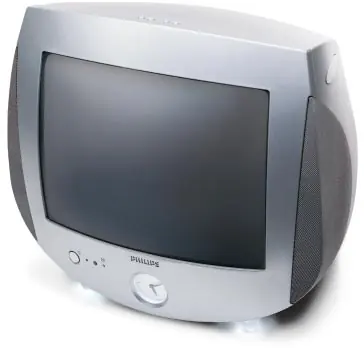
User Manual for Philips 13PT30L 13-inch Stereo Color Television
Quick guide for the Philips 13PT30L 13-inch Stereo Color Television. Learn about remote control functions, A/V connections, AutoPicture settings, and convenience features like AutoChron and AutoLock.
Table of contents
Quick Guide from the Manual
The Philips 13PT30L is a 13-inch portable stereo color television featuring an integrated analog clock, ambient night lights, and a full-function remote control. This guide covers the essential setup, operation, and feature utilization for your device.
Remote Control
The 33-button remote (Remote# RCNVIUA/01) provides full control over the television. Key functions include:
- Snooze Feature: Press any button to activate snooze, which switches off the alarm for approximately 5 minutes.
- Reset Button: Turns off the alarm and automatically resets it for the same time the next day.
- Multimedia Mode: One-button access to switch to A/V input sources and automatically set AutoPicture options.
- 4-Way Cursor Control: Used for menu navigation and adjustments.
Convenience Features
- Ambient Night Lights: Features three intensity levels of soft glow accent lighting.
- AutoLock: Utilizes V-chip technology to protect children from restricted programming based on MPAA and network ratings.
- AutoChron: Automatically sets and maintains the correct time, including adjustments for power failures and daylight savings.
- Surf: Allows you to store up to eight favorite stations in memory for quick access.
- Backlit Analog Clock: Includes wake-up alarms with sounds like a rooster, xylophone, harp, or a pre-selected TV channel.
Picture and Sound
- AutoPicture: Optimizes brightness, contrast, color, tint, and sharpness for specific scenarios like personal, sports, movies, or weak signals.
- AutoSound Plus: Offers four factory preset positions (theater, music, voice, personal) with adjustable bass, treble, and automatic volume leveling.
- Black Stretch & Color Temperature: Advanced picture adjustments for a better viewing experience.
Connections
The television is equipped with a side stereo headphone jack and a rear Audio/Video jack panel (JP9504). The rear panel includes:
- ANT/CABLE: 75-ohm UHF/VHF input for antenna or cable connection.
- Video Input: Standard composite video input.
- Audio Inputs: Left (L) and Right (R) stereo audio inputs.
Technical Specifications
- Screen Size: 13 inches (measured diagonally).
- Channels: 181-channel capability.
- Speakers: 3-inch round, full-range speakers.
- Dimensions: 16.2 inches W x 14.6 inches H x 15.2 inches D.
- Weight: 22 lbs.
Manufacturer information
Philips
Practical help
Common problems
Alarm not functioning as expected
Ensure the alarm is set within a 24-hour window and the TV is in the correct power state (on or standby as required).
Poor picture quality
Use the AutoPicture feature to select the appropriate enhancement setting (personal, sports, movies, or weak signals) to optimize brightness, contrast, and sharpness.
Before use
- Connect your antenna or cable signal to the 75-ohm UHF/VHF input.
- Ensure the TV is placed on a stable, flat surface.
- Insert batteries into the remote control.
- Connect external devices (VCR, DVD, SAT, GAME) to the rear A/V jacks if needed.
Show more Show less
Images and diagrams
- The rear panel features a 75-ohm antenna/cable input, a single video input, and separate left and right audio inputs for stereo sound.
- The side panel includes a dedicated stereo headphone jack for private listening.
Model compatibility
- Supports 181 channels.
- A/V inputs are labeled for easy identification (A/V 1, VCR, DVD, SAT, GAME).

Manual page author
Emily Carter
User documentation editor