Electronics / Monitors
Quick Start Guide for Philips 24E1N1200A Monitor
A quick start guide for the Philips 24E1N1200A monitor, covering assembly, cable connections, OSD menu navigation, and tilt adjustment.
Quick answers from the manual
Quick answer
- This guide provides instructions for assembling the Philips 24E1N1200A monitor, connecting cables, and navigating the OSD menu. p. 1
Key actions
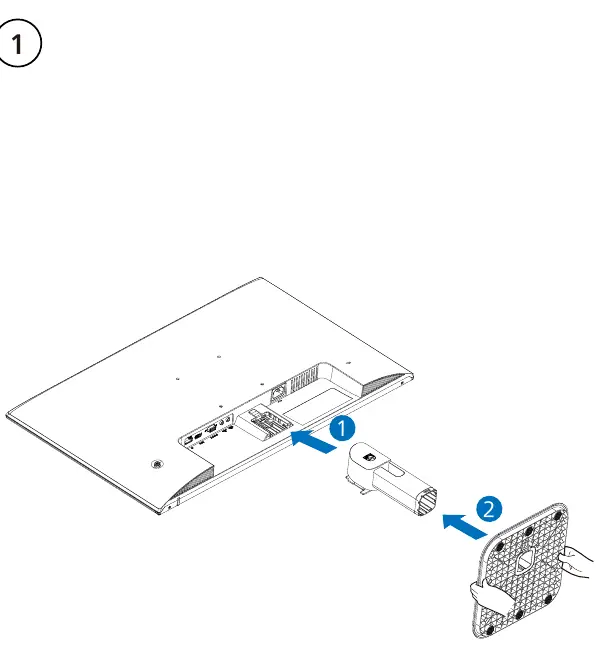
- Assemble the stand p. 1
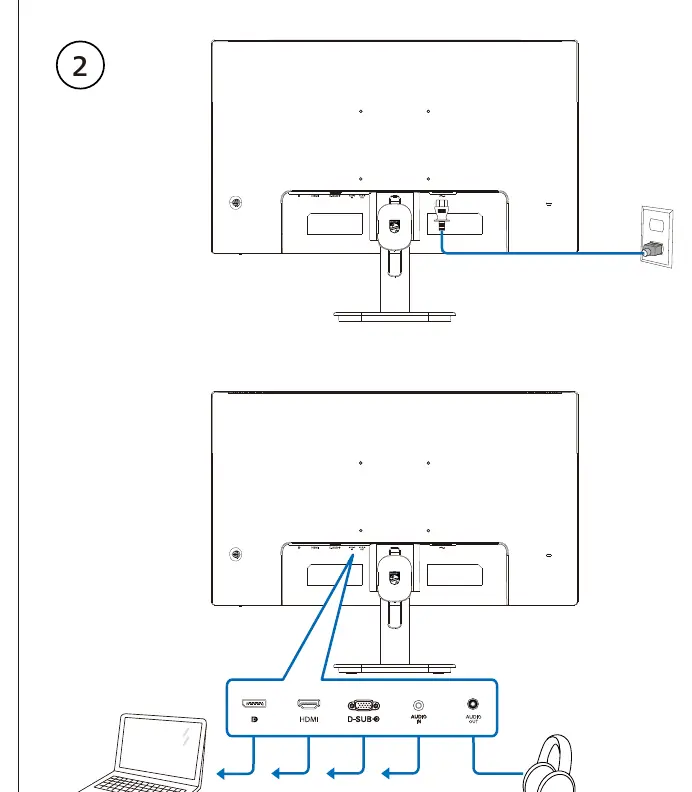
- Connect cables p. 1
- Navigate OSD menu p. 1
First start
- Place monitor face down on a smooth surface, attach stand, and connect cables. p. 1
Show 2 more answers Show less
Technical specifications
| Parameter | Value | Meaning | Pages |
|---|---|---|---|
| Tilt | -5° to 20° | Vertical adjustment range | p. 1 |
Where to find it in the PDF
- Quick Start Guide p. 1
Table of contents
Manual images
Click an image to enlargeQuick Start Guide
This guide provides essential instructions for setting up and operating the Philips 24E1N1200A monitor. It covers the initial assembly, connection options, and basic navigation of the On-Screen Display (OSD) menu.
Assembly
To assemble the monitor, place the screen face down on a smooth, clean surface to avoid scratching or damaging the display. Attach the stand securely to the monitor housing as indicated in the assembly diagram.
Connections
The monitor features multiple input ports on the rear panel. Ensure you connect the appropriate cables (HDMI, VGA, or DisplayPort) to your computer and the monitor. An audio port is also available for sound output.
OSD Menu Navigation
The monitor is equipped with a joystick or button interface to control the On-Screen Display (OSD) menu. Use this interface to adjust various settings, including:
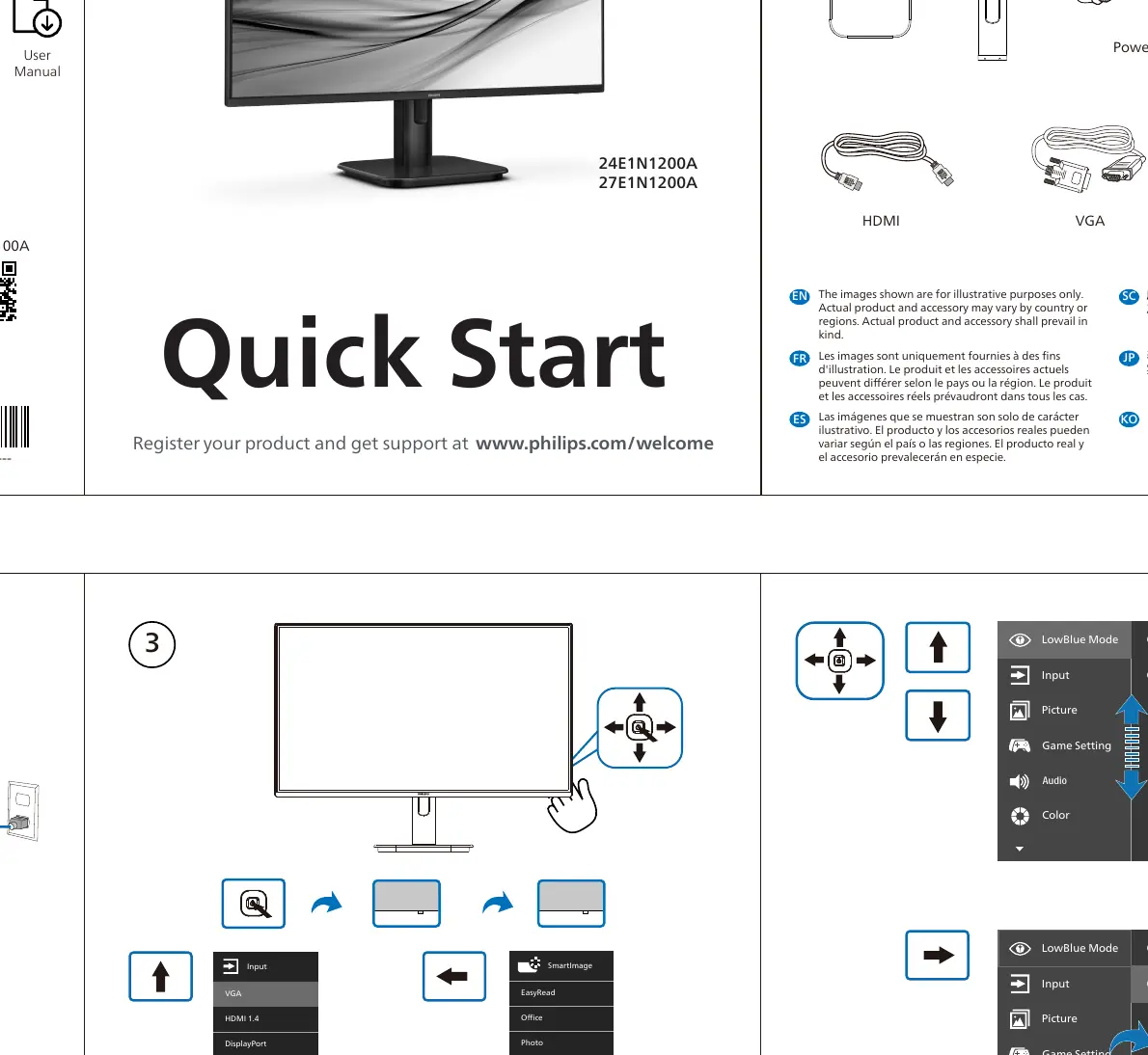
- LowBlue Mode: Reduces blue light emission.
- Input: Select the active video source (VGA, HDMI, DisplayPort).
- Picture: Adjust brightness, contrast, and sharpness.
- Game Setting: Configure gaming-specific features.
- Audio: Adjust volume and sound settings.
- Color: Customize color temperature and settings.
Tilt Adjustment
The monitor stand allows for vertical tilt adjustment to improve viewing comfort. The adjustable range is from -5° to 20°.
Manufacturer information
Philips
Practical help
Common problems
Screen scratched during assembly
Always place the monitor face down on a smooth, soft surface before attaching the stand.
Before use
- Ensure the surface is smooth and clean before assembly
- Verify all included cables (Power, DP, HDMI, VGA, Audio) are present
- Check the monitor orientation before attaching the stand
Show more Show less
Images and diagrams
- Assembly: Shows the stand attachment process.
- Connections: Illustrates the location of HDMI, VGA, DP, and Audio ports.
- OSD Navigation: Demonstrates how to use the joystick/buttons to navigate the menu structure.
Model compatibility
- Supports HDMI, VGA, and DisplayPort inputs.

Manual page author
Emily Carter
User documentation editor