Electronics / Monitors
User Manual for Philips 242G5DJEB LCD Monitor
Quick guide for the Philips 242G5DJEB gaming monitor. Learn about 144Hz setup, SmartKeypad usage, MHL connectivity, and technical specifications.
Quick answers from the manual
Quick answer
- The Philips 242G5DJEB is a 24-inch gaming monitor featuring a 144Hz refresh rate, SmartKeypad for OSD control, and MHL connectivity. It supports 1920x1080 resolution and includes various gaming-specific modes like FPS, Racing, and RTS. p. 1, 2, 3
Key actions
- To enable 144Hz, use a Dual-link DVI or DisplayPort cable and ensure your graphics card drivers are updated. p. 3
- Use the SmartKeypad to navigate the OSD menu and save gaming presets. p. 2
Problems and fixes
MHL device not connecting
Check with your MHL device FAQ or vendor. The policy of your device manufacturer may require you to purchase their brand specific MHL cable or adapter.
p. 3Show 2 more answers Show less
Technical specifications
| Parameter | Value | Meaning | Pages |
|---|---|---|---|
| Panel Size | 24 inch / 61 cm | Physical screen size | p. 3 |
| Optimum Resolution | 1920x1080 @ 120Hz (Dual link DVI/DP) | Recommended resolution and refresh rate | p. 3 |
| Maximum Resolution | 1920x1080 @ 144Hz (Dual link DVI/DP) | Maximum supported resolution and refresh rate | p. 3 |
| Power Supply | 100-240VAC, 50-60Hz | Input voltage requirements | p. 3 |
Where to find it in the PDF
- Features and Highlights p. 1, 2
- Specifications p. 3
Table of contents
Manual images
Click an image to enlargeQuick guide from the manual
The Philips 242G5DJEB is a 24-inch gaming monitor designed for high-performance gaming. Key features include a 144Hz refresh rate, SmartKeypad for OSD control, and MHL connectivity for mobile devices. To achieve the 144Hz refresh rate, ensure you are using a Dual-link DVI or DisplayPort connection and that your graphics card drivers are up to date.
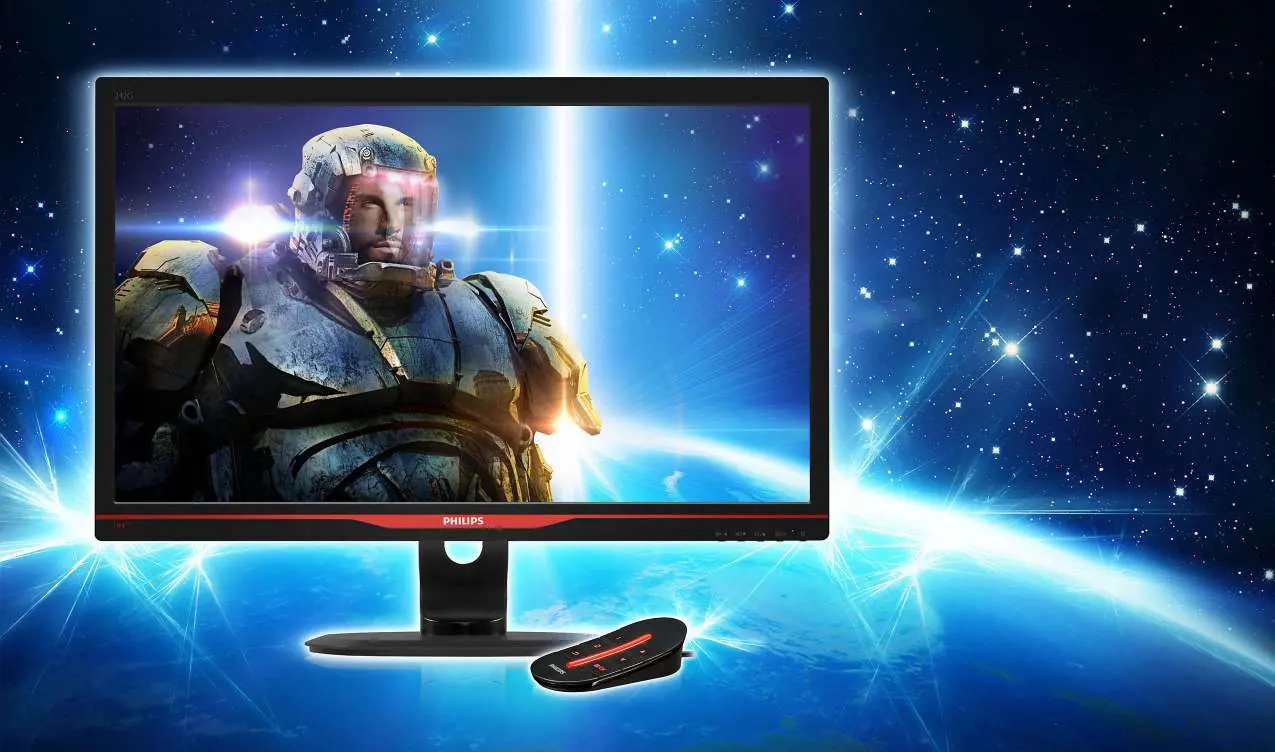
Gaming Features
- 144Hz Refresh Rate: Redraws the screen up to 144 times per second for ultra-smooth motion, reducing lag and screen tearing.
- SmartImage Game Mode: Offers OSD presets tuned for gamers, including FPS (improves dark themes), Racing (fastest response time), and RTS (Real Time Strategy) modes.
- SmartFrame: Highlights specific areas of the screen by boosting RGB gain, helping you spot opponents in RTS games.
- SmartResponse: Provides a 1ms response time for fast-paced gaming.
Connectivity and MHL
The monitor features a variety of inputs including VGA, Dual-link DVI, HDMI, and DisplayPort. It also includes USB 3.0 ports for fast data transfer and device charging.

MHL (Mobile High Definition Link): Allows you to connect MHL-capable mobile devices directly to the monitor to view content on the big screen while simultaneously charging the device. Note that an optional MHL cable is required and may not be included.
SmartKeypad
The included SmartKeypad is a dedicated remote controller that connects to the monitor. It provides:
- Quick access buttons for gaming presets.
- Ability to save and activate two personalized custom settings.
- Up and down function keys for easy OSD menu navigation.
SmartSize
The SmartSize function allows you to change the screen view to simulate different screen sizes (e.g., 17", 19", 21.5"). This is useful for practicing gaming in different aspect ratios or sizes on a single display.
Technical Specifications
The monitor features a 24-inch TFT-LCD (TN) panel with a resolution of 1920x1080. It supports a brightness of 350 cd/m² and a typical contrast ratio of 1000:1. The stand supports height adjustment (130mm), pivot (90 degrees), swivel (-65/65 degrees), and tilt (-5/+20 degrees). Power consumption is approximately 18.58W in operation.
Manufacturer information
Philips
Practical help
Common problems
144Hz refresh rate not working
Ensure you are using a Dual-link DVI or DisplayPort cable. Verify that your graphics card supports 144Hz and has the latest drivers installed.
MHL connection not working
Check if your mobile device is MHL-certified. Some manufacturers require a brand-specific MHL cable or adapter.
Before use
- Verify graphics card compatibility for 144Hz output
- Use Dual-link DVI or DisplayPort cable for 144Hz
- Check MHL compatibility if connecting mobile devices
- Ensure monitor is placed on a stable surface
- Connect power cable to a 100-240VAC outlet
Show more Show less
Specs in practice
- SmartResponse
- 1ms response time for fast gaming.
Images and diagrams
- SmartKeypad: Remote controller for gaming presets and OSD navigation.
Model compatibility
- 144Hz requires Dual-link DVI or DisplayPort
- MHL requires compatible mobile device and cable
- VESA mount compatible (100x100mm)

Manual page author
David Miller
Documentation analyst